



14 Effective Thanksgiving Marketing Ideas to Boost Your Sales in 2026
Discover creative Thanksgiving marketing ideas to engage customers, build buzz, and drive sales before Black Friday and Cyber Monday.
Learn how to set up free shipping on Shopify, boost your online sales, and discover why 25% would trade coffee or Netflix for this perk.
In short
Learn how to offer free shipping on Shopify in 2026 to boost conversion rates and customer satisfaction. This guide covers setting up free shipping options, creating discount codes, and promoting offers using popups and sticky bars. Discover the pros and cons of free shipping and optimize your ecommerce strategy to stay competitive in the evolving online marketplace.
Would you give up coffee or Netflix to get free shipping?
According to a recent survey, 25% of respondents would—if they could have free shipping on all their online orders!
If you’re a coffee and Bridgerton lover like us, this might seem absurd, but these statistics show that free shipping is one of the strongest incentives you can offer to your visitors.
Shipping fees are a major concern for customers, so if you can eliminate them, you’ll be way ahead of the pack.
In this article, we’ll show you how to set up free shipping on Shopify and how to promote it.
Let's go!
Let's start with the basics: what is free shipping exactly?
Free shipping is a popular marketing strategy that ecommerce businesses often use. By offering free shipping, the seller covers the shipping expenses instead of charging the customer.
In short: customers are not charged for any additional fees for their purchases, just the listed price of the product.
Over the last couple of years, we see a trend: free shipping has gone from being considered a “bonus” to being something customers demand, impacting purchasing choices significantly.
In fact, studies have shown that one of the major reasons for cart abandonment is unexpected shipping costs.
Now, let's take a look at the two ways you can provide free shipping for your visitors.
Offering free shipping on Shopify can be a powerful marketing tool, but it's worth considering the pros and cons of it.
Ready to set up free shipping on Shopify? We’ve got you covered.
Use our step-by-step guide to learn how to set up free shipping on Shopify.
First, you’ll want to log in to your Shopify account and access the admin panel. From the Shopify admin dashboard, click on "Settings," which is located in the bottom left corner..
Then, select "Shipping and delivery":
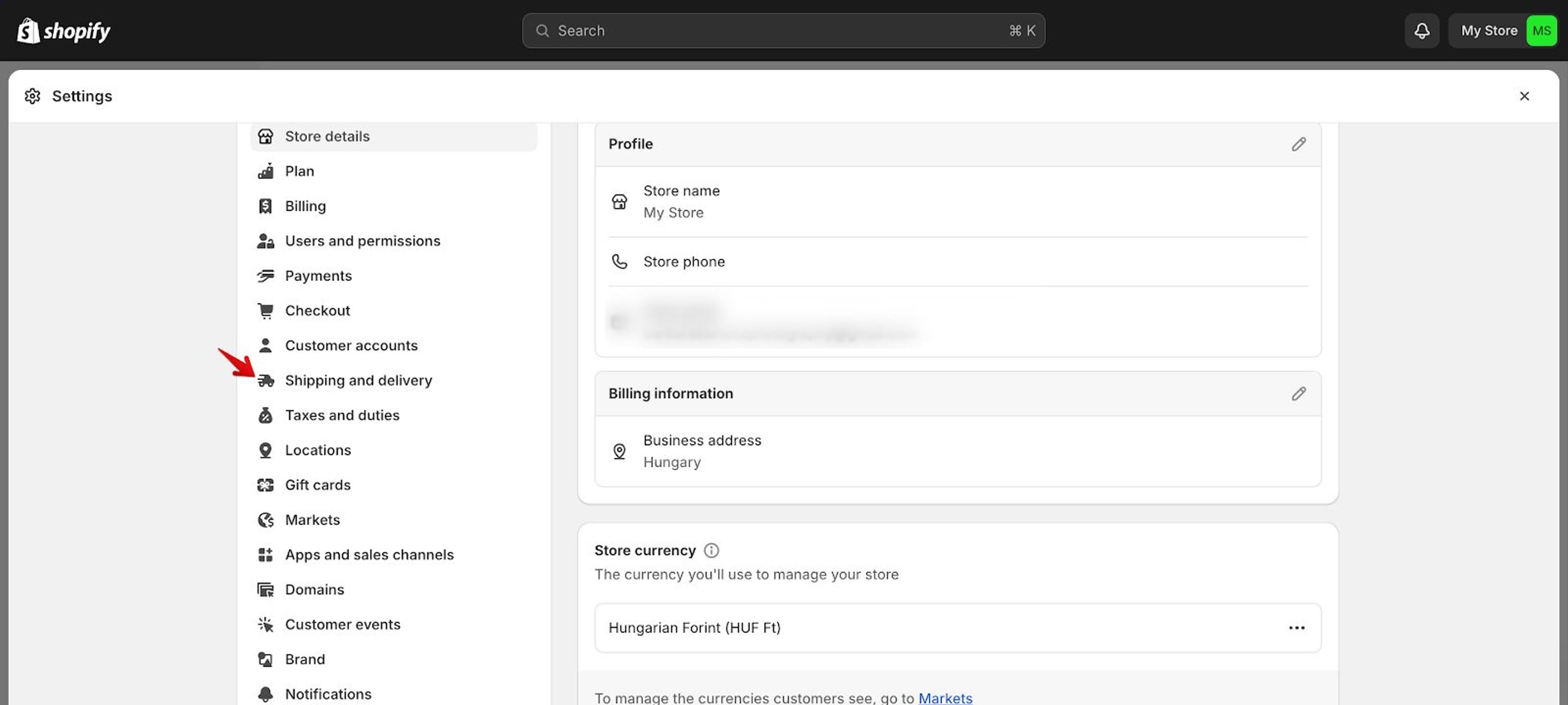
Next, in the "Shipping and delivery" settings, scroll down until you reach the "Shipping zones" section.
Click on "Add shipping zone" to establish a new shipping zone.
Name the shipping zone accordingly (e.g., "Domestic," "International," etc.).
Specify the countries or regions encompassed within the shipping zone by selecting "Add countries/regions," and save the shipping zone settings.
Within each shipping zone, locate and click on "Add rate" to set up shipping rates. Next, from the dropdown menu for the rate type, choose "Free shipping."
If you wish, you can establish conditions for free shipping, such as a minimum order value or specific products. Then, save your shipping rates.
Return to the "Shipping and delivery" settings. Scroll down to the "Shipping zones" section and select the shipping zone you want to adjust.
Now, you can review and make any necessary changes to the shipping rates you’ve set.
Once you’ve verified that the free shipping rates are properly set up and activated, save your changes.
Now, let's make sure the free shipping on your Shopify store is working properly.
First, make a pretend purchase on your store to see if free shipping kicks in correctly. Go through the checkout process and make sure you see the free shipping option.
Double-check that you've met any requirements for free shipping (like minimum order value), and that the shipping cost shows up as $0 when it should.
Now that you’re all set with your free shipping rates, let's find out how to add free shipping discount codes to your online store.
Enter your Shopify admin dashboard, and click on "Discounts," which is located in the left-hand menu. Once you've clicked on "Discounts," select "Create discount" to start the process of generating a new discount code.
In the "Discount code" section, input a unique discount code that customers will apply at checkout to redeem free shipping.
Next, from the dropdown menu "Discount type," opt for "Free shipping" to ensure customers are granted free shipping for their orders.
Make sure that your discount names are descriptive: enter a name for the discount code to help you identify it in your Shopify dashboard.
Additionally, you have the option to include a description that outlines any specific conditions or limitations associated with the discount code.
Specify the start and end dates for the discount if you want to impose a time limit on its availability.
You can also establish additional conditions such as a minimum order value or eligibility requirements for certain products to qualify for free shipping.
If you want to limit your free shipping discount codes, this is the step where you can do it by setting a maximum number of times it can be used.
Alternatively, you can restrict the discount code to one use per customer to prevent potential misuse or abuse.
Take a moment to review all the details you've entered to ensure everything is set up the way you want.
Double check the start and end dates, any restrictions or conditions, and the uniqueness of the discount code.
Once you're satisfied that everything looks good, click "Save" to create the free shipping discount code.
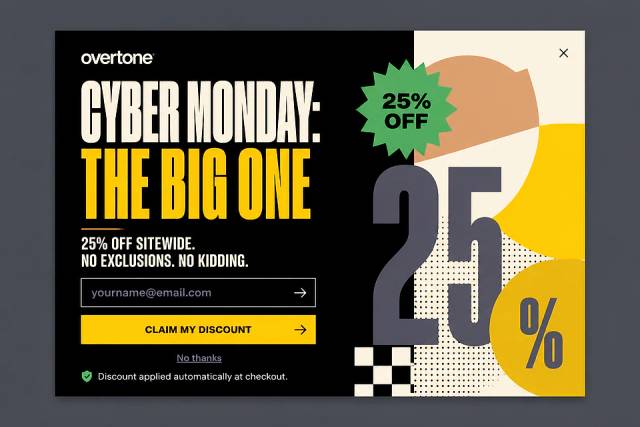
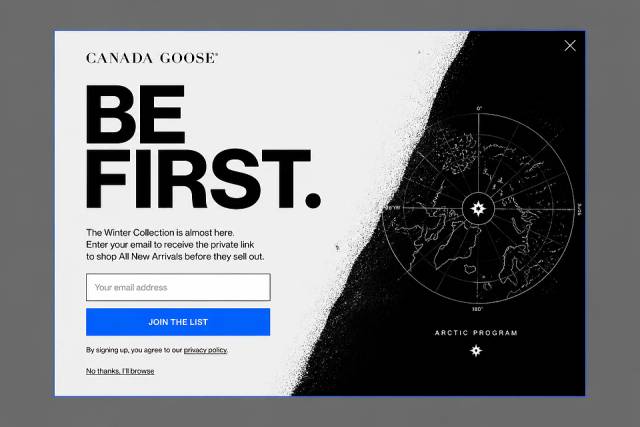
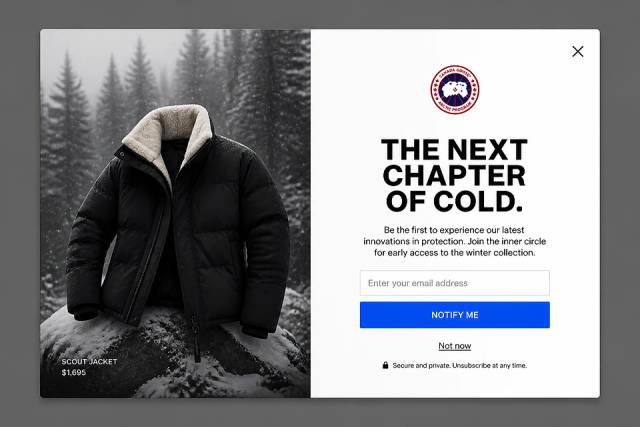
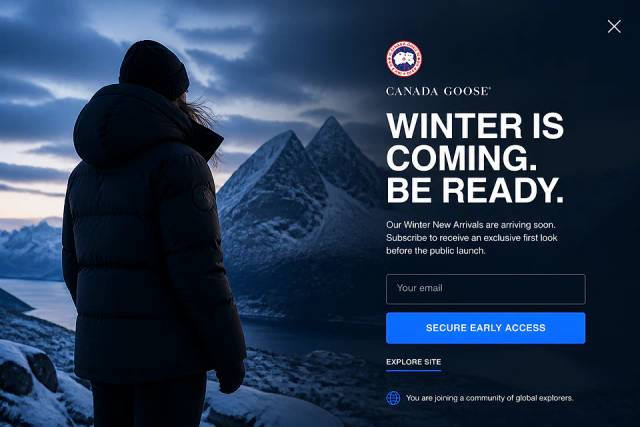
It's not enough to simply have a free shipping code, you also have to promote it. Popups and sticky bars are great tools for grabbing people's attention and showcasing your codes.
With OptiMonk, you can set up popups to promote your free shipping discounts.
Start by installing the OptiMonk app from the Shopify App Store with just one click.
Once you've signed up, describe the popup you want, and OptiMonk's AI agent designs it for your brand.
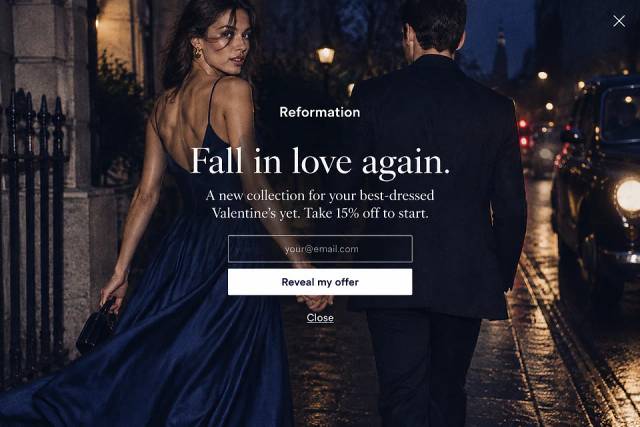
Here are some popup ideas:
Here are some free shipping popup ideas:
Free shipping can significantly boost conversions and average order value, but it’s not always the right choice for every store. Consider your profit margins, product price points, and shipping costs. For higher-margin products or stores aiming to increase cart size, free shipping is often a strong incentive. For low-margin items, you might need to set a minimum order threshold or limit free shipping to certain regions to avoid losses.
Yes. Shopify allows you to define minimum order values or specific products for which free shipping applies. This is one of the most common strategies to boost average order value.
Use popups, banners, or a free shipping bar in your theme to highlight your free shipping offer and how close customers are to unlocking it. These create urgency and can increase conversions.
With the rise of online shopping, customers increasingly expect free shipping as a standard offering. Shopify store owners can find themselves in a difficult situation if they ignore the power of free shipping.
By leveraging tools like OptiMonk, you can easily enhance your free shipping promotion strategy and maximize its effectiveness.
OptiMonk's AI agent designs eye-catching, on-brand popups to promote your free shipping offer.
Offer free shipping in a smart way, and watch your conversion rates soar!

Discover creative Thanksgiving marketing ideas to engage customers, build buzz, and drive sales before Black Friday and Cyber Monday.
Learn 5 ways ecommerce brands can turn new subscribers into recurring revenue using welcome flows, personalization, loyalty programs, re-engagement, and referrals.

In this article, we’ve compiled a list of the 25 top ecommerce apps that will help you streamline your operations, boost sales, and grow your online business.