
SaaS Personalization Playbook: 6+1 Strategies You Can Copy
In this article, we’ll go through 6 SaaS personalization strategies (plus one extra) that you can copy right away using OptiMonk.
In this article, we are unveiling valuable insight into how we tackle our own issues and address these challenges with our own product.
In short
Discover how OptiMonk, a leading SaaS company, optimizes its own conversion rate strategy using personalized popups, A/B testing, and targeted messaging. Learn how they segment visitors into TOFU, MOFU, and BOFU stages to enhance website personalization and boost conversion rates. This article offers valuable insights for SaaS businesses looking to improve their conversion strategies.
We not only acknowledge the imperfections of our own CRO strategy, but actively seek out ways of improving it. We believe in "eating our own dogfood" — using our own product to address our challenges — and we spent the past few months in a constant cycle of brainstorming, testing, and analyzing.
As we ran into obstacles during this journey, we realized that sharing our story (what we’re doing, how we do it, and why we’re doing it) could provide valuable insights for other SaaS companies.
And that’s why we decided to write this article. We’re going to share how we segmented our visitors and what kind of messages we tested for each visitor segment.
Keep reading to join us on this exciting journey!
Let’s start at the beginning: around 45% of our website's traffic came organically, but sadly, the conversion rate was far from satisfactory.
We set out to improve our SEO results, and to achieve this, we had to revamp our sales funnel.
The first step was to identify high-impact pages that attracted a significant volume of organic visitors. This included our homepage and several blog pages.
Then we had to come up with relevant offers and appropriate goals for these visitors.
Our traffic can be divided into the same three segments that SaaS companies usually attract (TOFU, MOFU, and BOFU).
Although in the world of SaaS, success hinges on attracting new users, we knew that not every visitor is ready to immediately sign up for an account. This ruled out the generic “come and register” popup that many SaaS businesses use.
Instead, we came up with three different conversion goals that were appropriate to potential users at different stages of the conversion funnel:
Let’s see how we tailored our messaging to these three different segments.
TOFU (top of funnel) traffic is composed of people who aren’t yet fully aware of the solutions that can solve their problems.
At this point, they have a problem and they’re still doing research about the solutions that could solve that problem. They’re searching for keywords like “average cart abandonment rate,” “high-converting landing pages,” or “how to get customer feedback.”
On our website, we also have lots of marketing breakdowns for DTC stores (like this Gymshark marketing breakdown). Some of our traffic includes people who are looking for keywords like “gymshark marketing strategy,” as they want to learn how the company grew and copy their strategies.
Although the visitors who end up on these ecommerce case studies don’t necessarily know anything about OptiMonk yet, there’s a good chance that they fit into our ideal customer profile and face challenges that most ecommerce businesses do (like cart abandonment or difficulty growing sales).
We don’t want these TOFU customers to simply consume our content and leave without returning. Instead, we try to convince them to sign up for our newsletter, which makes it easy to get in touch with them in the future.
Initially, we tried to promote our newsletter with a generic popup that simply said, “Looking for more ideas to grow your ecommerce store?”
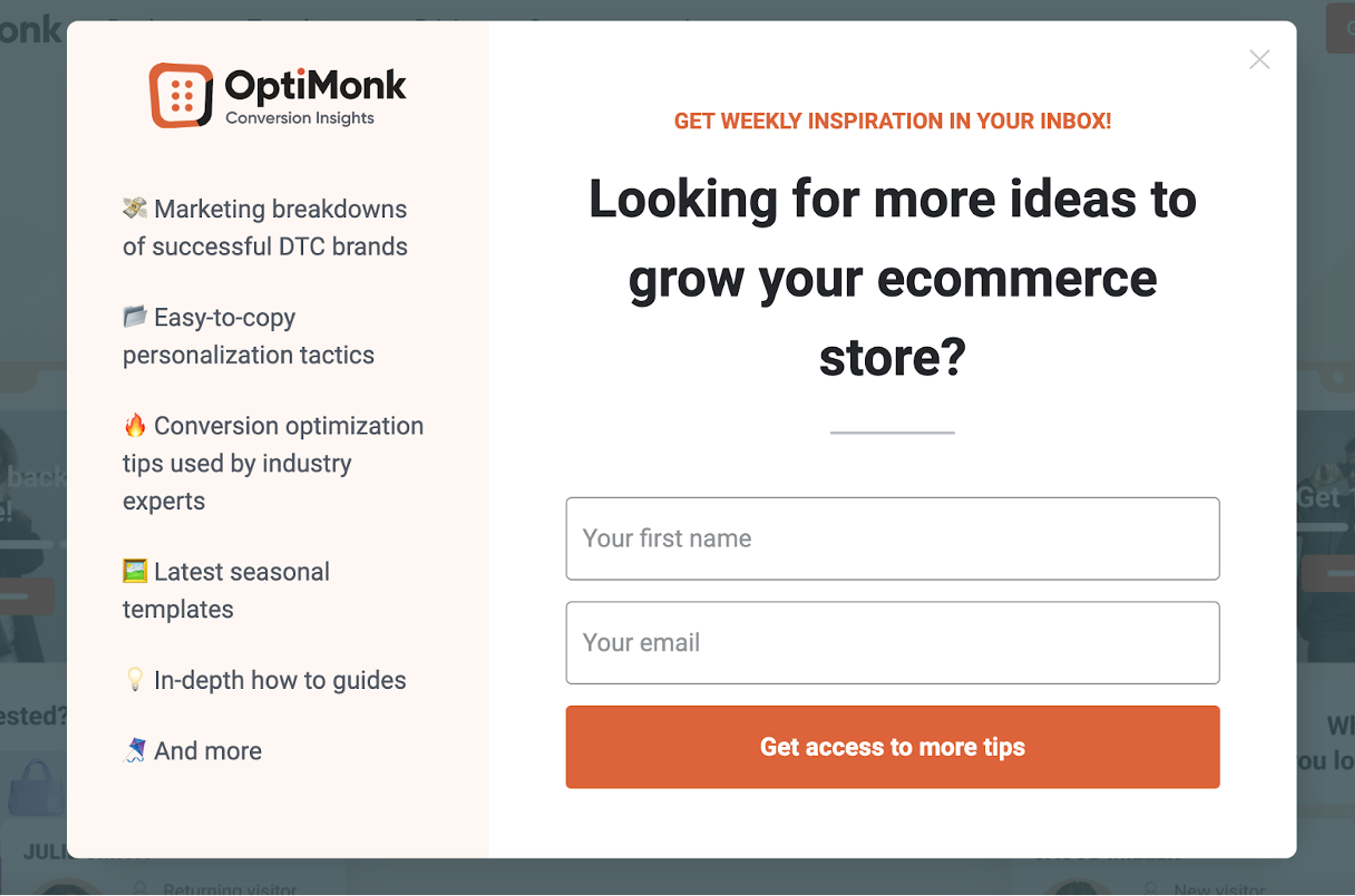
Unfortunately, this version converted at a disappointing 0.27%.
Clearly, there was room for improvement. We started A/B testing many variants of the message and popup design.
One variant that achieved a slightly better conversion rate (1.13%) included copy that promoted our marketing breakdown articles: “We analyze the world’s top DTC brands so you don’t have to.”
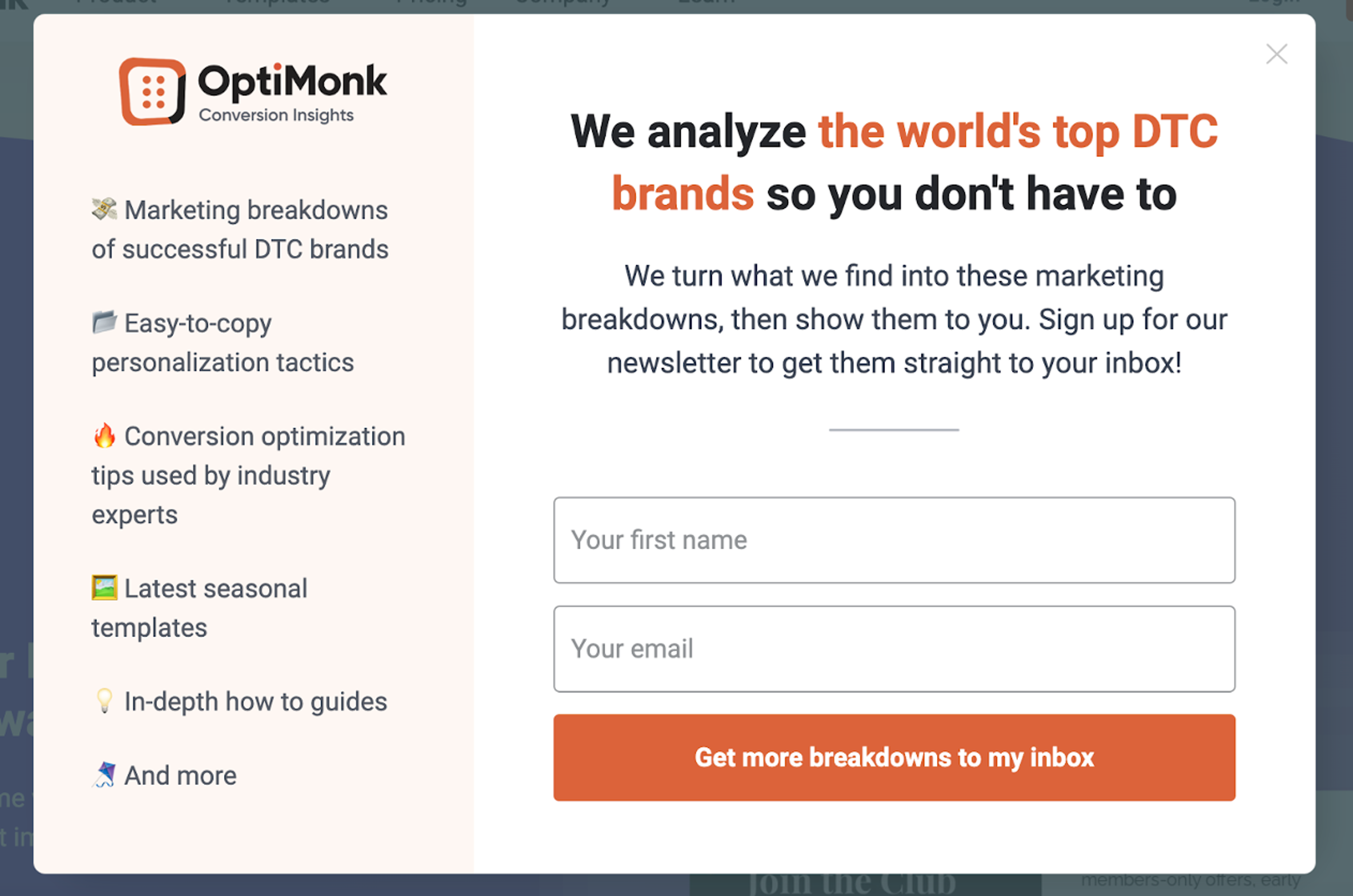
Since this copy was directly related to the topic of the articles that people were reading, it was a more relevant and persuasive offer.
An even higher-performing variant included the logos of brands that have been featured in our marketing breakdowns.
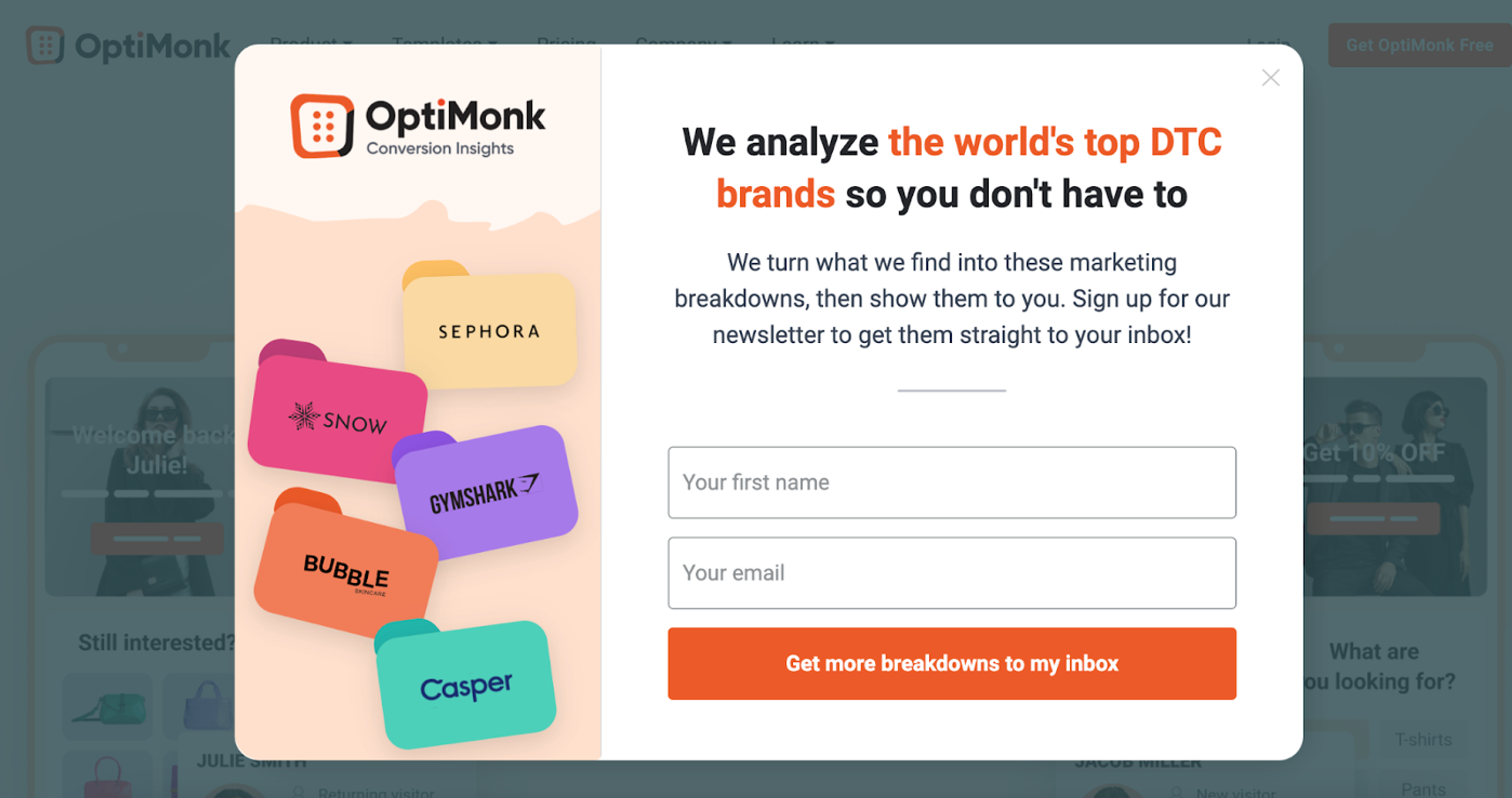
This addition boosted the popup’s conversion rate to 2.37%, which is a huge improvement over the 0.27% conversion rate of the first version. But still, it’s not an astonishing result, so we’re constantly A/B testing new variants as we seek to keep improving.
Now let’s take a look at the settings of this popup.
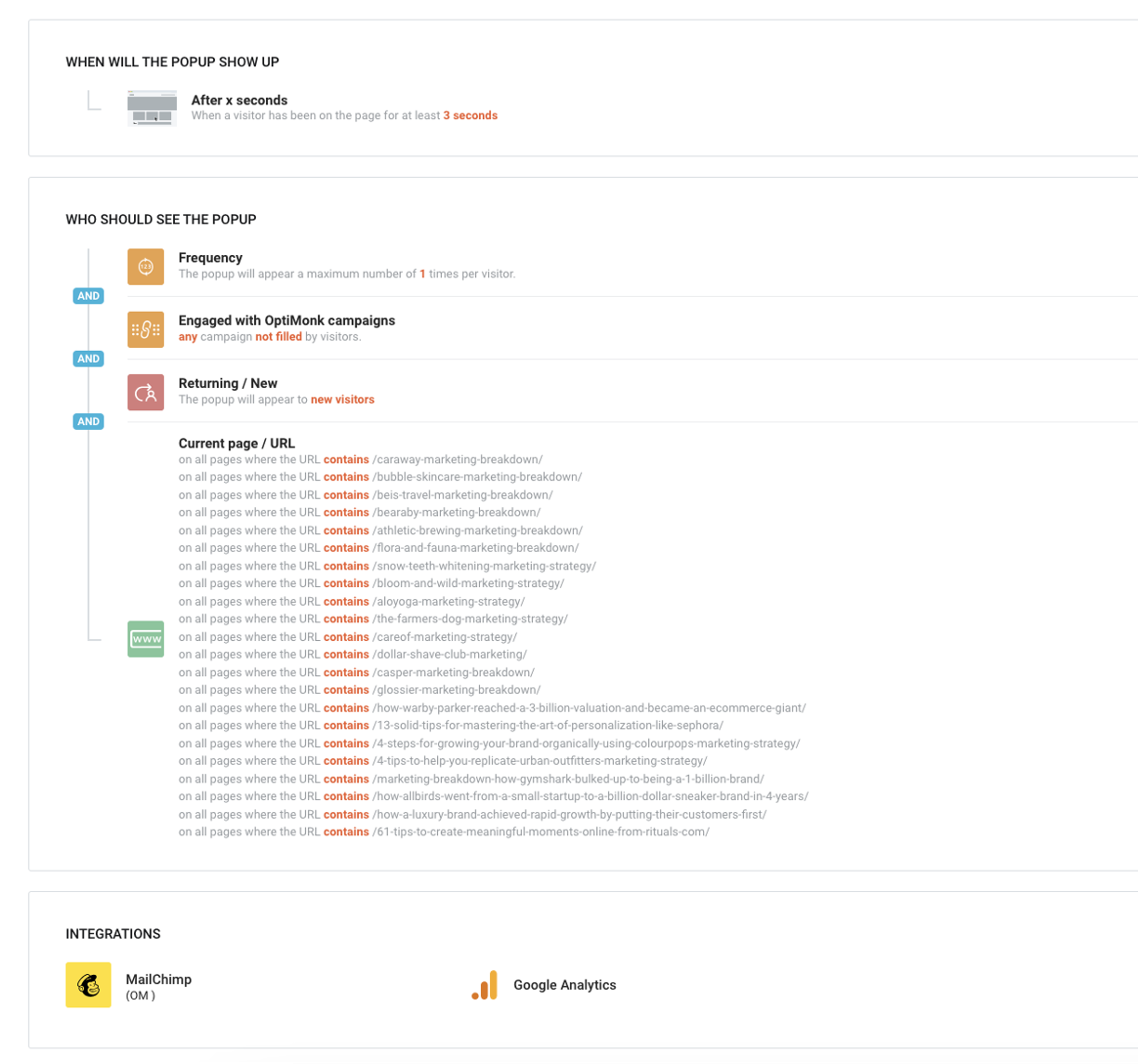
We used URL targeting to make sure that it only appeared on relevant TOFU articles. The campaign was triggered after new visitors spent three seconds on a blog post, and it had an “after-teaser” that stayed on the user’s screen if they closed the popup without initially converting.
Learn how to test different list building tactics against each other 💡
Next, we focused on MOFU (middle of funnel) traffic. These are the people who are already solution aware.
As popups are one of the solutions OptiMonk offers, people who are searching for keywords like “popup types,” “popup templates,” and “popup design best practices” are MOFU visitors.
But even though these visitors know about popups and know they want to use them (they might even use a competitor), they’re probably not ready to commit and start using OptiMonk.
Let’s use the “9 types of popups every ecommerce store should have” article as an example.
When people visit this article, we want to make sure that they get the information they’re looking for in the article, and then stick around on the website. We want to help them learn more about popups while also learning about the features of OptiMonk.
One way of helping users access even more in-depth information about both popups and our platform involved running webinars about how ecommerce stores can use popups to grow their business. Anyone who wants to use popups can benefit from attending our live events, but we also had the chance to showcase all the useful features that OptiMonk has.
In order to promote our webinar, we set up a sticky bar:
After A/B testing many messages and design choices, we decided to use personalized copy to reflect the topic that visitors were reading about.
For example, visitors reading a popup-focused article would see the copy above, but someone reading about ecommerce strategies would see a message that is specific to them.
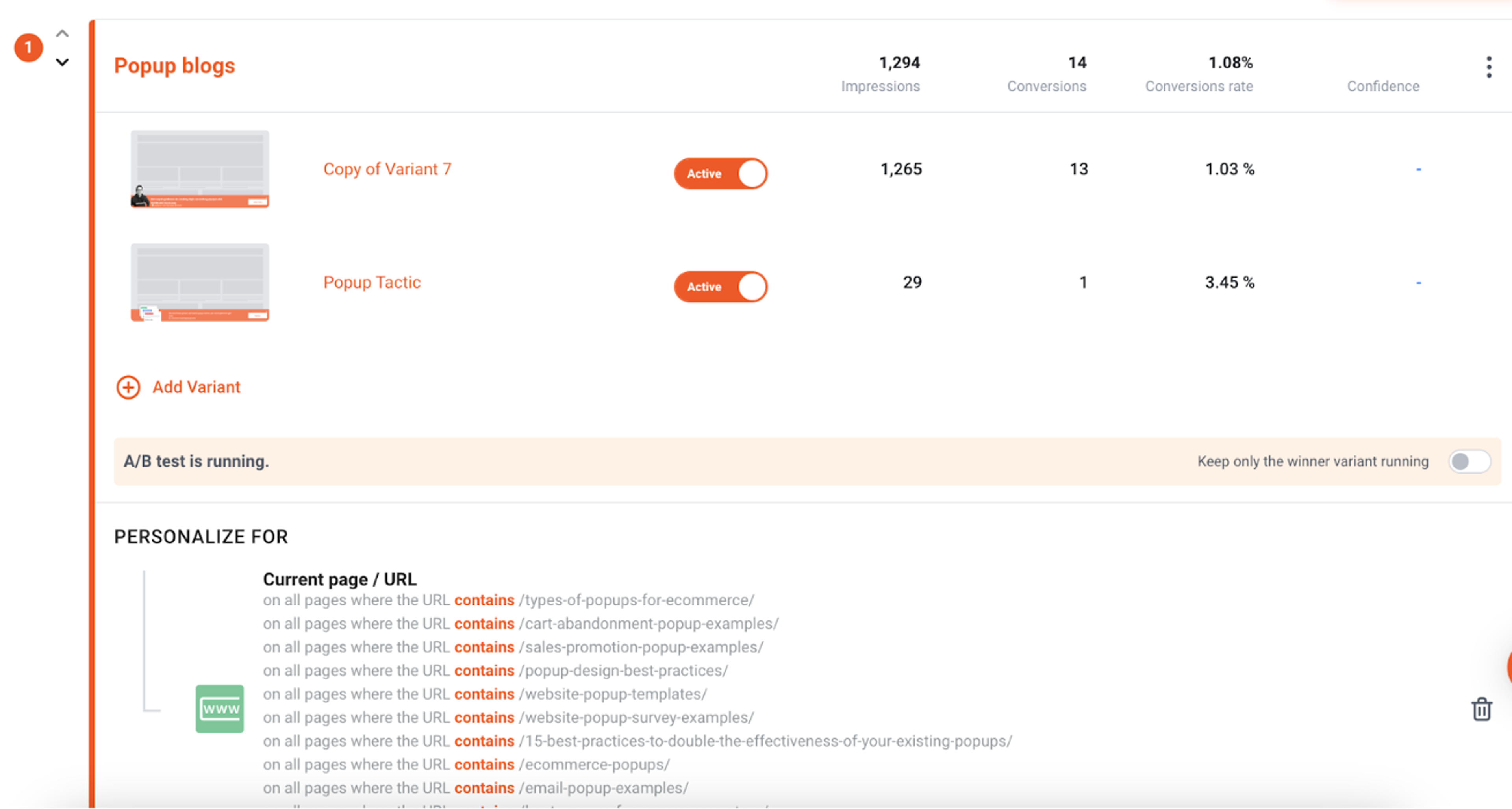
We used our Personalized experiences feature and URL targeting to personalize the message for different topics.
Besides these, we used the following triggering and targeting options to ensure the sticky bar only appeared to engaged readers:
BOFU (bottom of funnel) visitors are at the end of the sales funnel. They have reached a stage where they are close to making a purchasing decision.
For example, people who look for “best spinning wheel plugins” or “best exit-intent plugins” are BOFU visitors. They’re actively comparing solutions and they probably only need a final push to register.
The only question is: what’s that final push that can convince them?
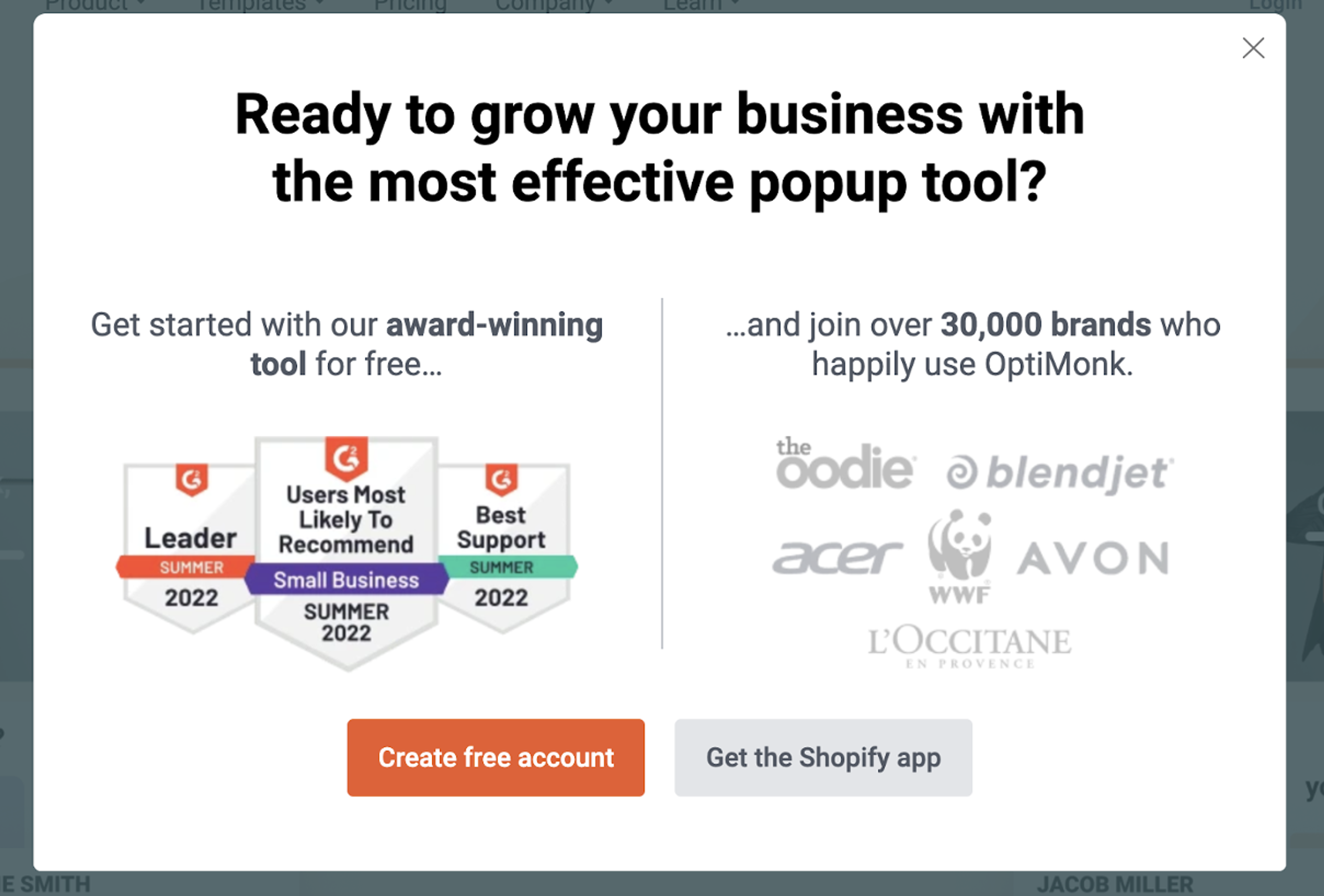
We tried a lot of different solutions to help push this segment towards registering, starting with classic “Register for OptiMonk today” popups.
When that didn’t work, we tried to be funny:
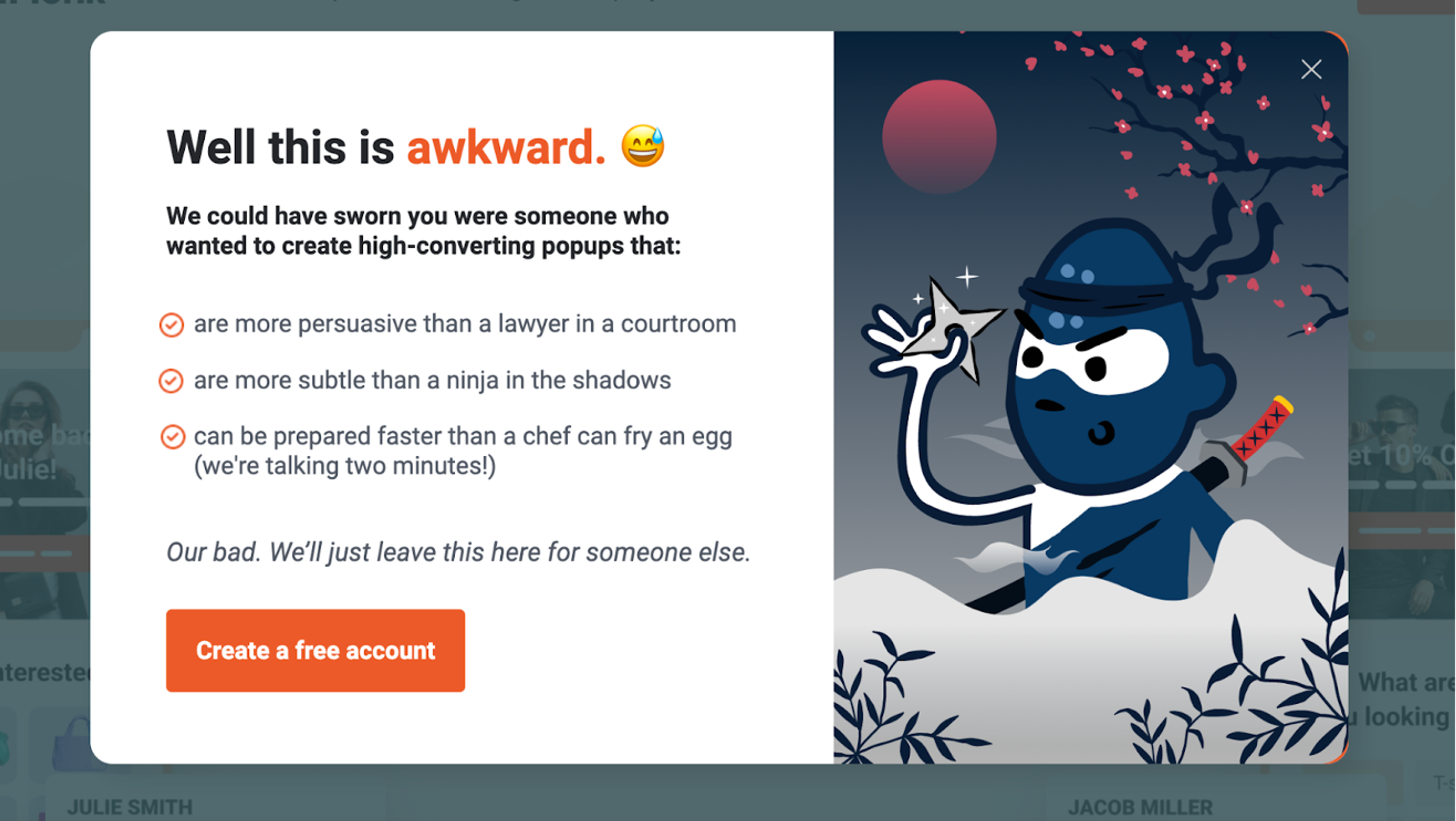
However, neither of these promo popups had a conversion rate that broke 1%.
Given the importance of this segment to our business, we knew we had to do better.
After some brainstorming, we decided to try promoting our free templates. The thought was that showing users exactly what they can gain access to by joining OptiMonk would convince them to take the plunge and sign up.
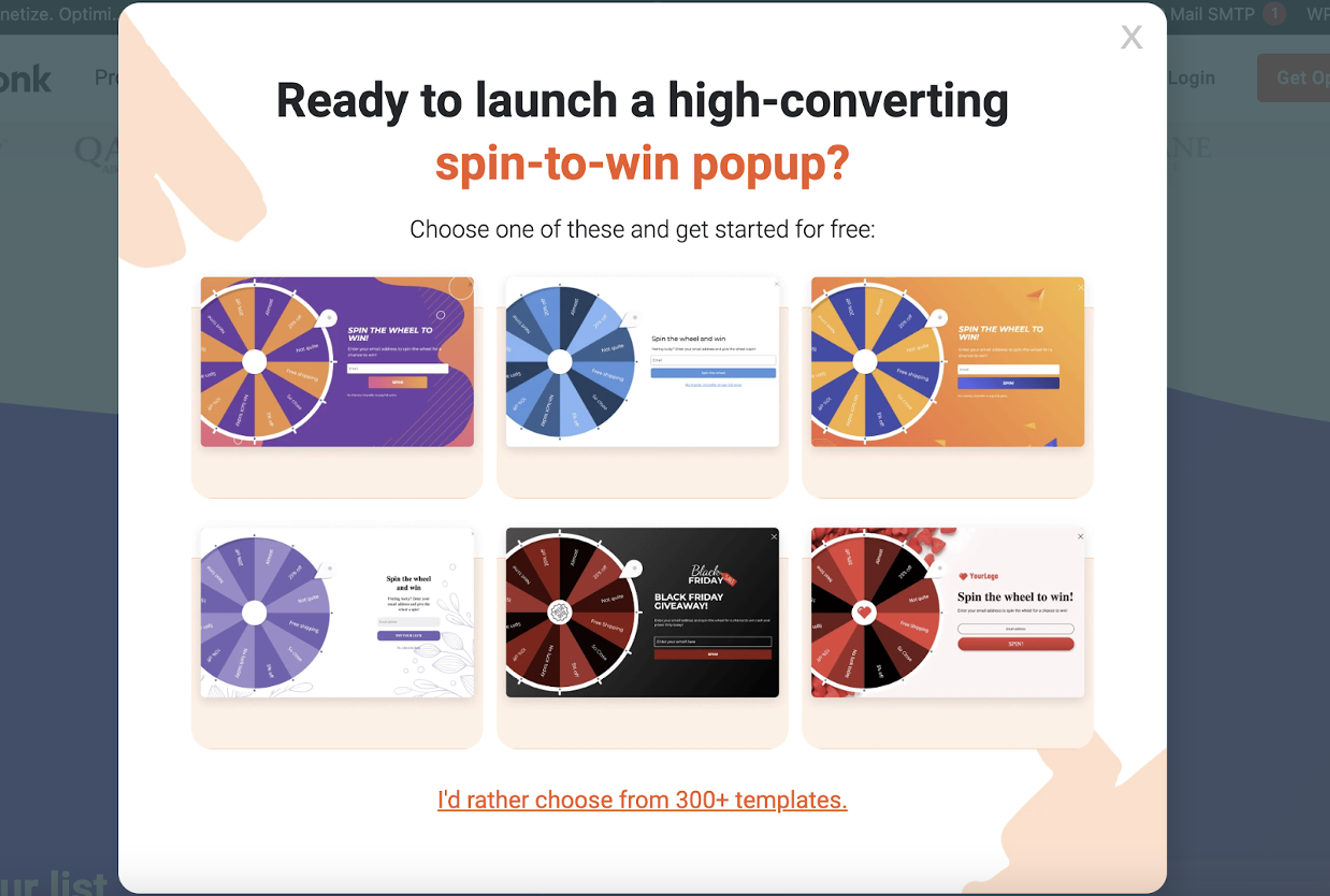
We personalized these campaigns for each BOFU article in the same way that we personalized our MOFU campaigns—by adjusting the content to what each visitor is interested in.
So the popup above, which promotes lucky wheel templates, was shown to users reading the “8 Best Spin-to-Win Plugins for WordPress” article. If you were reading about lead generation campaigns or free shipping bars, then you’d see a different selection of popup templates.
This popup campaign had an 11.76% conversion rate!
The improvements we made show how important it is to keep testing different messages and offers instead of going with your first idea.
Here are the triggering and targeting settings we used for this particular campaign:
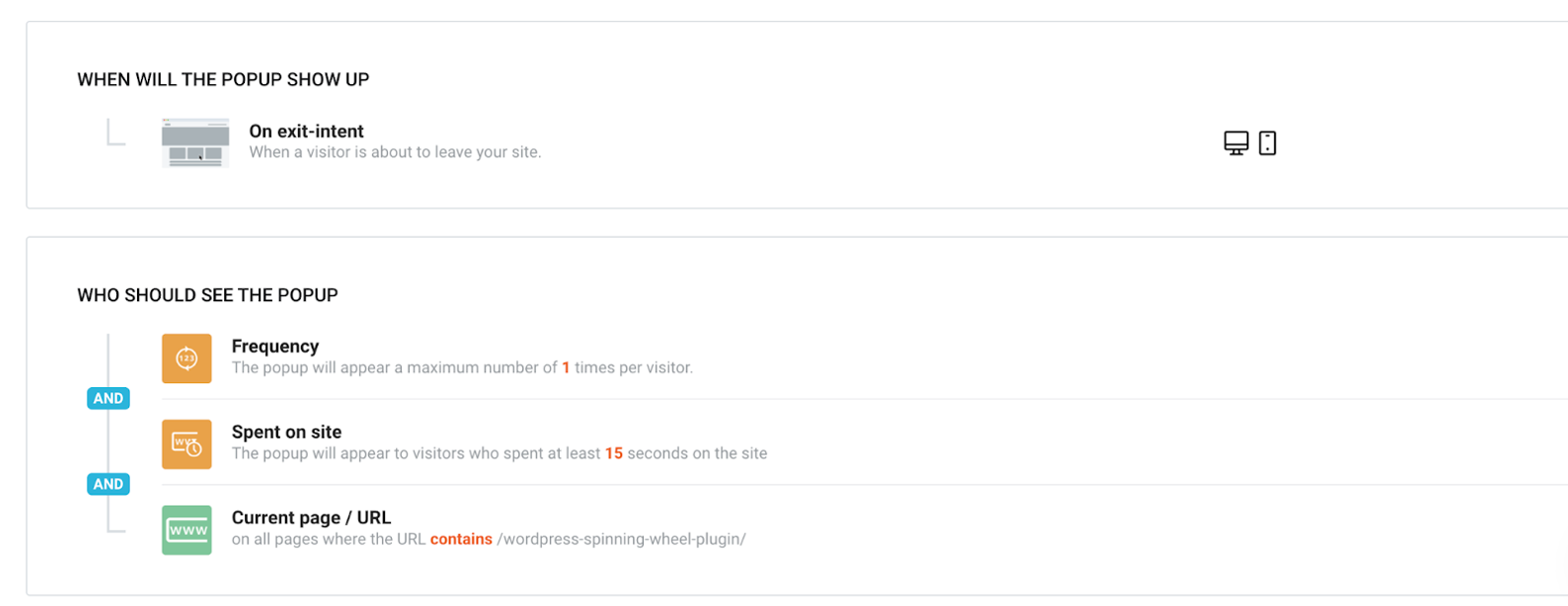
So far, all the campaigns we’ve gone over were used on our blog articles. However, as we mentioned, our homepage was also receiving lots of organic traffic.
Generally speaking, organic visitors that reach our homepage are searching for “optimonk.” This means that they’re highly product aware.
It’s crucial that we ensure these visitors have the best possible user experience and create a free account. We want to make sure that it's easy for them to navigate to what they’re looking for.
For that reason, we created a navigation sidemessage that asked visitors “What can we show you next?”
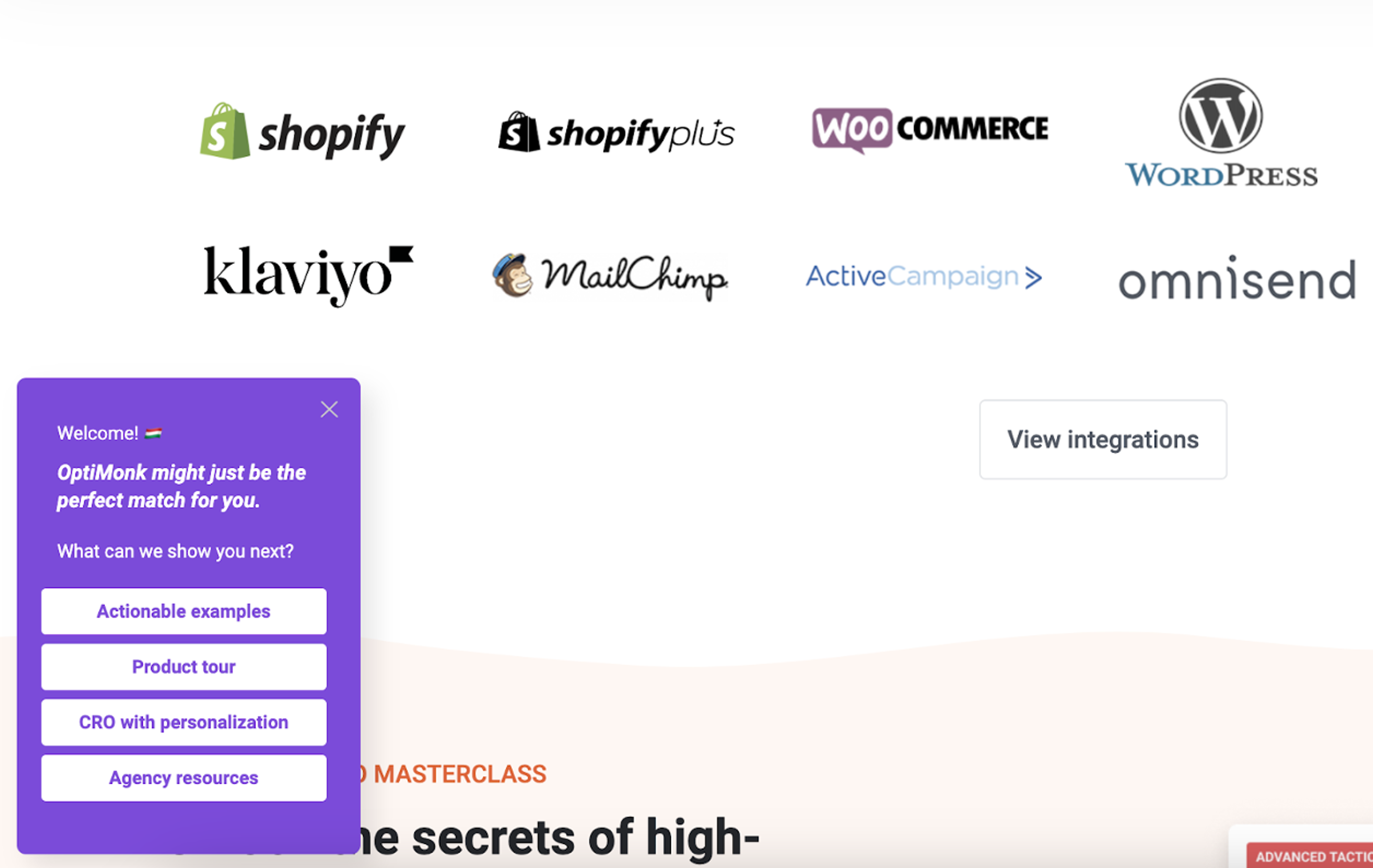
The best version of this campaign had an 8.84% conversion rate. This shows that it was successful in helping these visitors move forward with a product tour or find actionable examples of the use cases that are most relevant to them.
For this sidemessage, we targeted new homepage visitors who spent 40 seconds on the page.
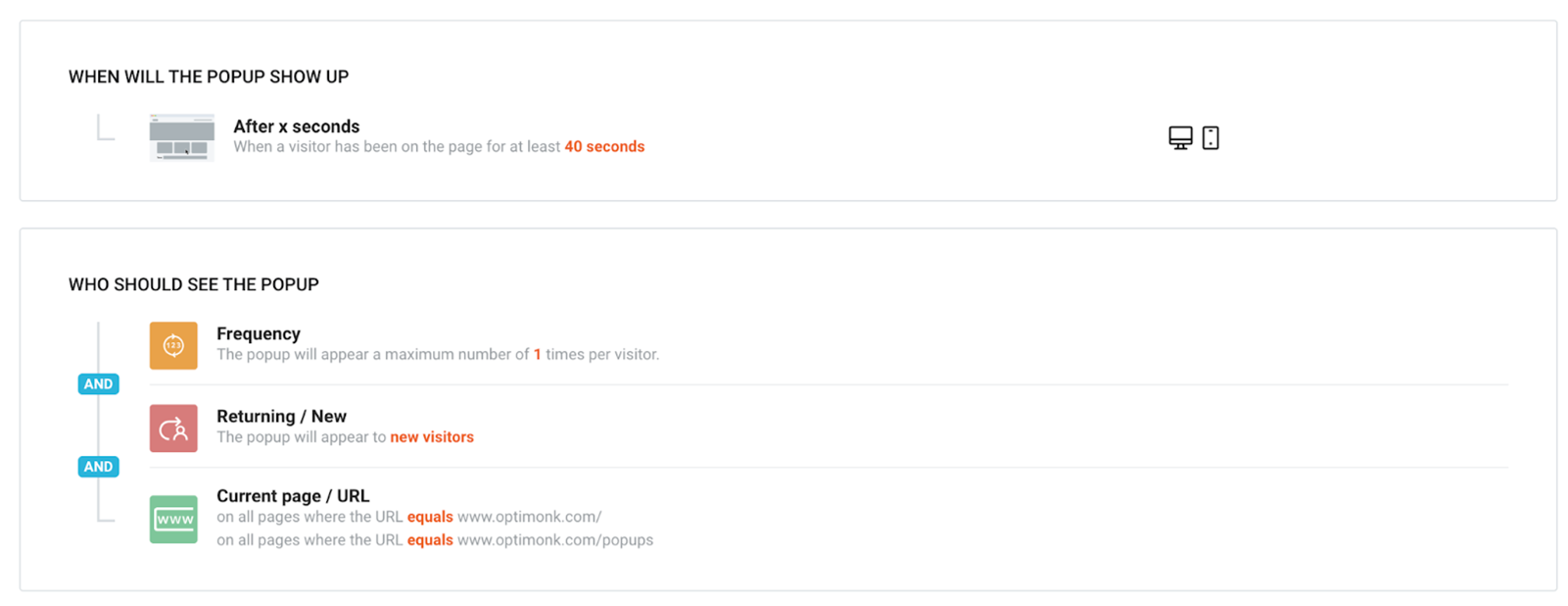
We not only used a sidemessage, but we also set up an exit-intent popup for those who are about to bounce without converting or visiting another page. We decided to promote our webinar to these visitors.
This is a good message-to-audience fit because it’s unlikely that this segment will be ready to create an account. Instead, we wanted to give them the opportunity to learn about what they can do with OptiMonk.
In order to make the offer feel more relevant to our users, we decided to try personalizing the popup based on the country the visitor was from.
Here are the two variants we A/B tested:
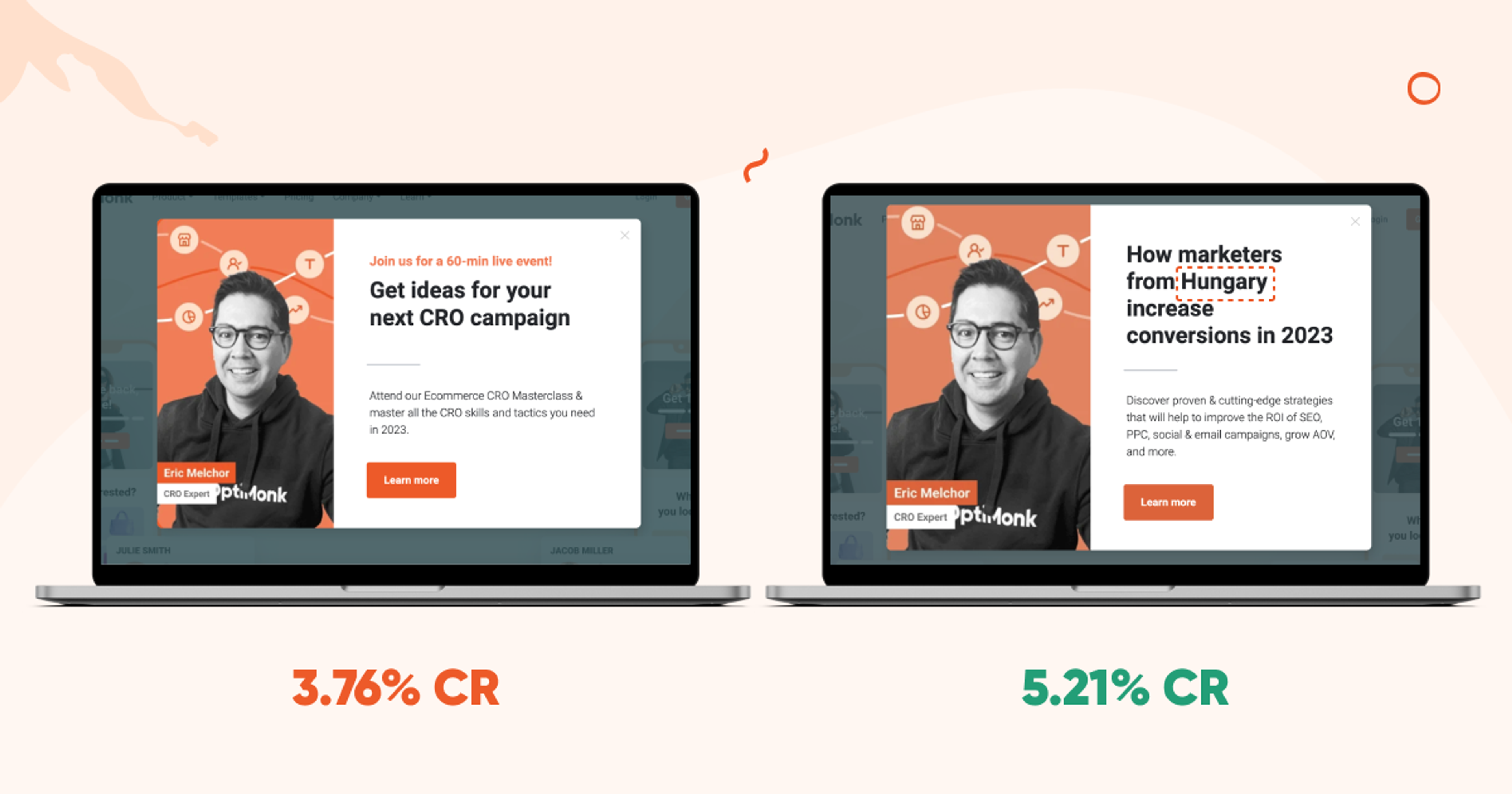
The non-personalized version converted at 3.76%, while the personalized version converted at 5.21%. That’s a 38.56% increase!
And here are the settings we used:
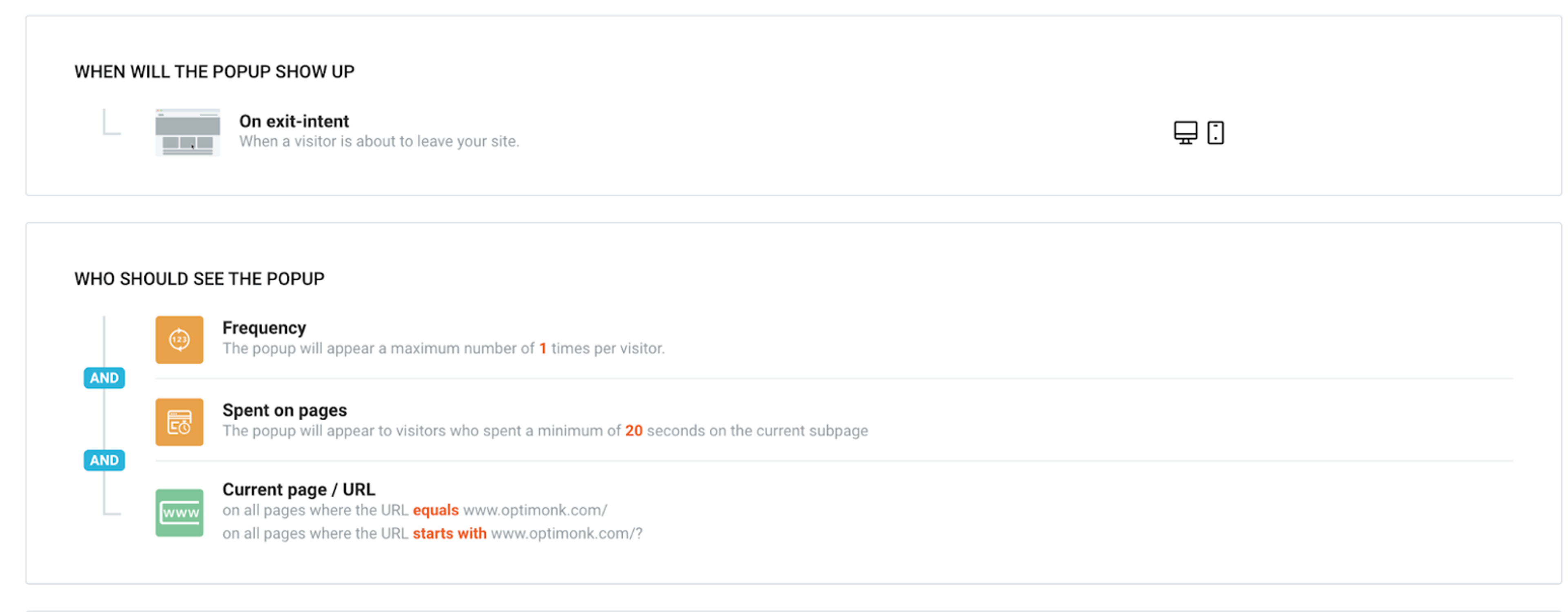
The four campaigns we’ve looked at so far were implemented on the pages where we saw the most incoming traffic.
We also worked on optimizing a bunch of other campaigns on our website by using personalization to increase landing page and popup conversion rates.
Besides SEO, we also invest a lot in PPC, including paid search ads. Of course, we wanted to make sure that we got the most out of this traffic. Converting well on the traffic your ad spend generates is the best way to improve your ROI.
For example, we run search ads for popup-related keywords like “popup generator,” “popup maker,” and “popup software.” The ads appearing for these campaigns are not redirecting to the homepage. Instead, we have a landing page that focuses only on popups.
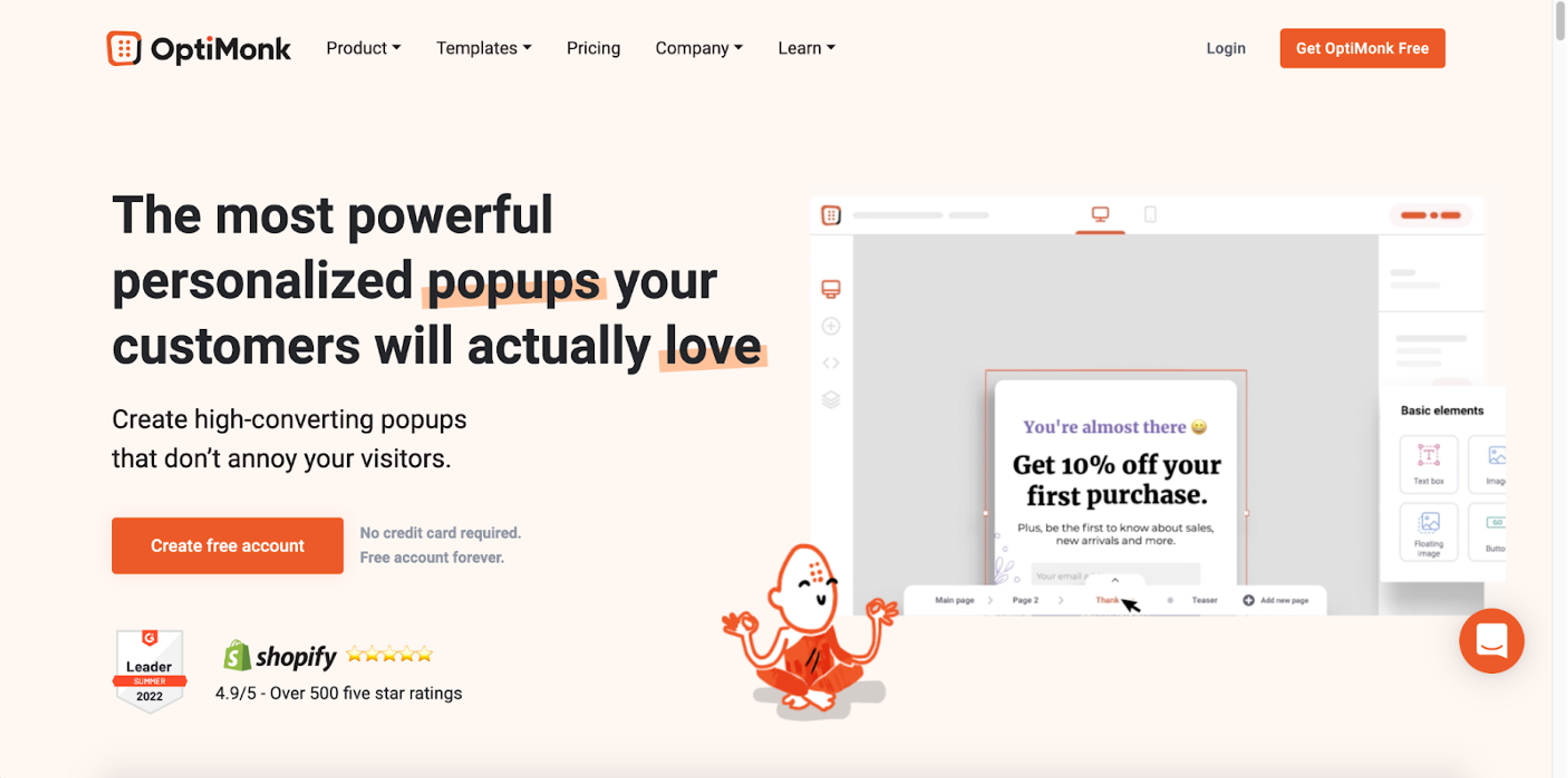
To improve the conversion rate on this landing page, we first personalized the headline so people could see the exact same keyword in the headline that they had searched for.
This was the original headline that most visitors saw arriving at the popup-focused landing page:
And this was the personalized headline that was shown to visitors who searched for “popup generator”:
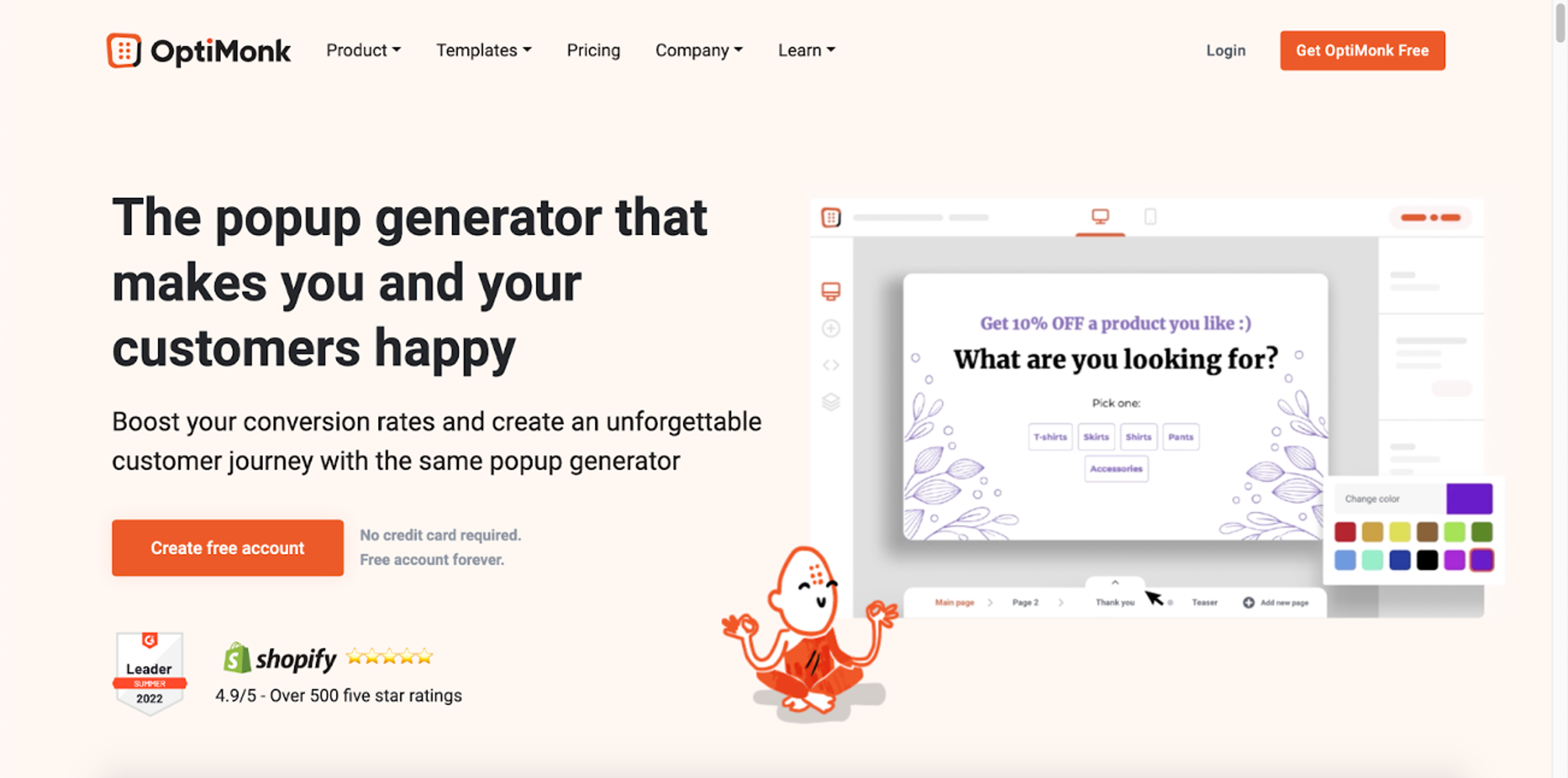
Thanks to this personalization, we improved the conversion rate of this landing page by 33.41%.
We were of course happy about the results, but still, lots of visitors left without converting. So we launched an exit-intent fullscreen popup with social proof.
This popup had poor conversion rates at first, as we only used a generic headline:
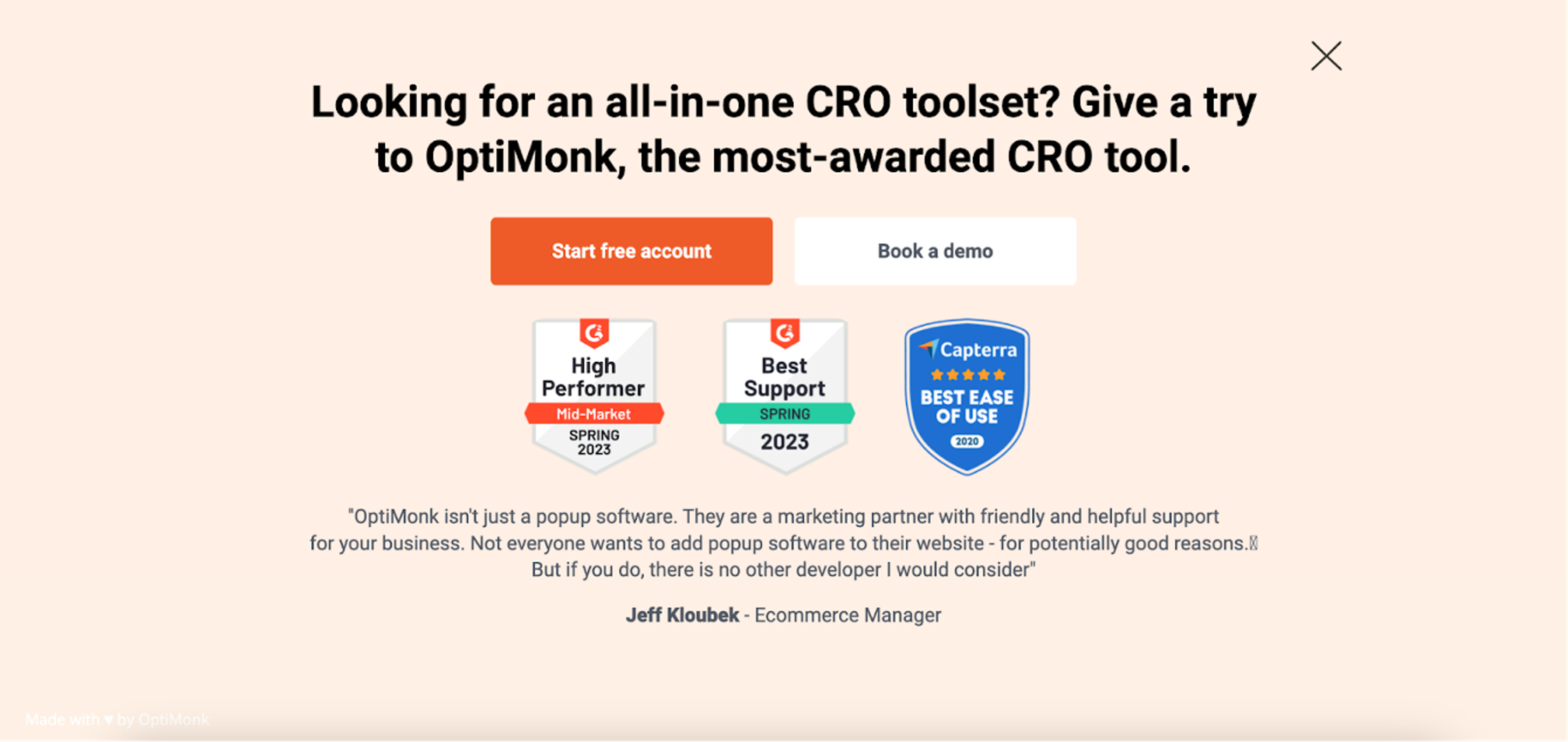
So we decided to personalize the headline on this popup, again, with the exact same keyword the visitor had searched for:
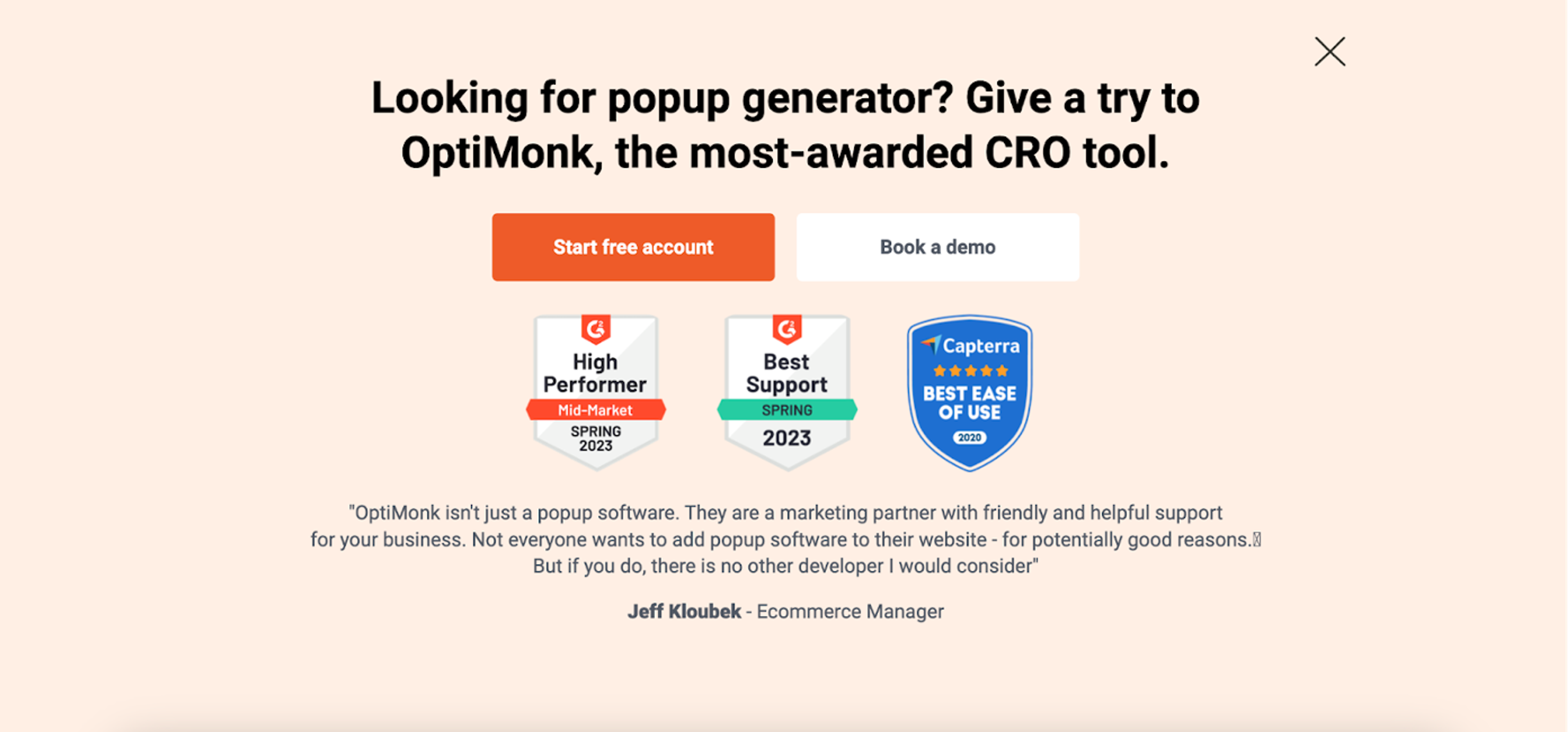
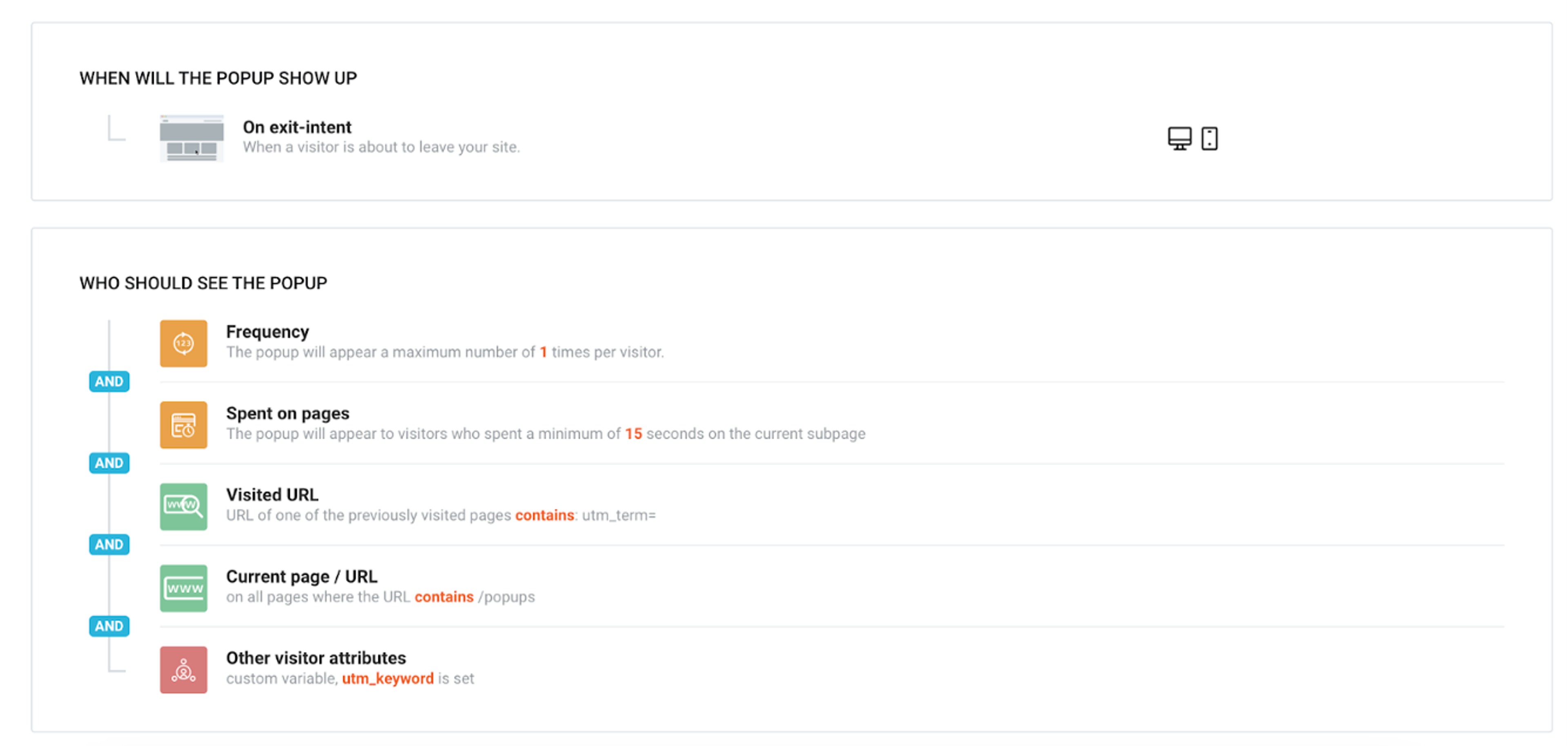
This campaign had a 6.13% conversion rate, which proves that personalization can save abandoning visitors.
If you’d like to create a similar campaign, check out the settings we used on this one:
We have a huge email marketing list and of course, as most SaaS businesses do, we always address these subscribers by name when we send emails.
But then we thought, why stop there?
We knew that we could extend that personal touch to our landing pages, too. So when we launched an email campaign to collect applicants for our accelerator program, we wanted to run an experiment greeting visitors by name.
This was the original copy on the landing page:
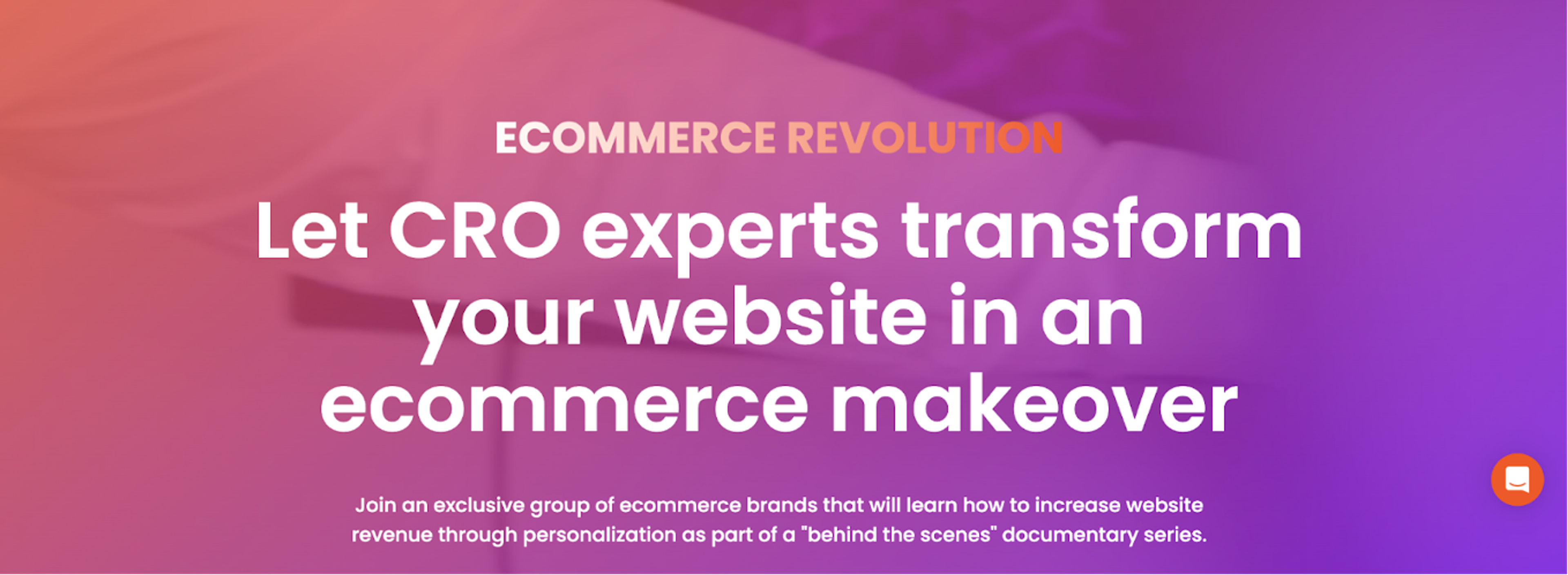
And this was the personalized version for visitors who clicked through from our email campaign:
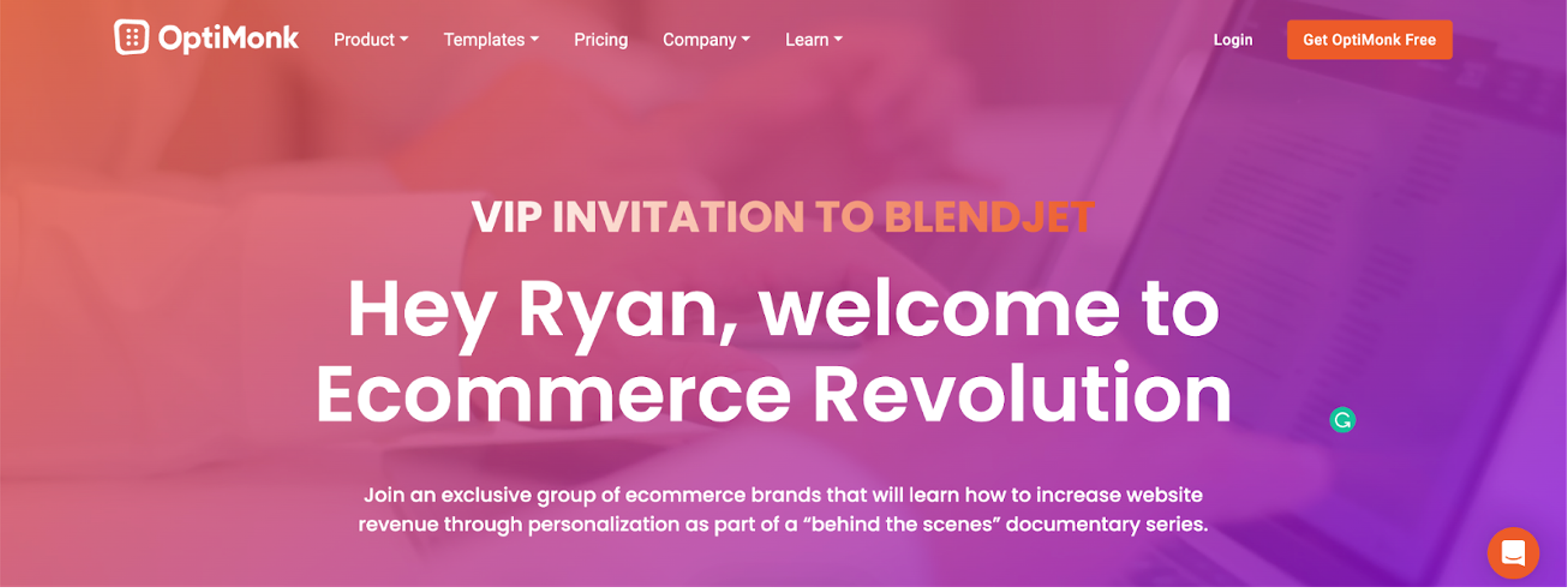
The personalized landing page had an amazing 56.1% conversion rate, which proves the effectiveness of personalization.
The personalized headline would only appear to users who arrived on the landing page by clicking the link used in our email campaign.
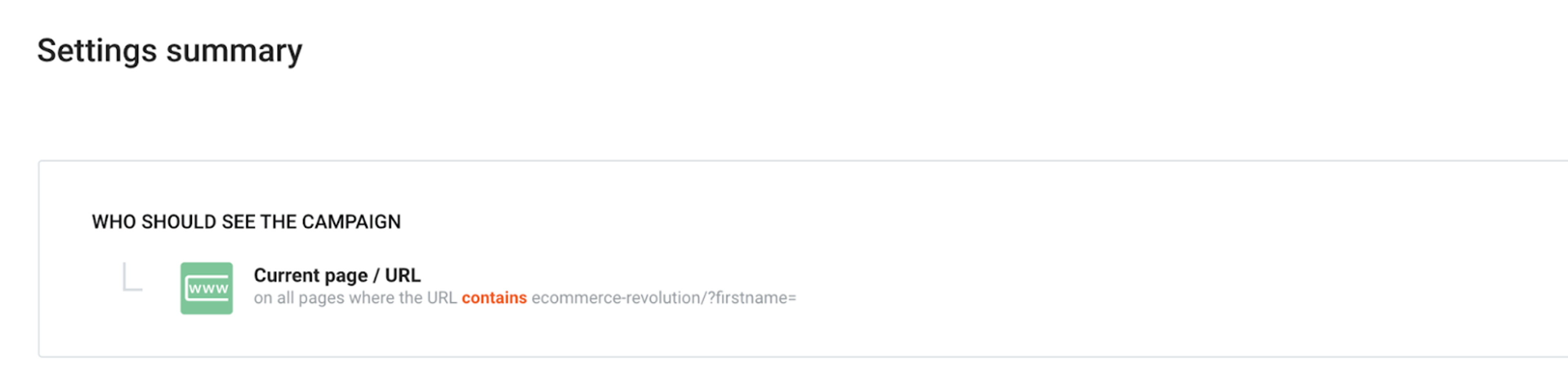
This is how these links looked: https://optimonk.com/ecommerce-revolution/?firstname=Niki&businessname=OptiMonk
And we used the Current page / URL feature to make sure only these visitors would see the personalized campaign:
Learn how to personalize your email landing pages with the visitor’s name 💡
Finally, we’d like to point out that SaaS businesses can also use OptiMonk’s features for in-app communication and on the admin page.
Let’s see a couple of examples!
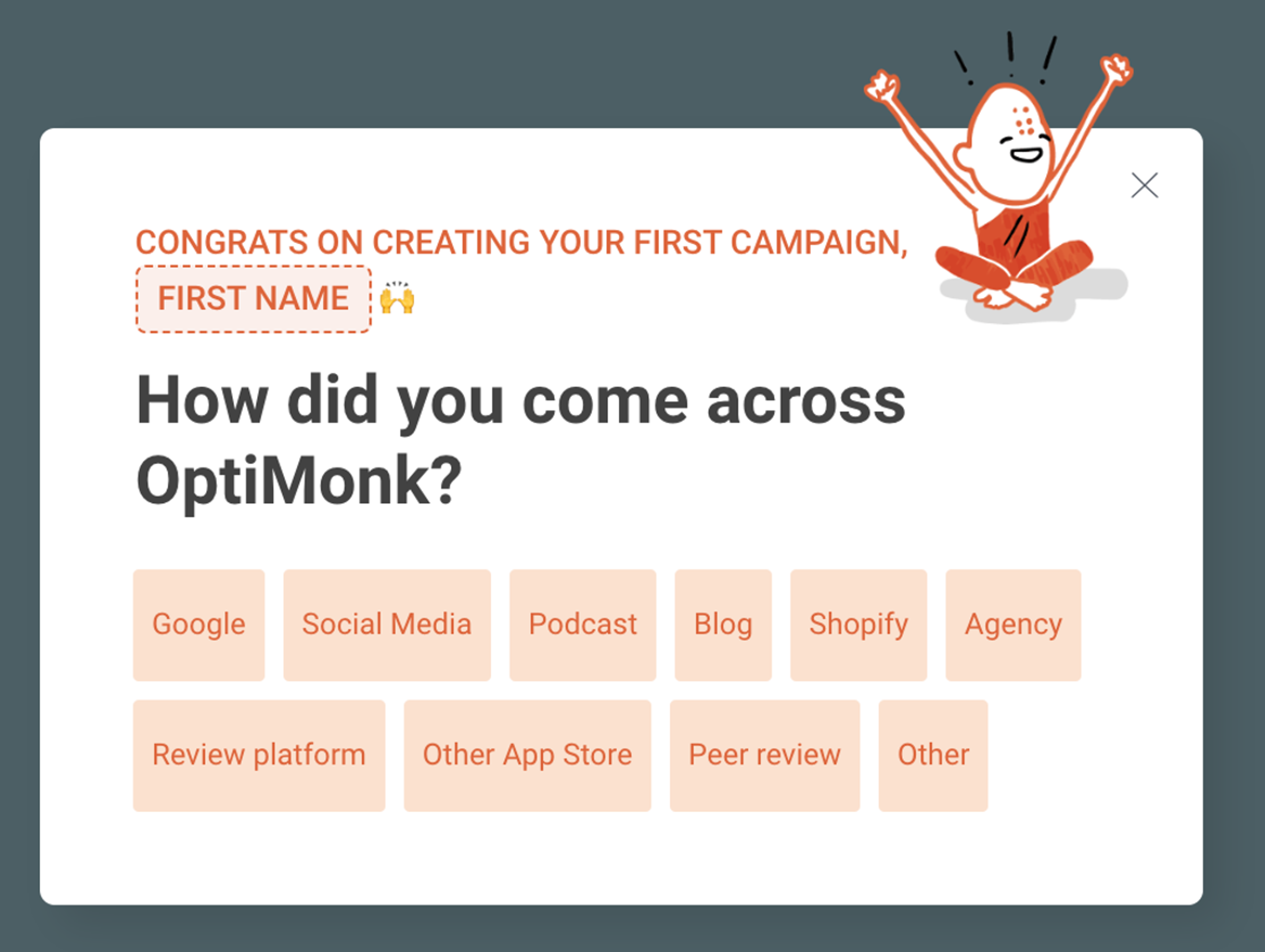
It’s often challenging to ascertain where your users discovered your brand in the first place. But this information is incredibly valuable for gaining a better understanding of which marketing strategies are most effective.
That’s why we showed users a survey popup after they created their first campaign on our admin page.
We also delayed the appearance of the closing X for a couple of seconds, which ensured that our users wouldn’t just close the popup without actually reading it.
54.18% of OptiMonk users who saw this popup converted.
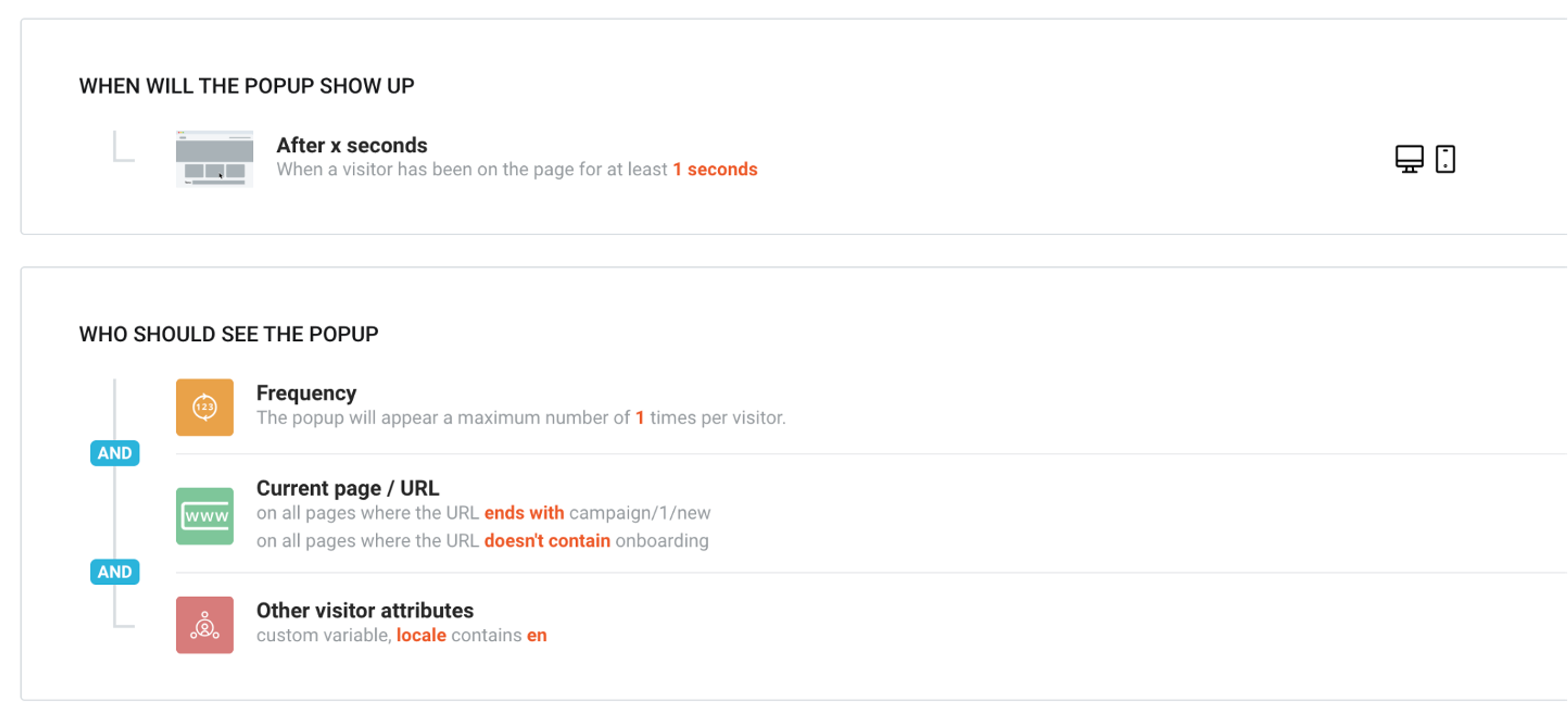
Here are the settings used for this campaign:
You can also use your admin dashboard to promote your new features. After all, you probably have plenty of users that don’t read your emails.
In order to help users take full advantage of all our features, we used a multi-step sidemessage on our admin dashboard. Users can easily click through the campaign’s pages without needing to leave the admin page.
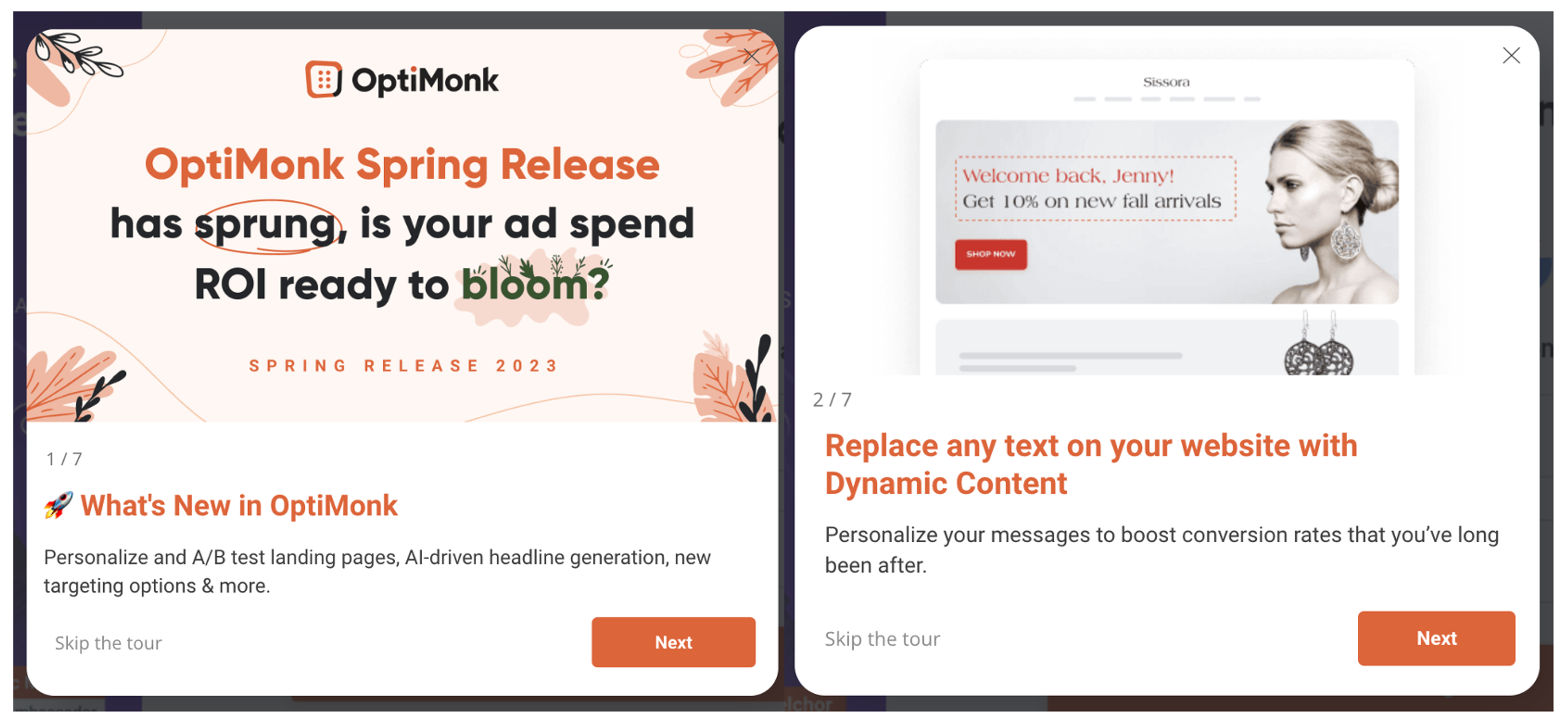
16.12% of users clicked all the way through to the end of this campaign, which shows that our users are happy to check out new features if they don’t need to navigate to a different page.
Check out how we targeted this campaign:
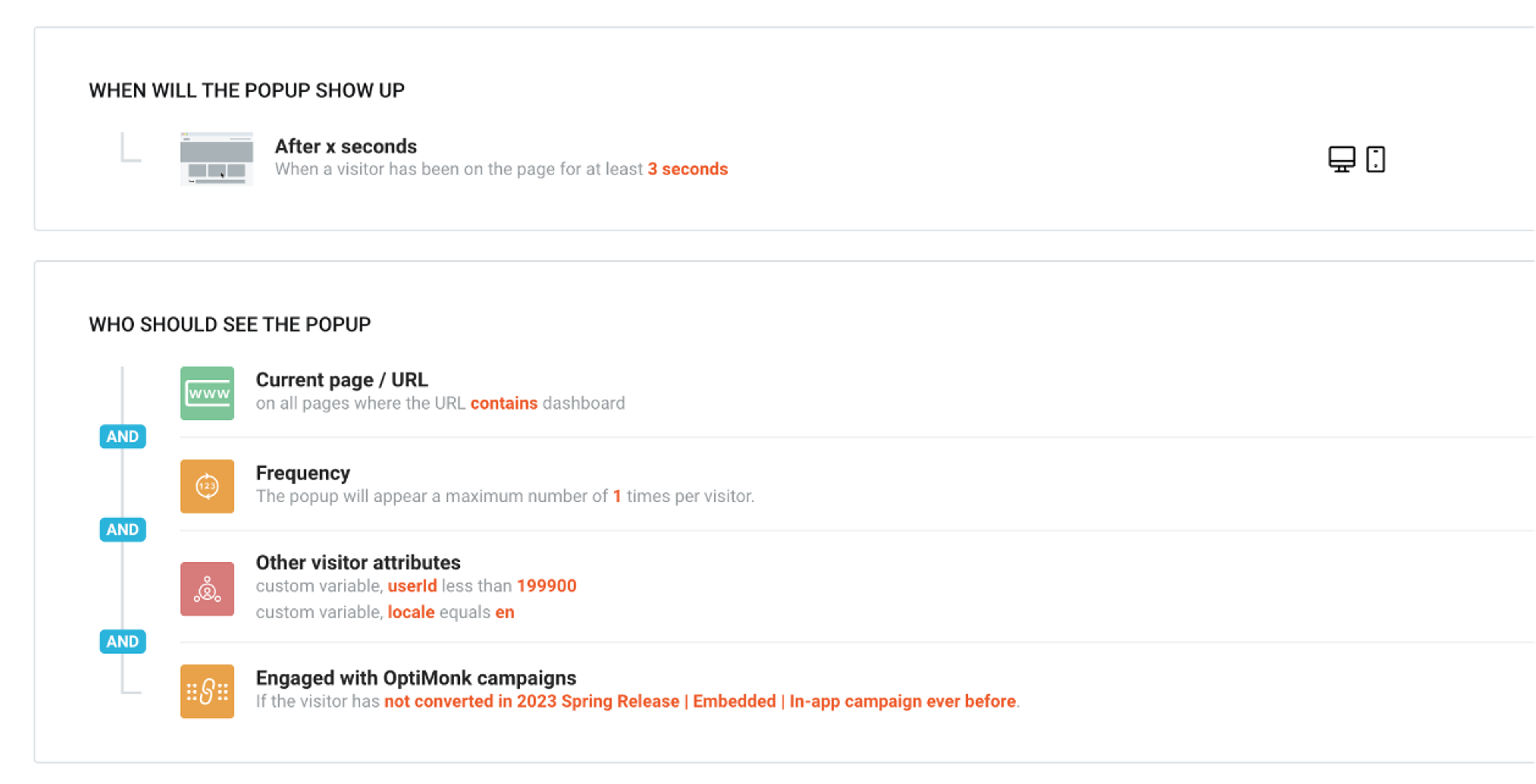
We believe in the importance of practicing what you preach. At the beginning of this year, we recognized the issues on our website and embarked on a journey of self-improvement, utilizing our own product to address our challenges.
With lots of trial and error, we discovered valuable insights that we believe can benefit others.
We proved that OptiMonk is not only beneficial for DTC brands but also holds great potential for SaaS companies.
So whether you want to collect more email subscribers, nurture your MOFU visitors, or convince people to actually sign up, OptiMonk has the tools to help you accomplish your SaaS goals.
If you’re ready to start using OptiMonk to optimize your sales funnel, create an account today!

In this article, we’ll go through 6 SaaS personalization strategies (plus one extra) that you can copy right away using OptiMonk.
Discover how personalized notifications boost ecommerce engagement, conversions, and growth—plus tips to start using them effectively.
In this article, we'll go over the basics of personalized content and cover 5 awesome website personalization examples.