
40 Welcome Message Examples for Your Website (Copy and Paste)
40 website welcome message examples for online stores, grouped by situation and industry, ready to copy into a welcome popup.
New Shopify store? Drive traffic with Facebook Ads! This guide simplifies setup, offers examples & optimization tips for ad success.
In short
Discover how to leverage Facebook Ads for your Shopify store in 2026 with this beginner's guide. Learn to set up effective campaigns, connect Shopify with Meta for accurate tracking, and optimize your strategies using real-life examples from top ecommerce brands. Boost your conversions and ROAS with actionable tactics and continuous optimization in the ever-evolving digital marketing landscape.
Once your Shopify store is live, the next challenge is driving high-intent, purchase-ready traffic, and Facebook ads remain one of the fastest and most scalable ways to do it.
This guide walks you through:
Let’s dive in.
To run Facebook ads for your Shopify store, start by connecting Meta Business Suite with Shopify and configuring the events Facebook needs to measure results.
To start your Facebook ad campaigns, you need to make sure you have a Facebook page for your business. If you don't, you'll need to create one.
Next, head to Meta Business Suite by visiting business.facebook.com
Once there, you'll be asked to log in to your Facebook or Instagram account. If you don't have one, you can choose to create a new account.
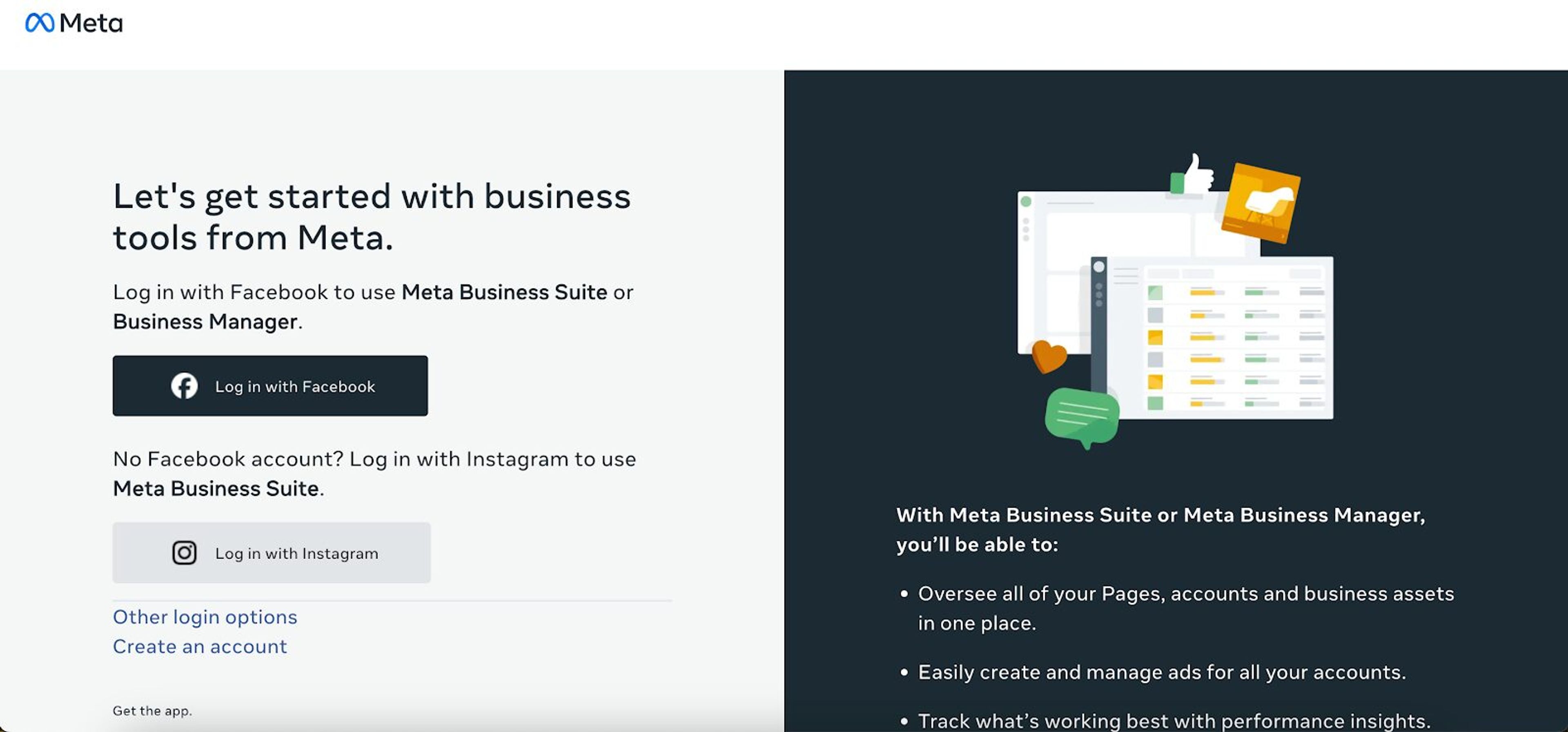
Once you're logged in to your Facebook account, click “Create an account” and fill in your business details:
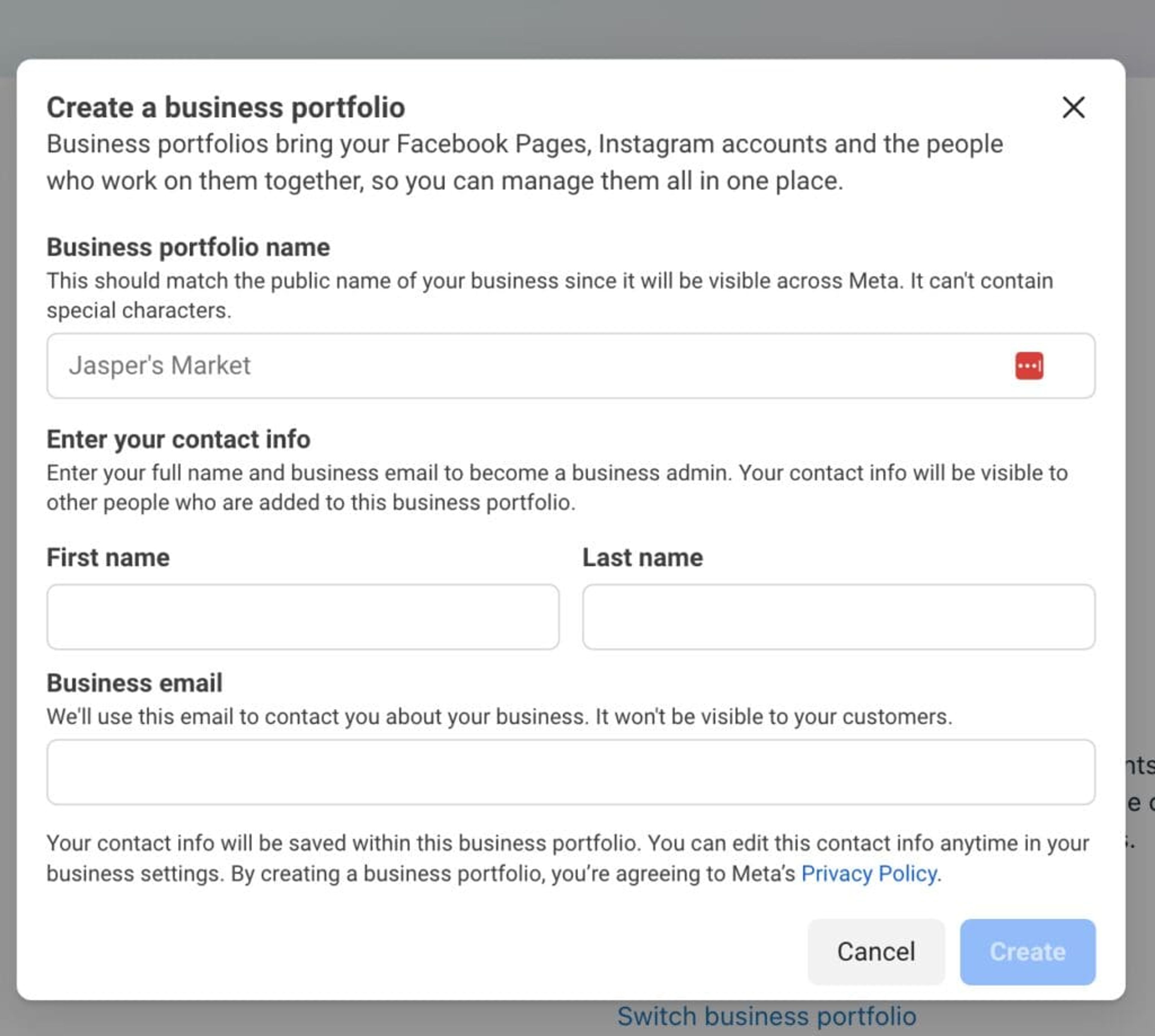
Click “Create” to generate your business portfolio. You'll receive an email asking you to confirm your business email address.
Once your business portfolio is set up, proceed to create your Facebook ad account.
Navigate to “Accounts” » “Ad accounts” in the left menu. Then, click on “Add” and select “Create a new ad account.”
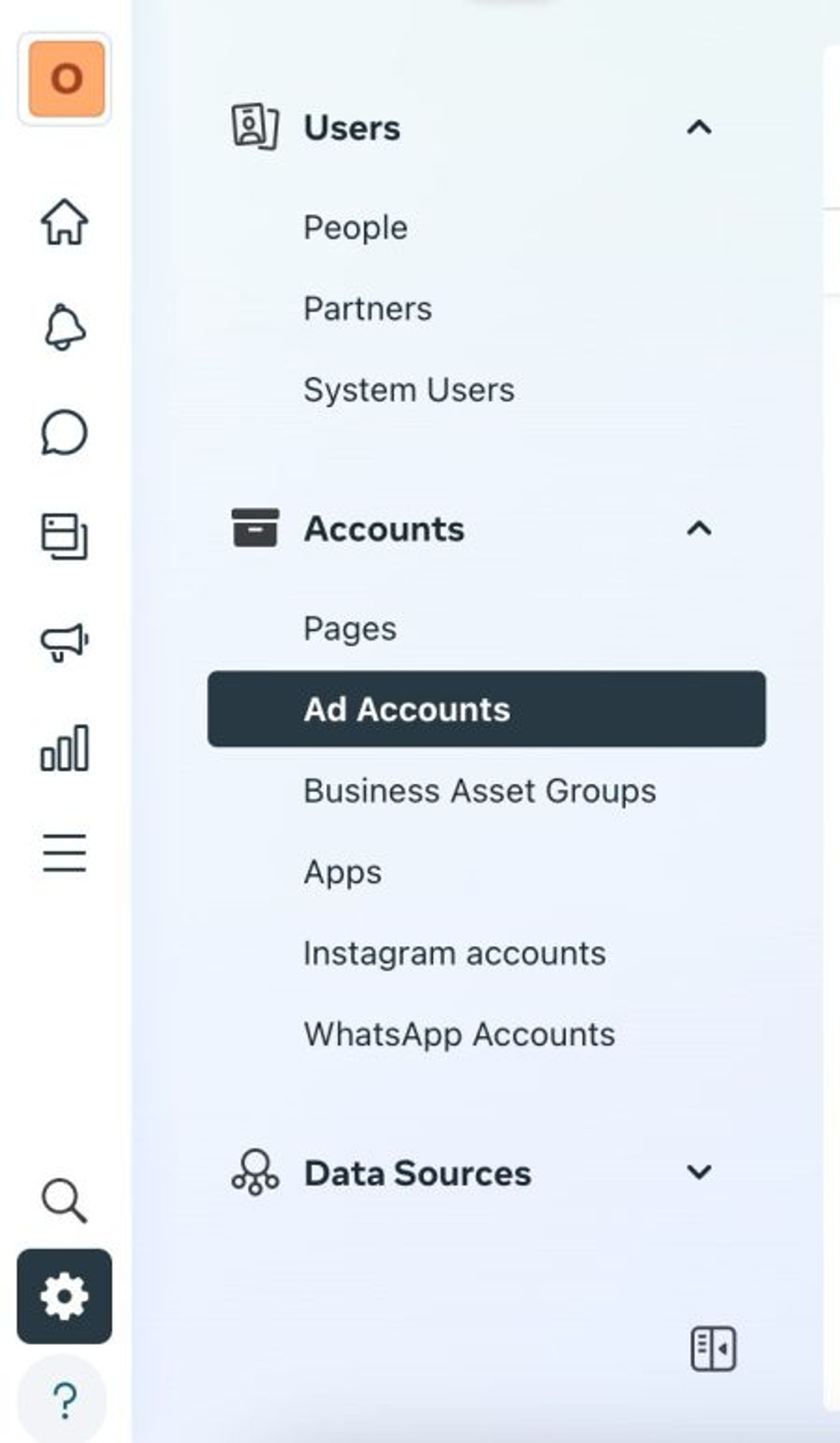
Then from here, follow these steps:
Once you've completed these steps, click on “Create Ad Account” to finalize the setup.
Now, let's create a Facebook pixel and add it to your Shopify store.
Here's what to do: go to Meta Events Manager and click on “Connect data sources,” then select “Web.”
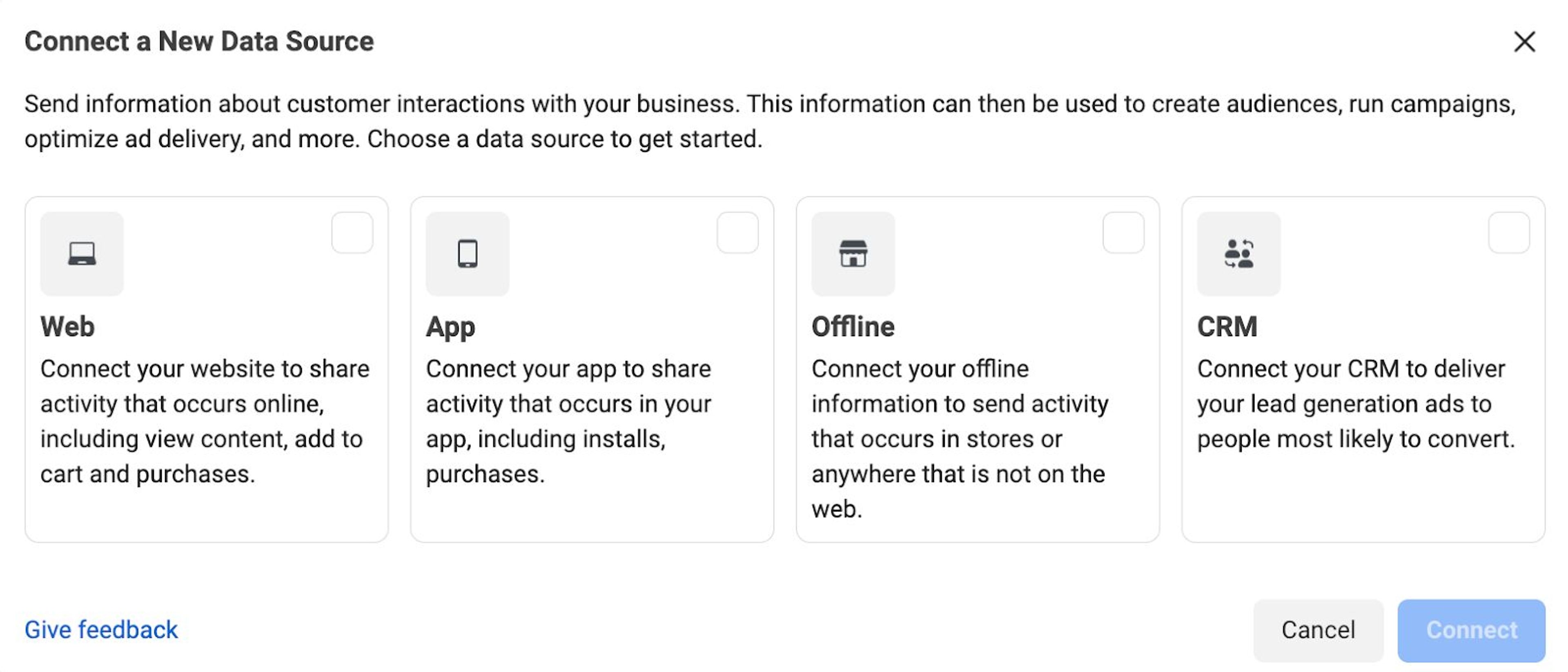
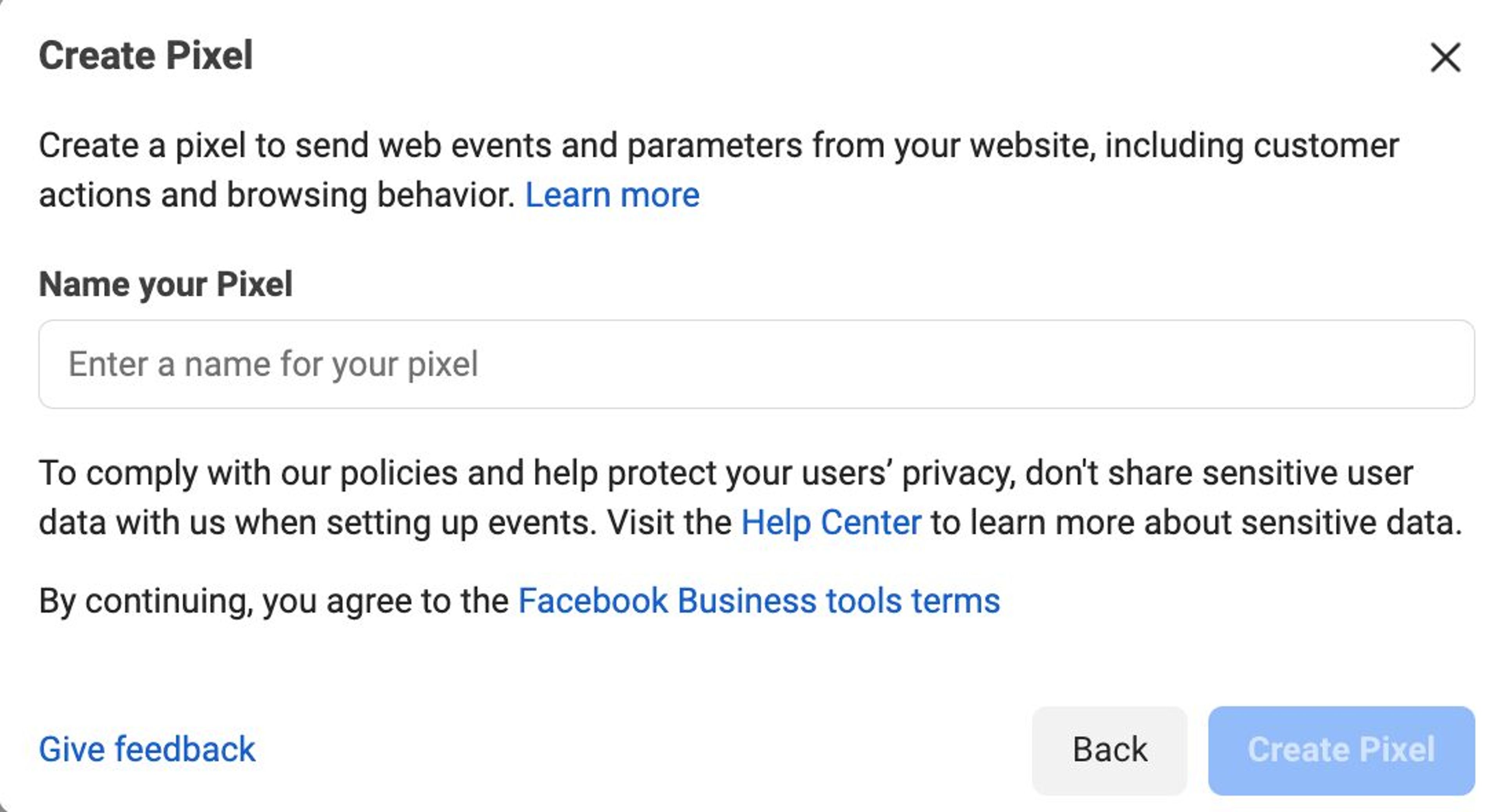
Once you click "Connect," you’ll need to enter a name for your pixel, and then click "Create pixel."
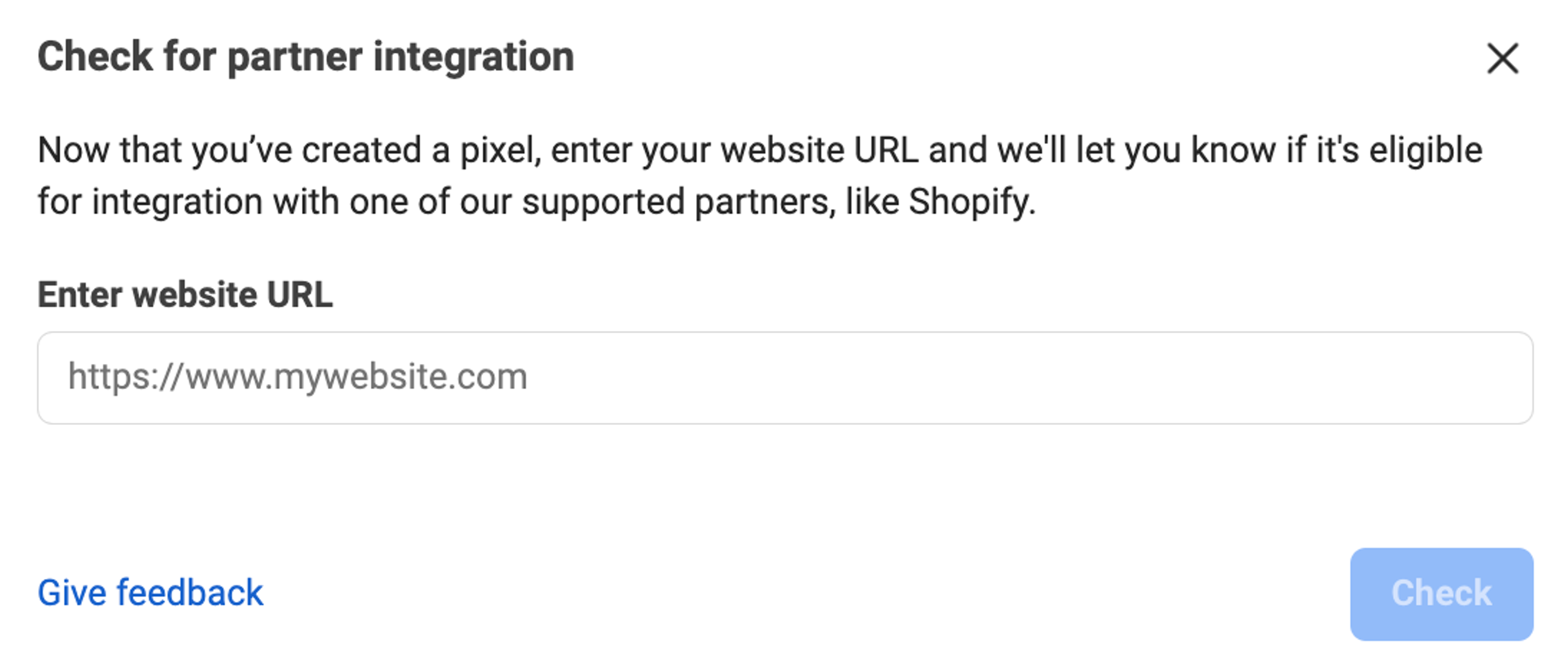
Next, you'll be asked to check for partner integration. Enter your website URL and then click on "Check."
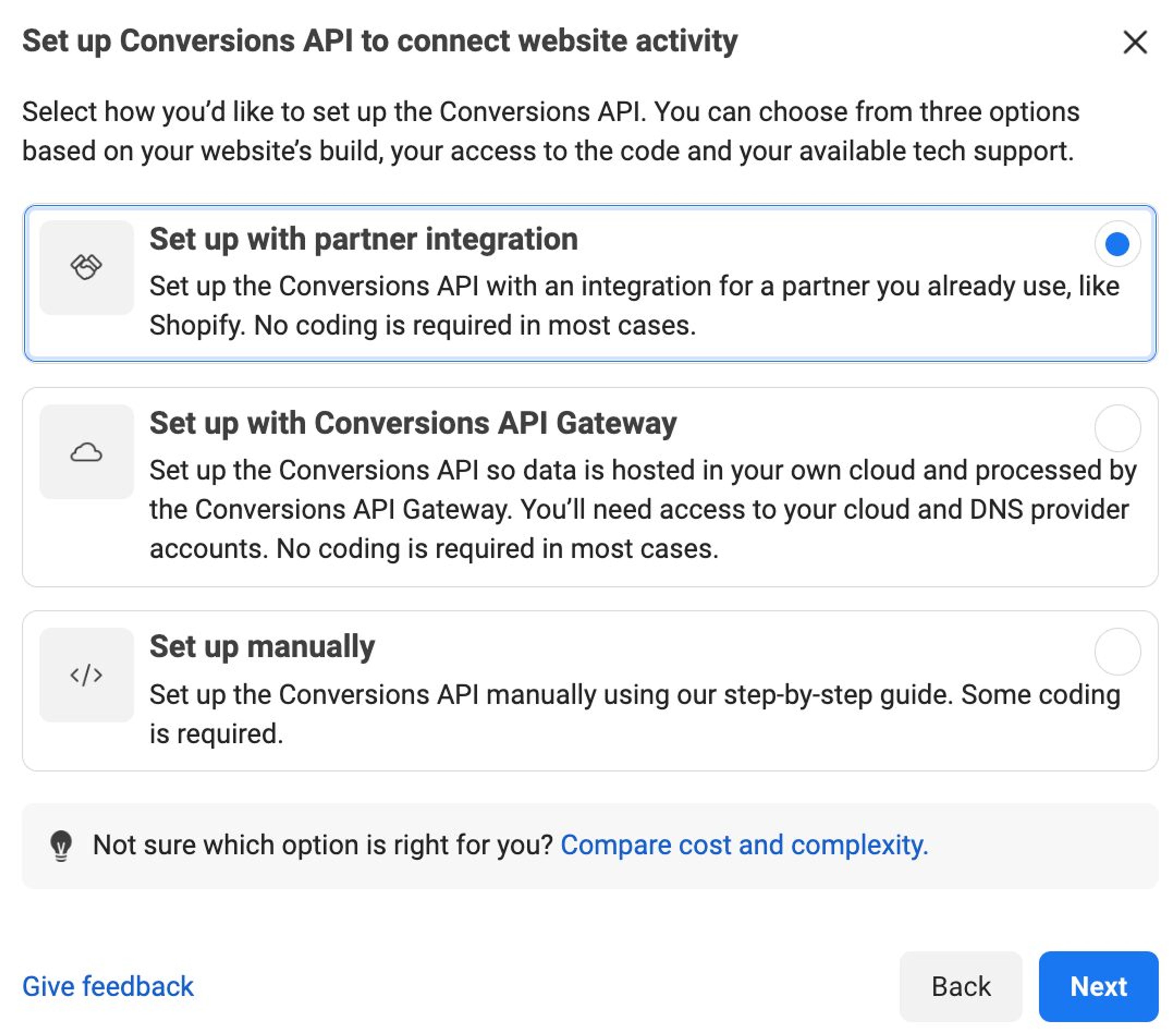
On the next page, select the "Conversions API and Meta pixel" option. Then, choose "Set up with partner integration" and click on "Next."
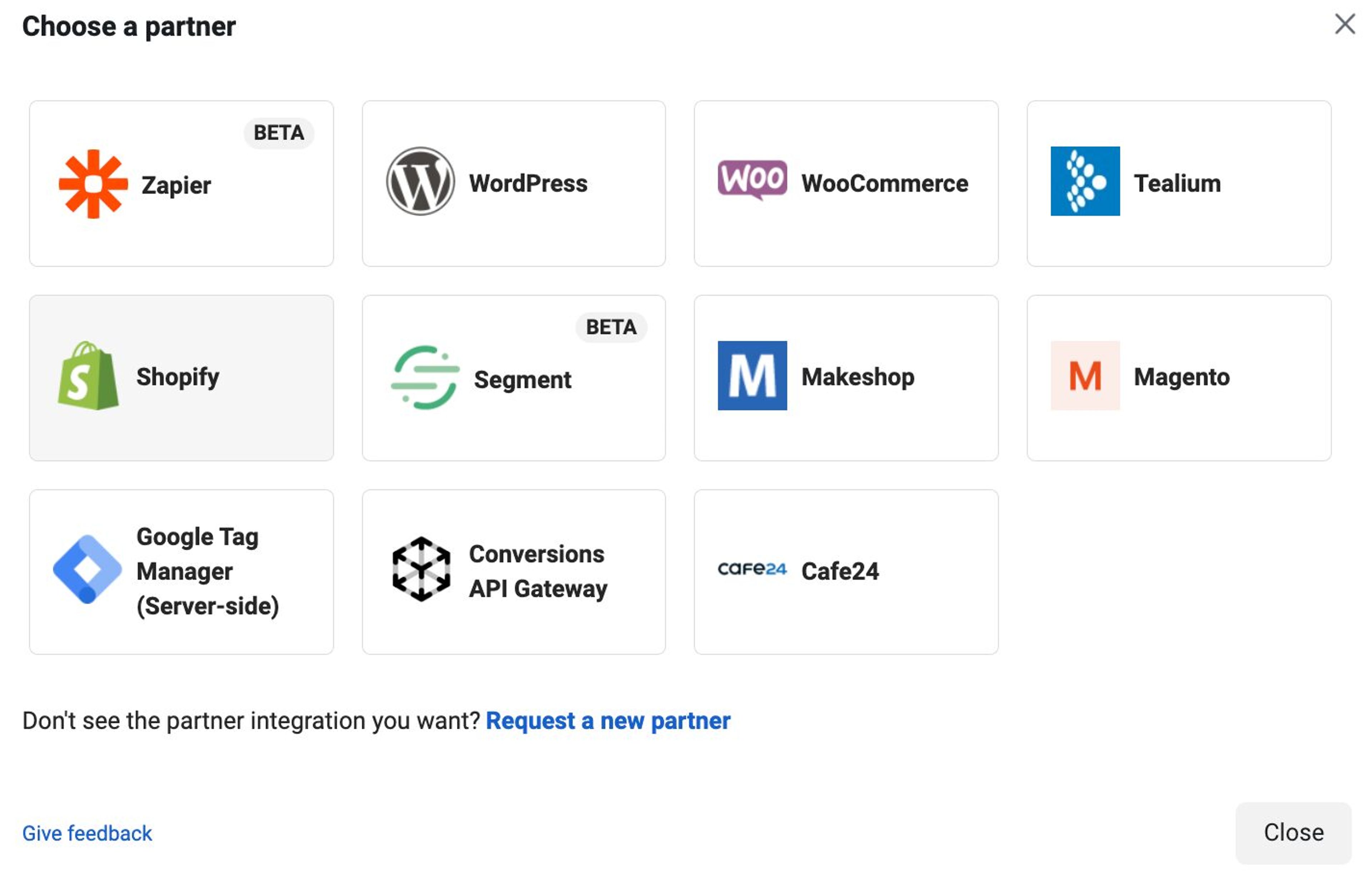
Select "Shopify," and you’ll be ready to connect your Shopify store to Facebook.
To do that, you’ll need to go to your Shopify store.
Navigate to "Online Store" » "Preferences," then scroll down to "Facebook Pixel." Click on "Set up Facebook," and then click on "Add sales channel."
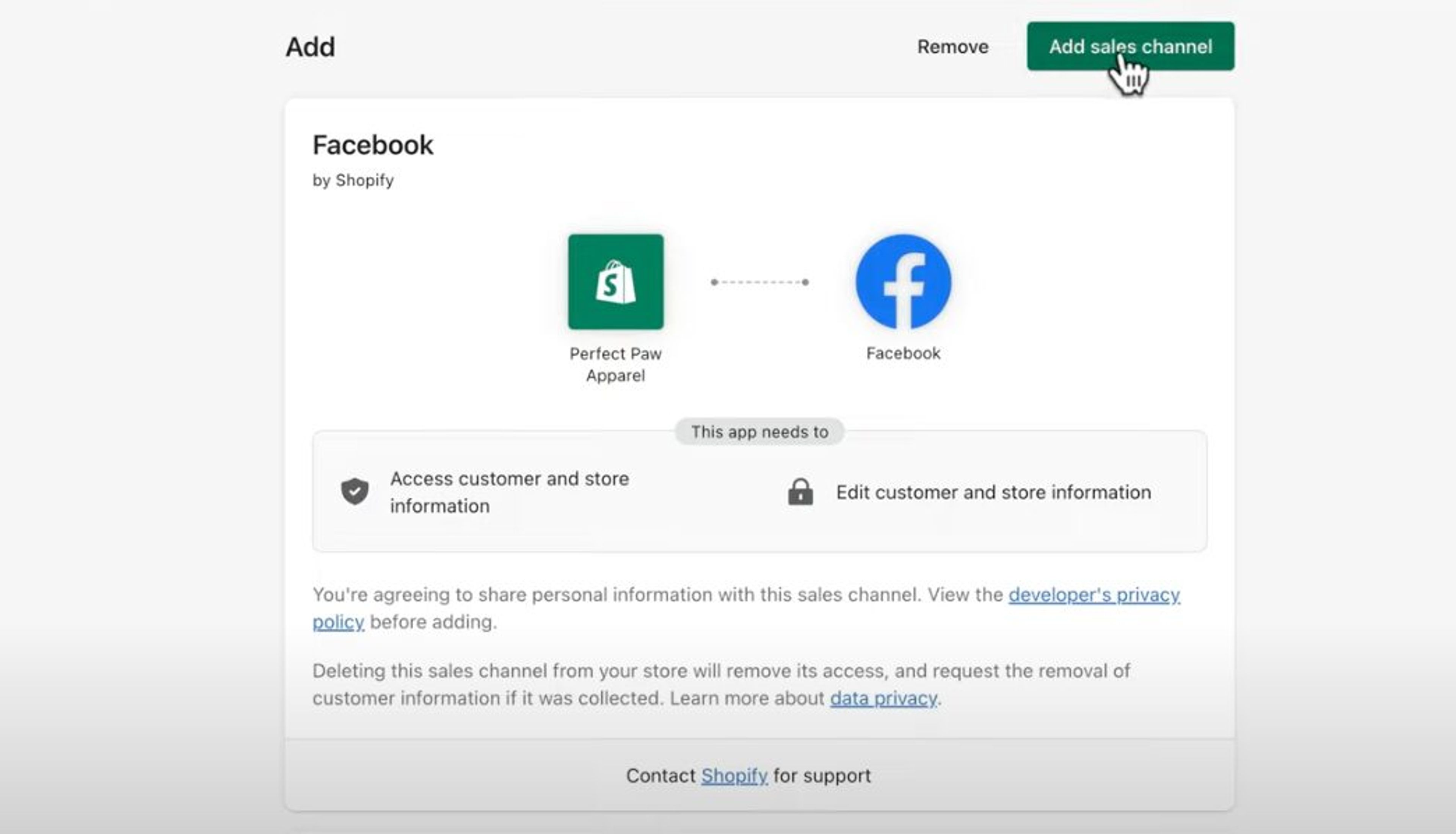
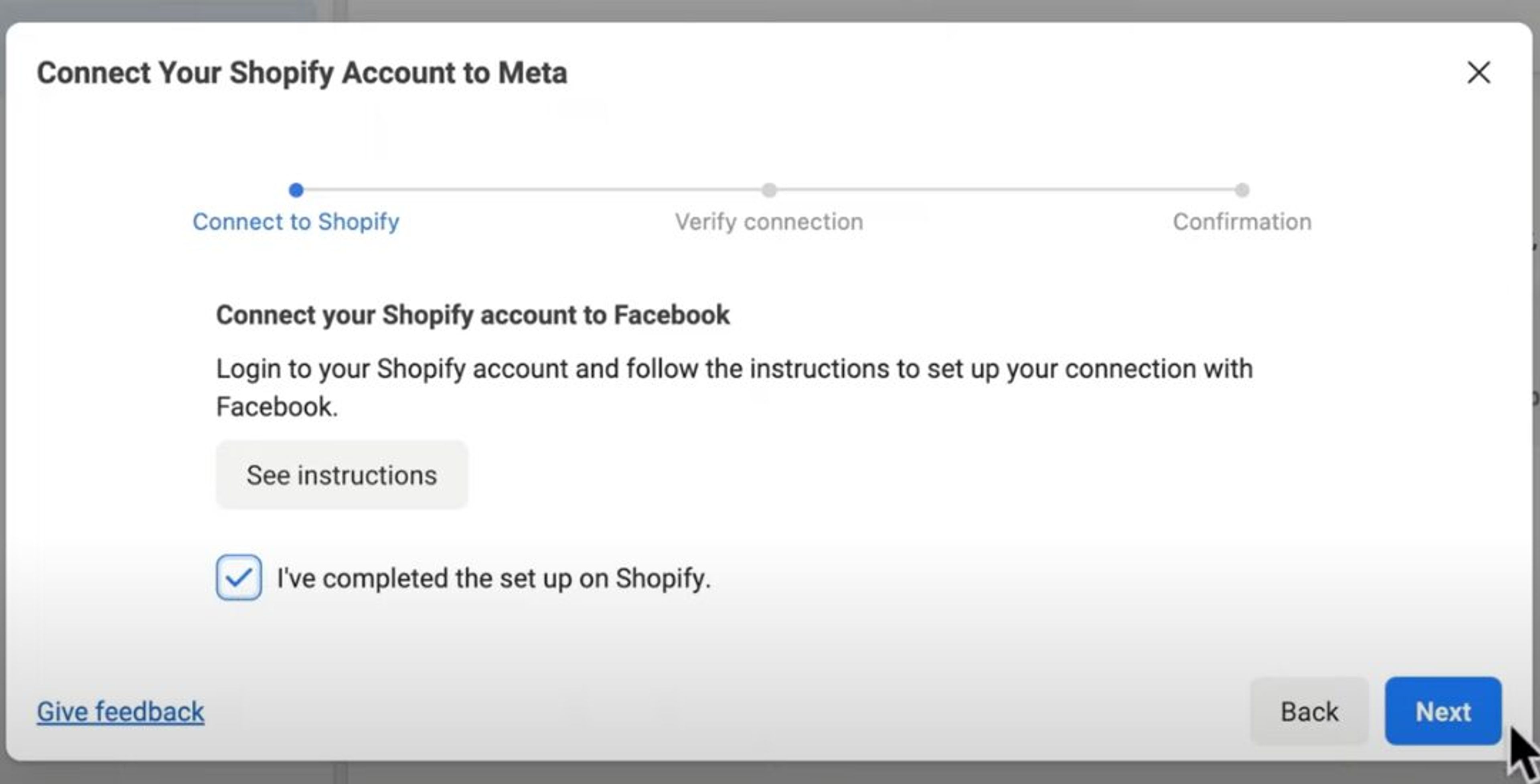
Now, click "Connect account" and connect your store to your Facebook account. Once you've completed the setup process, you can return to Facebook and select "I've completed the setup on Shopify."
In Events Manager, define the customer actions Meta should track — such as View Content, Add to Cart, Initiate Checkout, and Purchase. You can configure up to eight priority events.
These signals are critical because Meta uses them to optimize your campaigns and deliver ads to people most likely to convert.
In Meta Ads Manager, open Account Overview and verify:
Once everything is in place, return to Campaigns, click the green Create button, and follow the guided workflow to build your first campaign.
Now that your Facebook ad account is up and running and you're all set in Facebook Ads Manager, it's time to explore tactics and techniques to ensure you're making the most out of every campaign.
Successful Facebook ads start with a deep understanding of who you’re targeting. Use Facebook Audience Insights to explore demographics, interests, behaviors, and purchase intent.
The clearer your picture of your ideal buyer, the easier it becomes to create messaging and creative that resonate.
If you've ever found yourself pausing mid-scroll to read an ad, you understand the power of compelling ad copy.
Effective copywriting is the cornerstone of successful Facebook advertising.
Your copy should be crystal clear, resonate with your audience, and be undeniably compelling.
Highlight the benefits your product or service offers, using language that directly addresses your audience's needs.
Remember to experiment with your headlines, descriptions, and calls-to-action to discover what works best for your audience.
Facebook is a visual platform, and users scroll fast. High-resolution images, clean product shots, short videos, and authentic lifestyle content all help your ad stand out.
Your goal is simple: get someone to pause long enough to engage with your message.
If your catalog ads still show plain white-background product shots, AI-generated catalog ad creatives can give every product in your feed a lifestyle version without a designer.
Meta tailors ad delivery based on the objective you select, so choose carefully. Whether your goal is traffic, leads, sales, or retargeting, your objective should match what you want people to do.
Selecting the wrong one can handicap performance before your ad even launches.
Once you've set up your ads, don't forget about them!
Make a habit of checking on your ads' performance during the day so you're ready to make changes if needed.
Keep an eye on important numbers like how many people click on your ad, how many buy something, and how much it costs you to acquire a customer.
If certain ad formats, custom audiences, or targeting options aren't doing as well as you hoped, don't hesitate to tweak your approach until you find what works best.
The beauty of Facebook ads is the ability to test different elements and strategies to see what resonates best with your audience.
Experiment with different ad formats, targeting options, and messaging to identify what yields the highest ROI.
A/B testing allows you to compare variations side by side and make data-driven decisions to optimize your campaigns.
Now that you have a better understanding of running Facebook ads, let's explore how big brands are doing it.
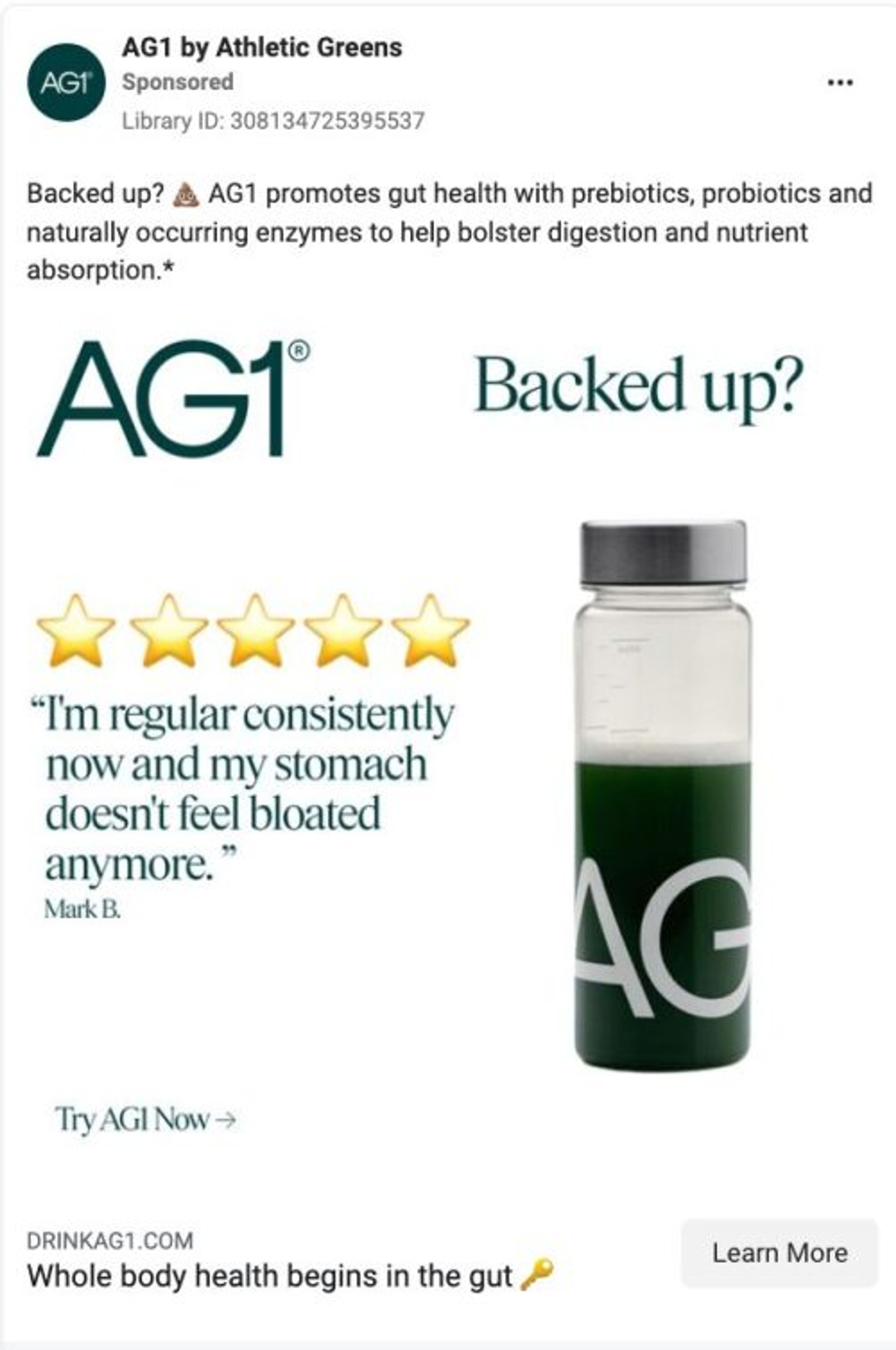
AG1 has become a major force in the wellness industry, supported by significant ad spend — including more than $2.2 million each month on podcast marketing alone. They run dozens of ad variations, each highlighting a different value proposition.
In this example, the creative centers on a customer review, reinforcing trust and credibility. A clean product shot on the right complements the message.
This type of ad works especially well for:
Recommended reading: Athletic Greens Marketing Breakdown: How They Achieved a $1.2 Billion Valuation
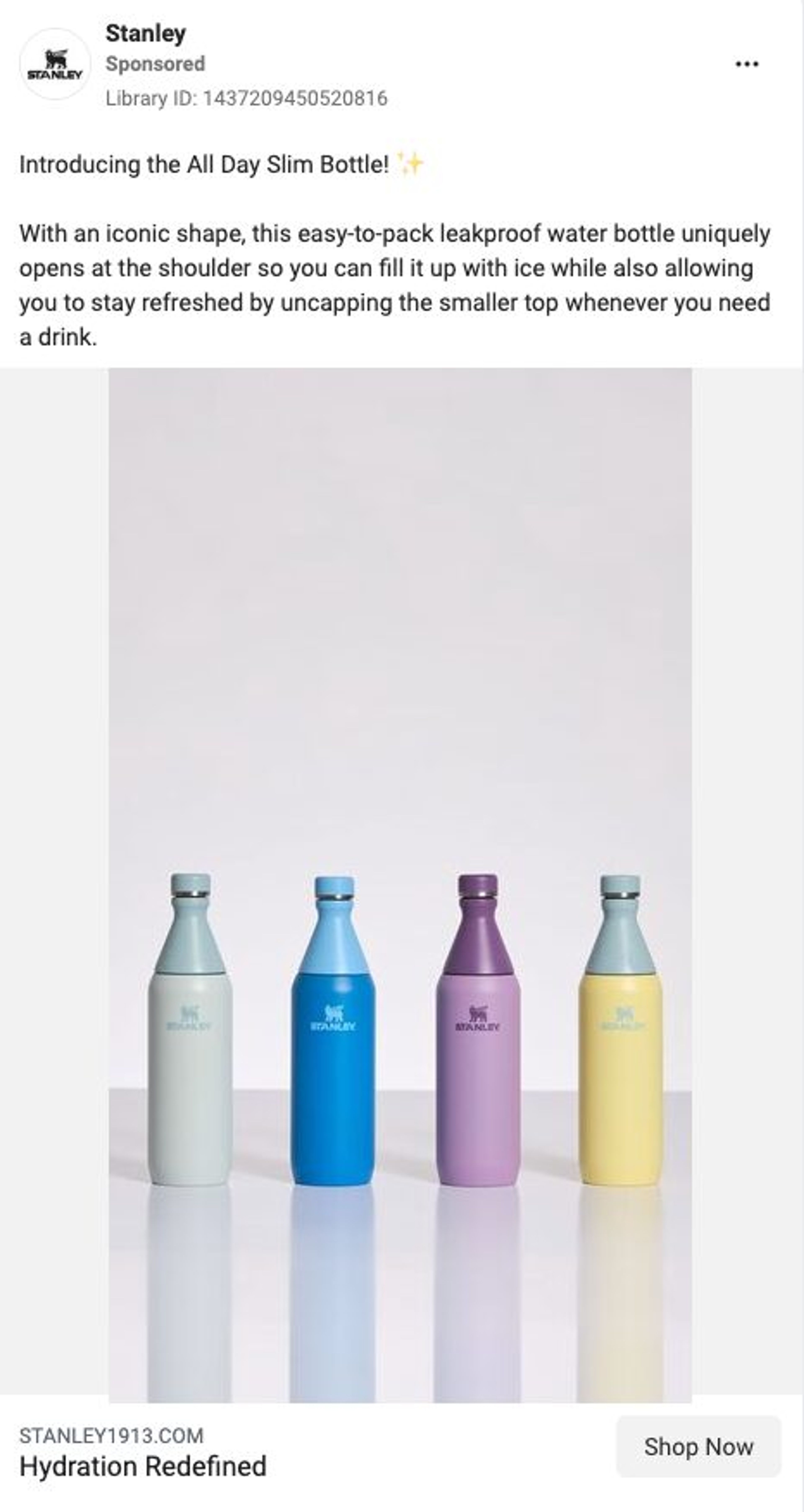
Stanley has seen a major surge in popularity in recent years, driven largely by influencer partnerships and highly anticipated product drops.
Their Facebook ads frequently focus on:
In the example shown, Stanley introduces the All Day Slim Bottle using soft, aesthetic visuals that align with their expanding female audience.
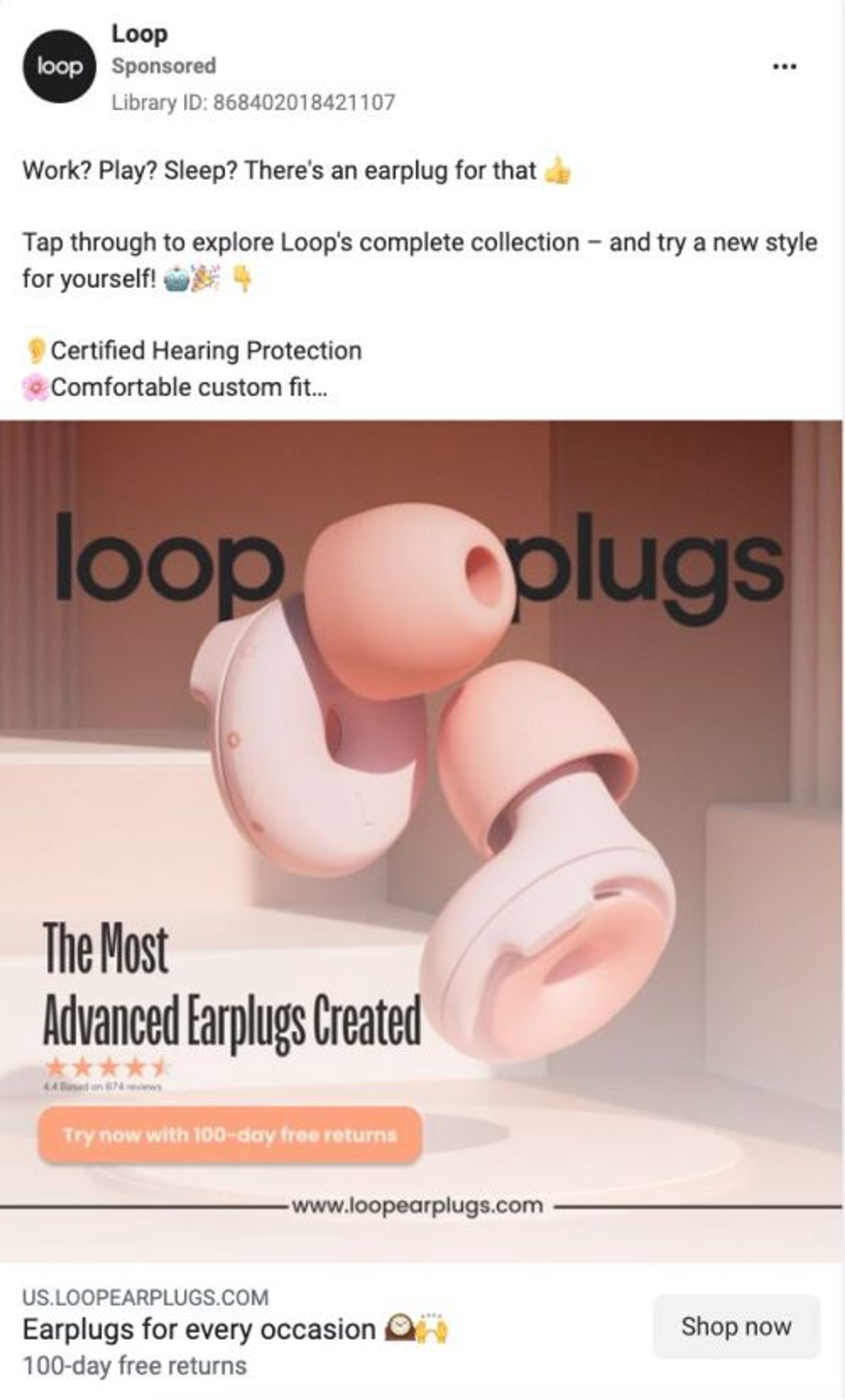
Loop Earplugs, the Belgian ecommerce brand known for sleek, modern design, uses ads that reflect exactly that.
In this ad:
The overall effect is simple, bold, and memorable.
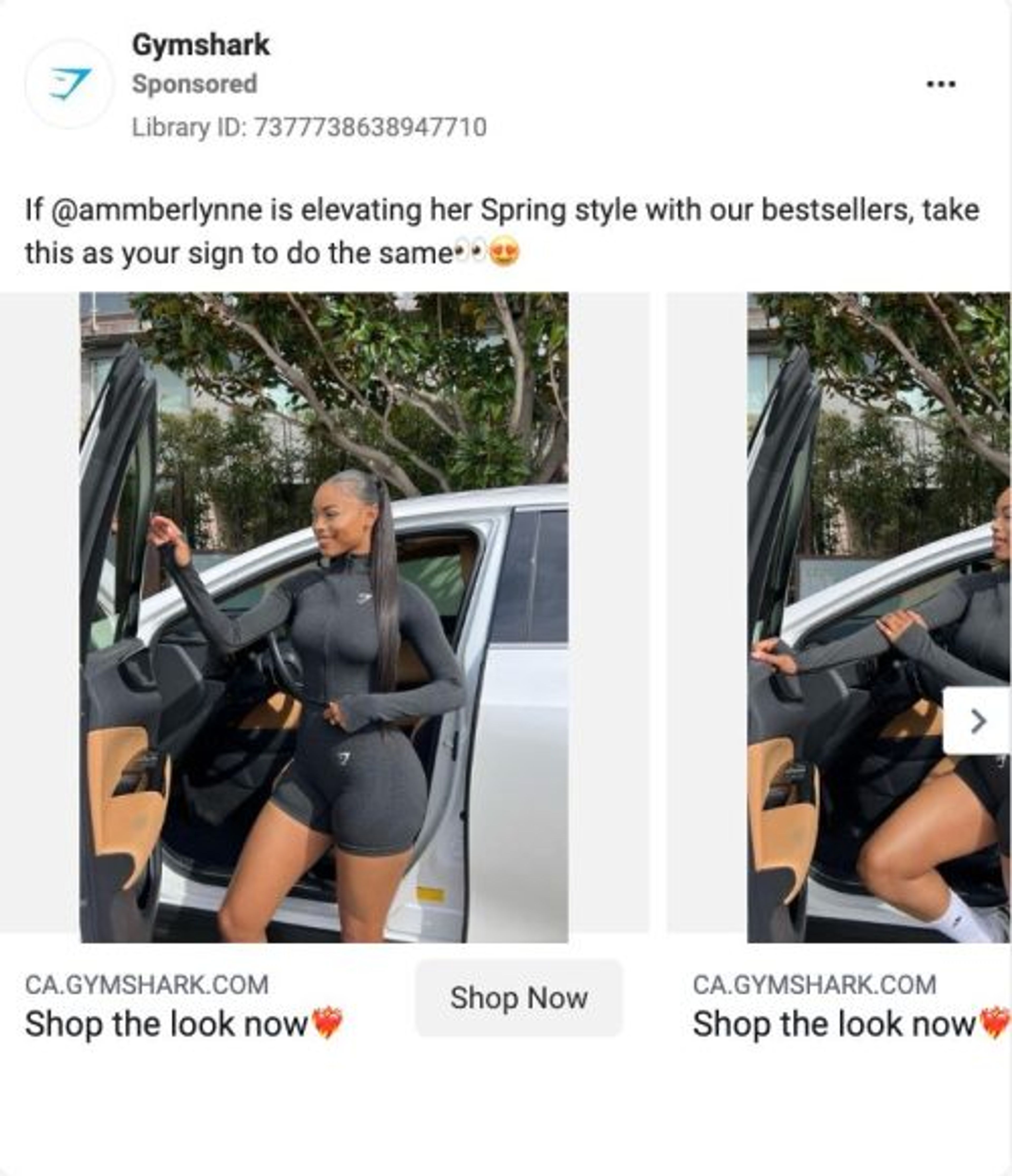
Our next example is from Gymshark. They're known for teaming up with influencers on Facebook and Instagram, which has proven to be an effective strategy for them.
They prefer to show their products in action, often using carousel ads. This lets viewers swipe through images or video ads, and allows the advertiser to showcase a product from multiple angles in a single ad unit.
Carousel ads also provide an opportunity to tell a story or highlight different features of a product or service.
You may have noticed something all the above ads share: they promote specific products. This is standard in ecommerce, and for good reason. Product-focused ads drive visitors directly to category or product pages, where purchase intent is highest.
If you want to improve the ROI of your Facebook ads, you must focus on what happens after the click. Increasing your website’s conversion rate is the most reliable way to get more value from every paid visitor.
Here are three proven strategies to help you do exactly that.
Most Facebook ad traffic lands on your product pages, often skipping the homepage entirely. That means your product pages do the heavy lifting in converting shoppers into customers.
Varnish & Vine improved their product pages by adding:
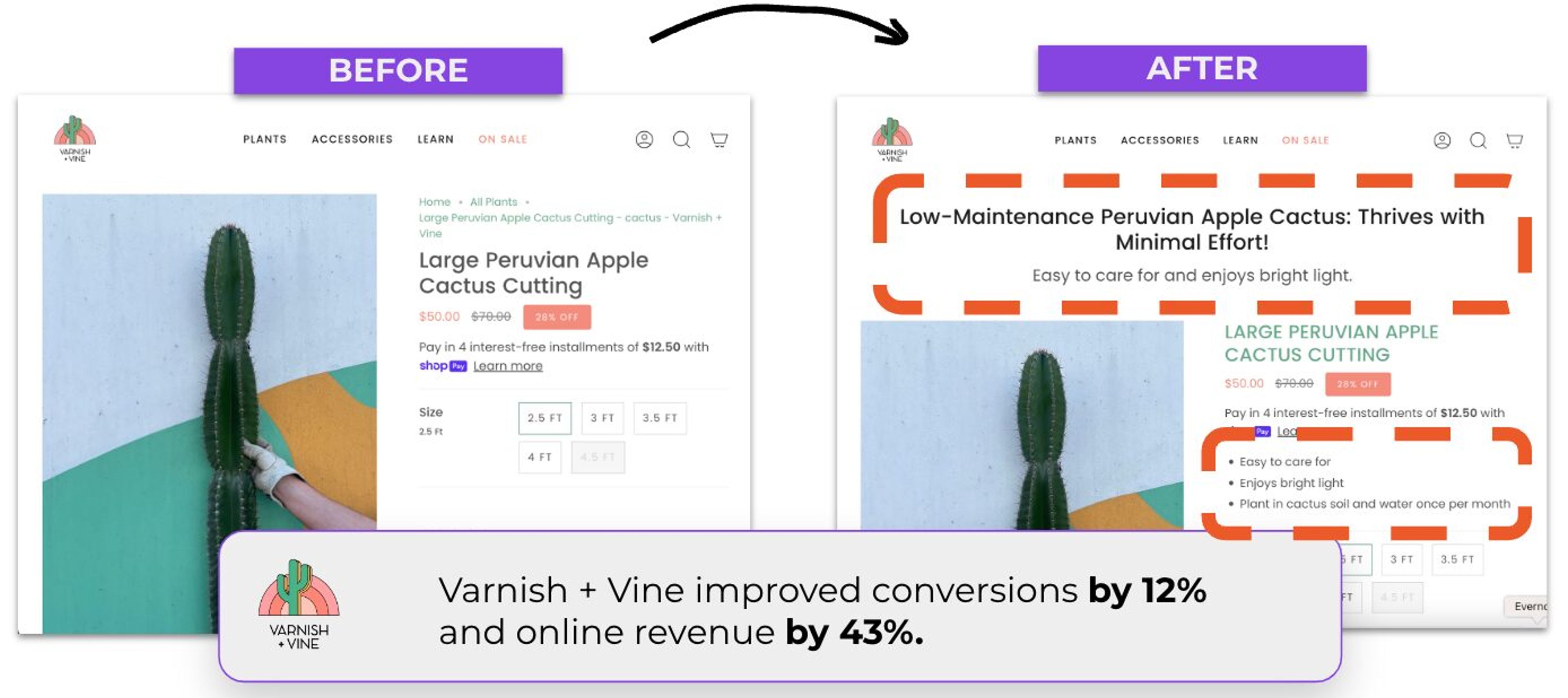
The impact was immediate:
If a visitor lands on a product page and decides to leave, it’s rarely because of pricing. More often, they simply didn’t find the product that fits their needs. Discounting isn’t always the answer — and can even hurt long-term profitability.
Craft Spirit Shop took a smarter approach by showing personalized product recommendations on exit-intent popups. These suggestions were based on each visitor’s browsing behavior.
For example:
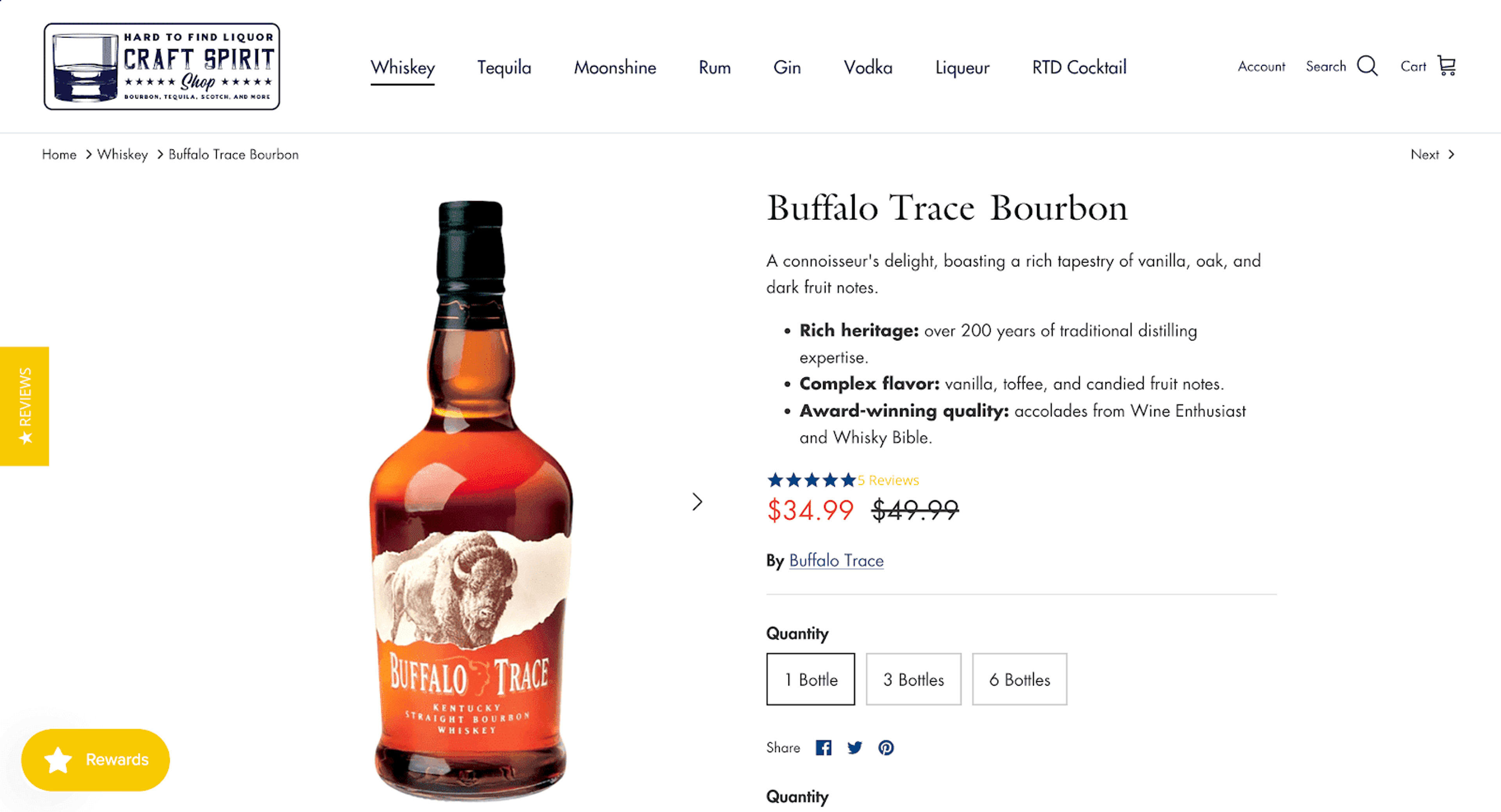
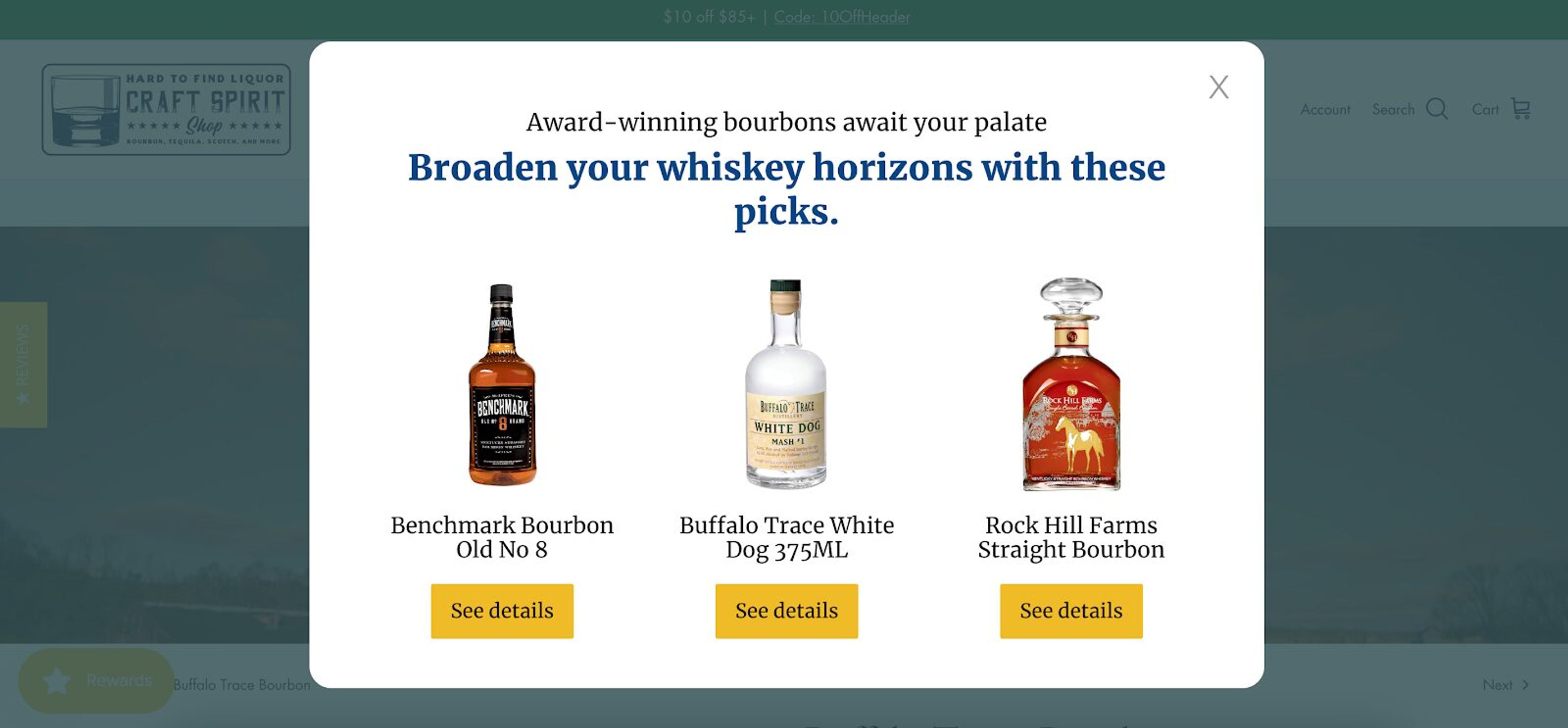
Craft Spirit Shop was able to implement this highly personalized approach with the help of an Upsell Popup, which suggests products that fit each visitor.
The results were impressive: visitors who saw these personalized product recommendation popups made purchases 38.5% more frequently, leading to a significant boost in the ecommerce store's conversion rate.
Additionally, they spent 77.9% more money, significantly increasing revenue per person.
Another effective way to boost conversions from Facebook ads is to offer a personalized discount exclusively to ad traffic. This helps visitors feel recognized and valued, which increases their likelihood of purchasing.
Best practices:
This simple, low-friction approach can meaningfully lift conversions without aggressive pop-ups or blanket discounting.
Facebook ads can be highly effective for Shopify stores. They offer powerful targeting options, allowing businesses to reach their desired audience with precision. By crafting compelling ad creatives and targeting the right audience segments, Shopify merchants can drive traffic, generate leads, and increase sales through Facebook advertising.
Facebook ads are well suited for ecommerce businesses. With their robust targeting capabilities and visual nature, Facebook ads enable ecommerce stores to showcase their products to a wide audience, driving traffic and sales. By leveraging features like dynamic product ads and carousel ads, Shopify store owners can effectively promote their products and engage potential customers on the platform.
Yes. Facebook remains one of the most influential advertising platforms, offering powerful optimization features and access to a large global audience. For Shopify merchants, well-managed campaigns continue to deliver strong returns on investment.
Carousel ads, video ads, and dynamic product ads are especially effective for ecommerce because they highlight product details and adapt to shopper behavior. The right format depends on your goal, but dynamic product ads often perform best for converting warm audiences.
Yes. A Facebook ad account is required to set up tracking, manage billing, create audiences, and launch campaigns through Ads Manager. It serves as the central hub for managing and optimizing all your advertising activity.
We hope that by the end of this article, you've gained valuable insights into setting up your Facebook ads for Shopify.
More importantly, we trust you've learned how to create ads that not only catch attention but also effectively connect with your audience, driving meaningful engagement and results for your Shopify business.
If you're looking to boost the ROI of your Facebook ads, why not start by creating your forever-free OptiMonk account today?
Go to the Shopify App Store now, and start optimizing your ad campaigns with ease!


40 website welcome message examples for online stores, grouped by situation and industry, ready to copy into a welcome popup.

12 Christmas popup examples for online stores, from welcome offers and spin-to-win wheels to gift quizzes and last-chance countdowns.
In this article, we'll share the best alternatives to Sleeknote that help you to get more leads in 2026.