
40 Welcome Message Examples for Your Website (Copy and Paste)
40 website welcome message examples for online stores, grouped by situation and industry, ready to copy into a welcome popup.
Grab attention & boost sales with featured products! Learn how to highlight your VIP products and grow your store.
In short
Featured products are key items highlighted on your Shopify store to boost visibility and sales. By strategically showcasing new arrivals, bestsellers, and seasonal products, you can enhance customer engagement and drive conversions. Learn best practices for selecting and displaying featured products to optimize your Shopify store's performance and improve the shopping experience.
Wanna make sure that certain products catch the eye of your visitors when they land on your Shopify store? Featured products can make that happen. They’re the VIPs of your online store, getting the spotlight and drawing customers in.
But how do they work, and why is it so important to highlight them? Which products should you feature? How do Shopify featured products work?
That's precisely what we're going to talk about here. Let's dive in!
Featured products are items you highlight in your online store to attract attention.
Think of them as your store’s VIPs. They’re front and center on your homepage, category pages, or special sections, making them easy for shoppers to find.
By spotlighting these products, you can guide customers toward items you want to promote, like new arrivals, bestsellers, or seasonal specials.
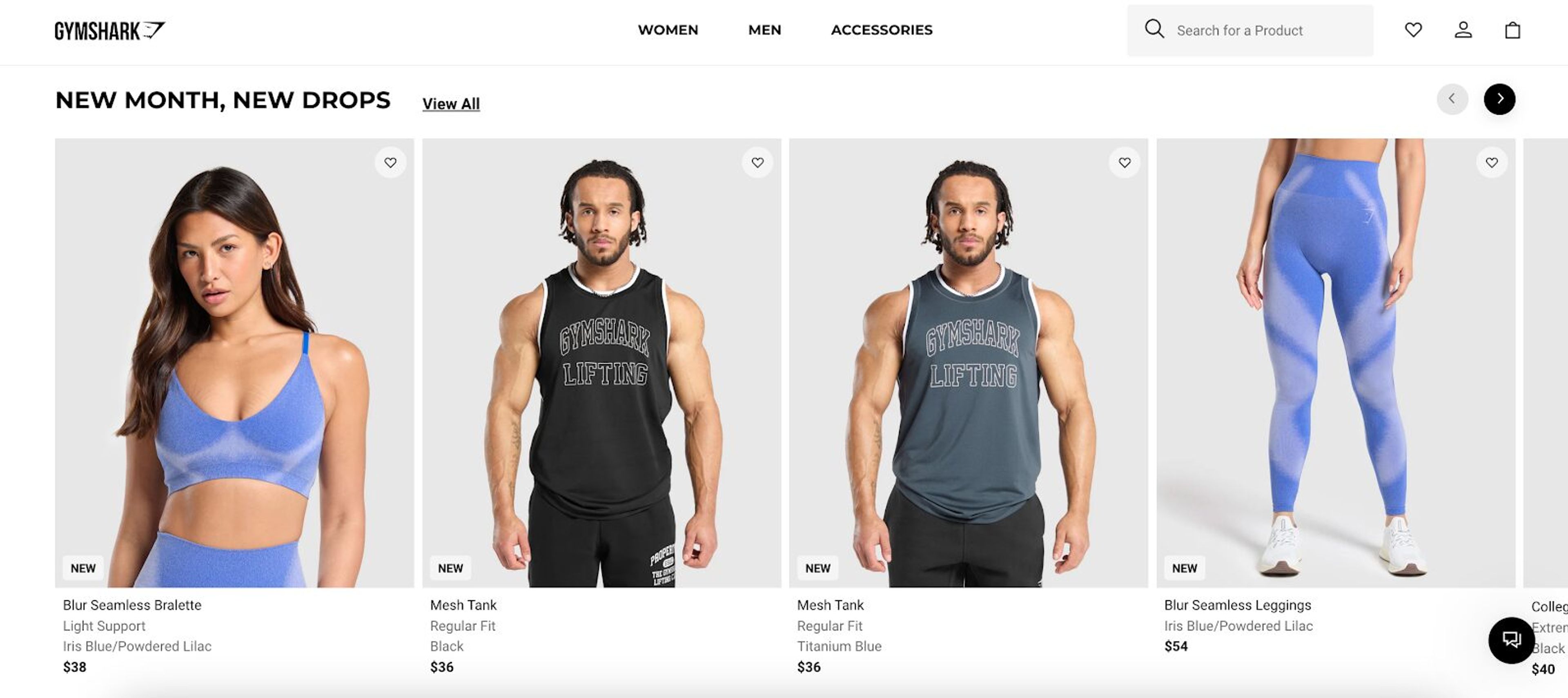
For instance,Gymshark features new products on its homepage, ensuring they grab visitors' attention immediately.
Now, let's break down how you can benefit from a featured collection on your Shopify store.
We’ve discussed the whats and whys; now it’s time to dive into the details of how to highlight products and improve your sales strategy.
Selecting the right products to feature prominently in your featured collections can significantly influence customer interest and drive more sales.
Here's how to choose the perfect items for your Shopify featured products:
Start with your best-selling products.
Look at your sales data in Shopify admin to see which products are flying off the shelves. Popular items are popular for a reason. Featuring them in your Shopify store can help even more customers discover products others love, boosting sales.
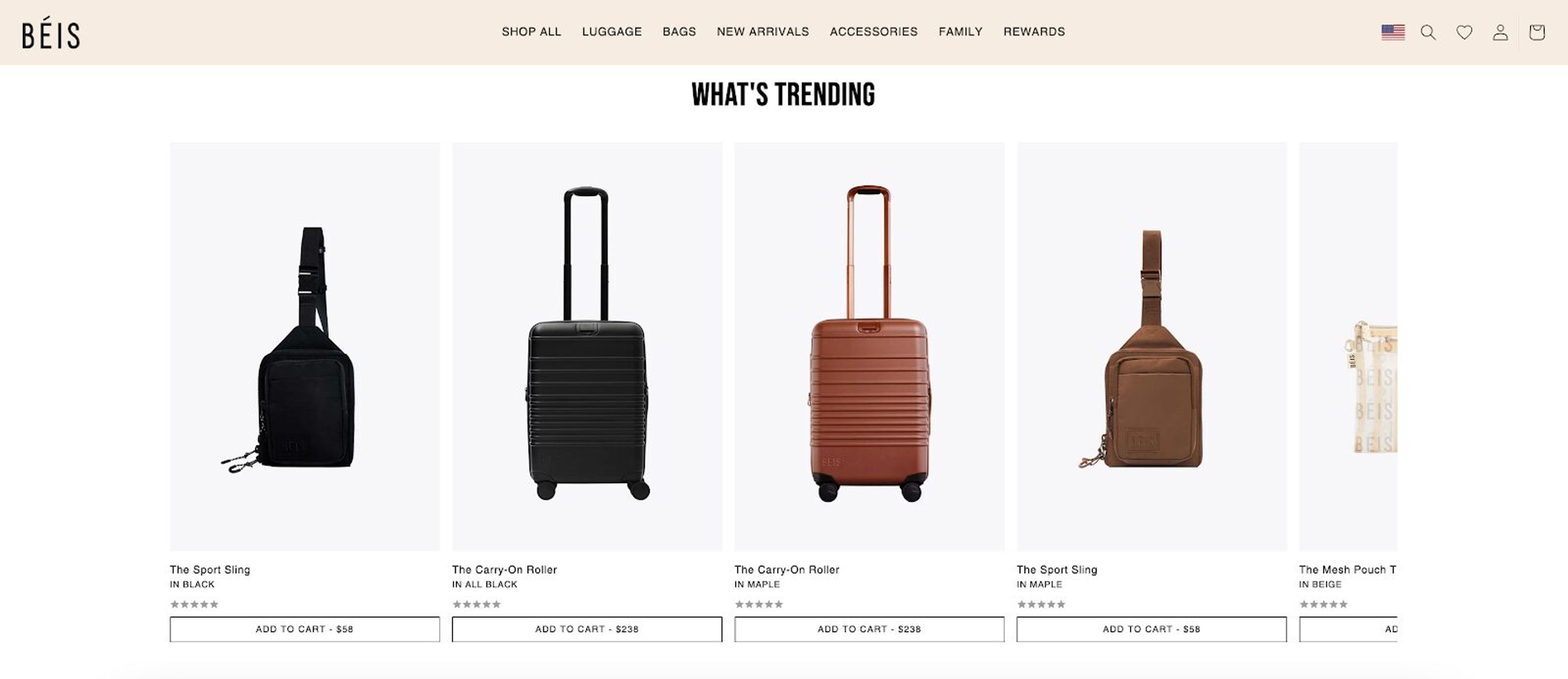
Check out how BÉIS Travel highlights trending products on its homepage.
Think about the time of year. Featuring seasonal items in your featured collection on Shopify is a smart move.
For example, you’ll want to promote products like swimsuits in the summer and coats in the winter. Seasonal relevance makes products more appealing and timely for your customers.
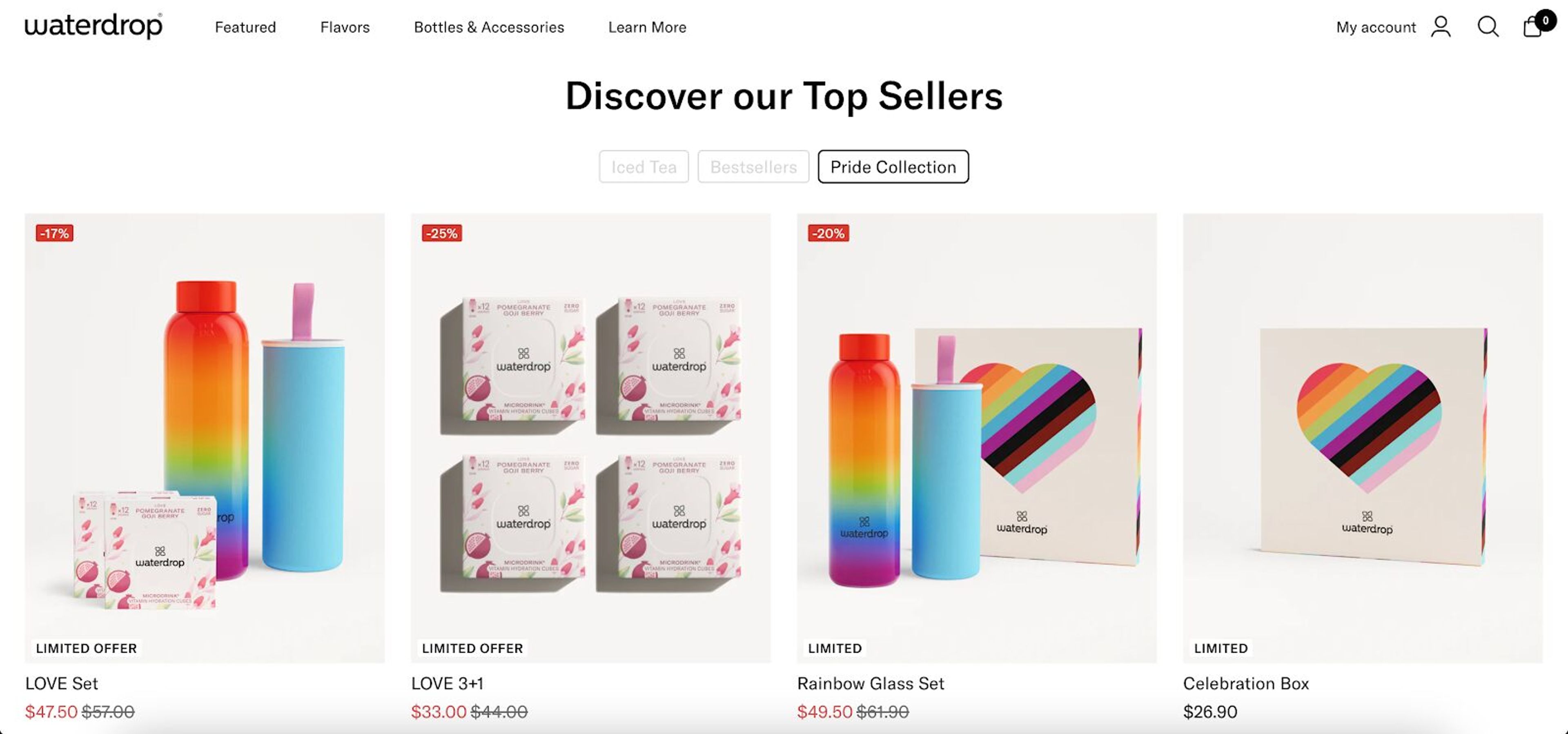
Here's an example from Waterdrop, where they feature their pride collection during Pride Month:
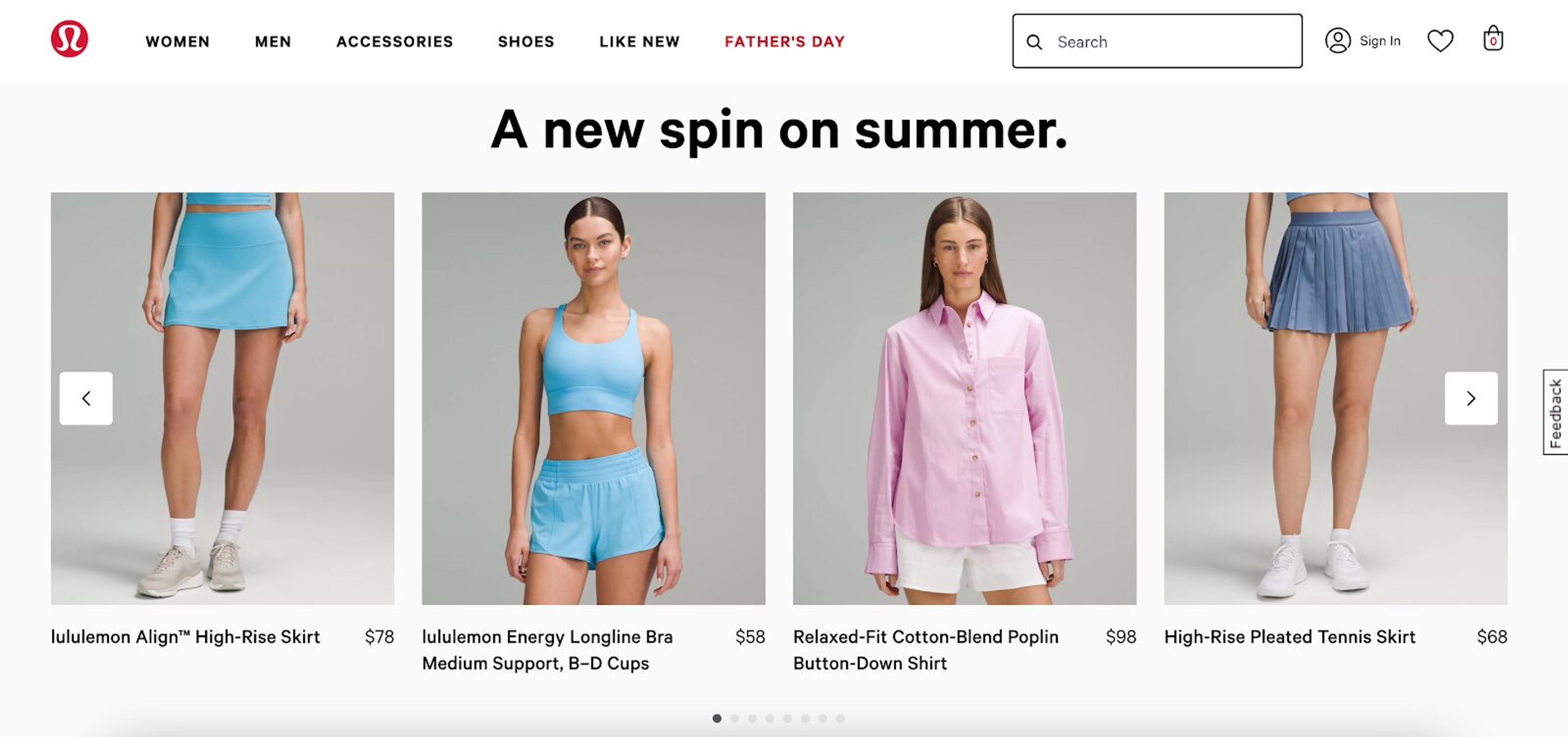
Or check out how Lululemon gives more attention to their summer collection with the title “A new spin on summer.”
Check your inventory. Make sure you have enough stock of the items you want to feature. There’s nothing worse than featuring a product only to run out of it quickly.
Ensure you can meet the demand to maintain customer satisfaction and boost sales.
Consider your profit margins. Featuring high-margin products can boost your bottom line. If a product has a good profit margin and is popular, it’s a great candidate for your Shopify featured collection.
This strategy helps Shopify store owners maximize profits while promoting popular items.
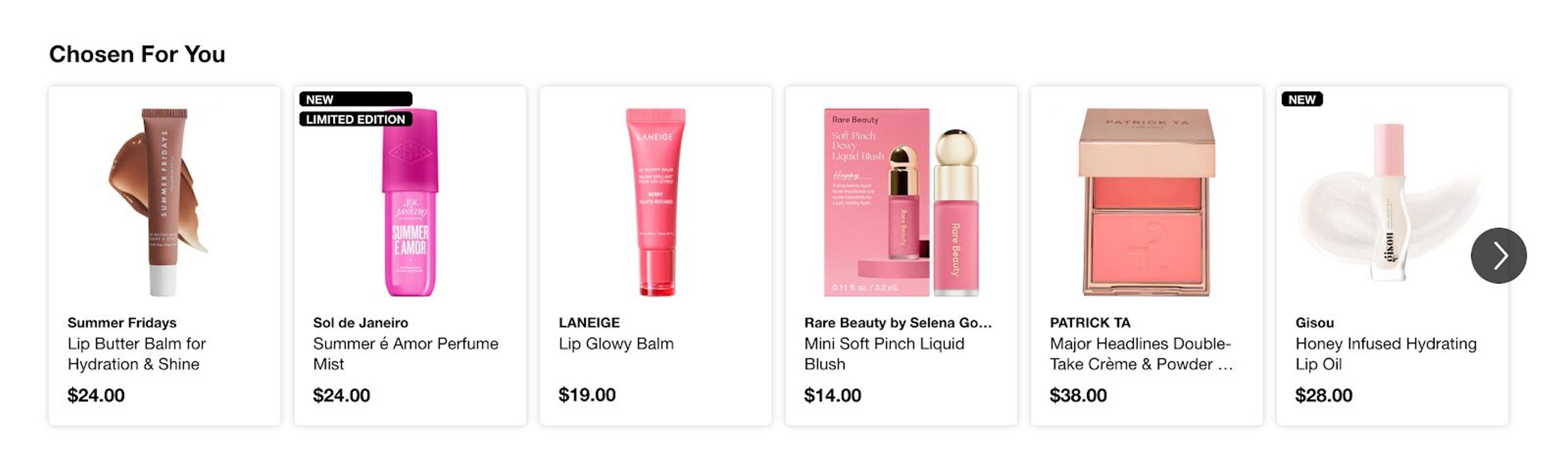
Consider displaying a personalized featured product collection for returning customers.
Use customer data to tailor this collection to individual shoppers. This can include items based on their browsing history, past purchases, and preferences.
Personalized collections can make customers feel valued and increase the likelihood that they’ll find something they love.
Check out this example for personalized featured products from Sephora:
Don’t forget customer feedback!
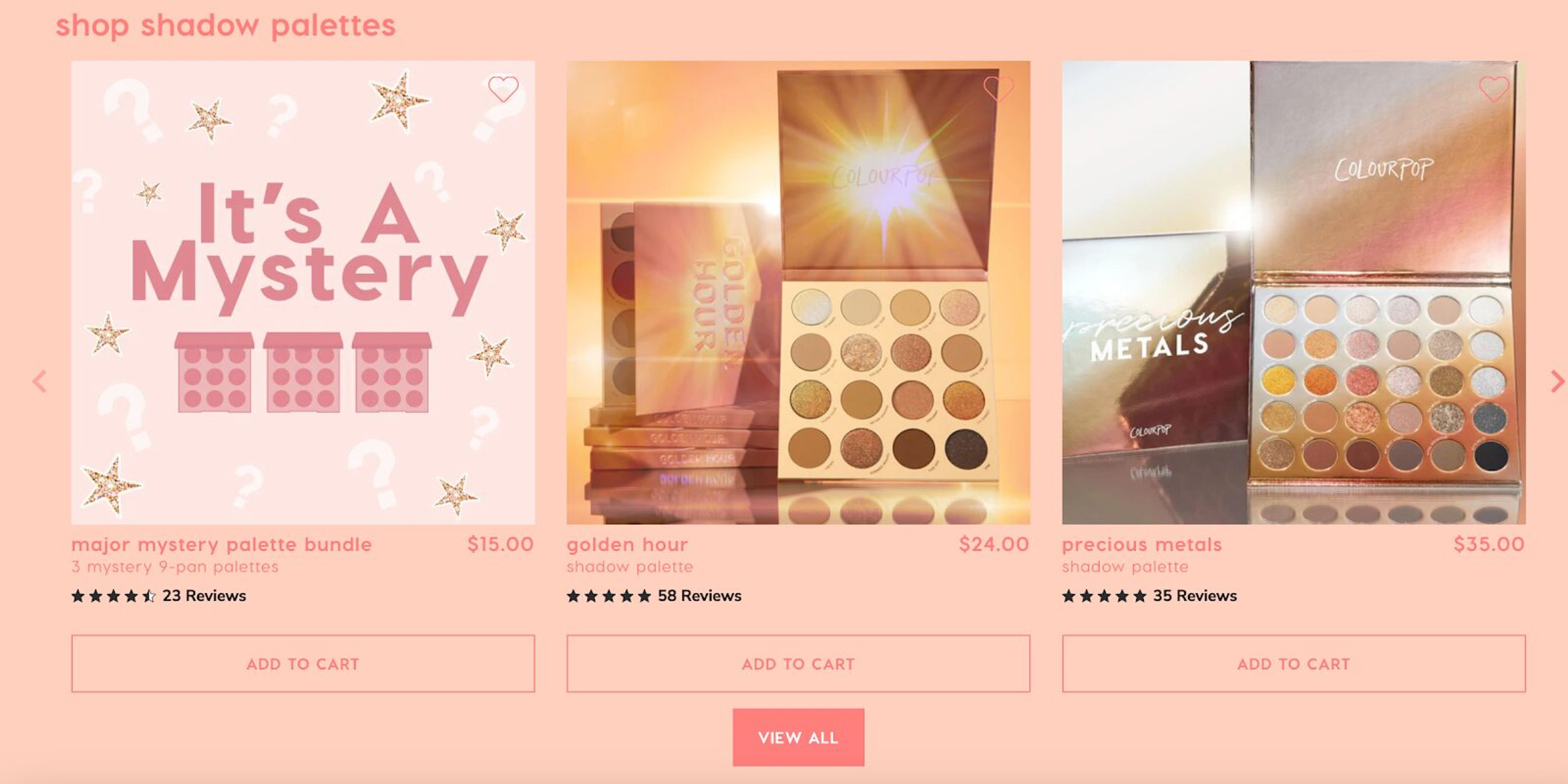
Reviews and comments can tell you a lot about what customers love. Featuring products with positive feedback can build trust and encourage new customers to try them out.
Check out this example from ColourPop highlighting products with lots of 5-star reviews.
Keep your featured collection fresh by rotating products regularly.
This doesn’t mean you have to change everything every week, but a monthly update can keep things interesting. Regular rotation can also help you test what works best.
You might find that some products perform better than others, which will allow you to adjust accordingly.
Wanna get the most out of your featured collections? Here are 5 best practices on how to boost sales.
Your homepage is the first thing customers see, so it’s a prime spot for featured products. Use eye-catching banners and highlight a few key items. This can draw customers in and encourage them to explore more.
Featuring products on category pages can help customers find popular items within a specific category. For example, if you have a “Summer Collection” category, feature the top-selling picks or new arrivals there.
On product pages, you can feature related items. This not only showcases more of your products but also helps with cross-selling. Customers viewing one product might find something else they like.
Strategically use popups and embedded banners to highlight special offers or new featured products.
Be careful not to overdo it, as too many popups can be annoying. Use them sparingly to maintain a good user experience.
Visuals are crucial in ecommerce.
Customers rely heavily on visuals to make purchasing decisions, so it’s important your products look their best.
High-quality images can make your products irresistible. Ensure your featured items shine with clear, professional photos from multiple angles, highlighting all the important details.
Multiple images provide a comprehensive view and can help convince potential buyers of the product’s quality.
Investing in professional photography can significantly enhance the appeal of your featured products and ultimately boost your sales.
Transparency with pricing is essential when it comes to your featured products on Shopify.
Clearly display prices and highlight any discounts prominently. If an item is on sale, make it obvious!
Savings are a powerful motivator and can push customers towards making a purchase. Ensure the discount is noticeable, perhaps with a different color or a special icon.
Clear pricing information helps build trust with your customers, making them more likely to buy.
Bundles are a great way to increase the perceived value of your products. Pair complementary items together at a discounted rate.
For example, offer a shirt with matching pants at a lower price than if bought separately.
This not only boosts sales but also enhances customer satisfaction by giving them a better deal.
Make the most of Shopify's built-in features and apps. Choose a theme that showcases featured products effectively, with sections designed to highlight these items.
Use Shopify’s drag-and-drop editor to customize your store layout, creating attractive sections for your featured collections.
Explore apps and plugins in the Shopify admin that can enhance your product display and management. Apps like OptiMonk can highlight featured items through popups, making them impossible to miss.
Ready to find out how to add a featured products section on Shopify? You’re in the right place. Let's break it down.
Step 1: Start by logging into your Shopify admin panel. This is where you manage all aspects of your store.
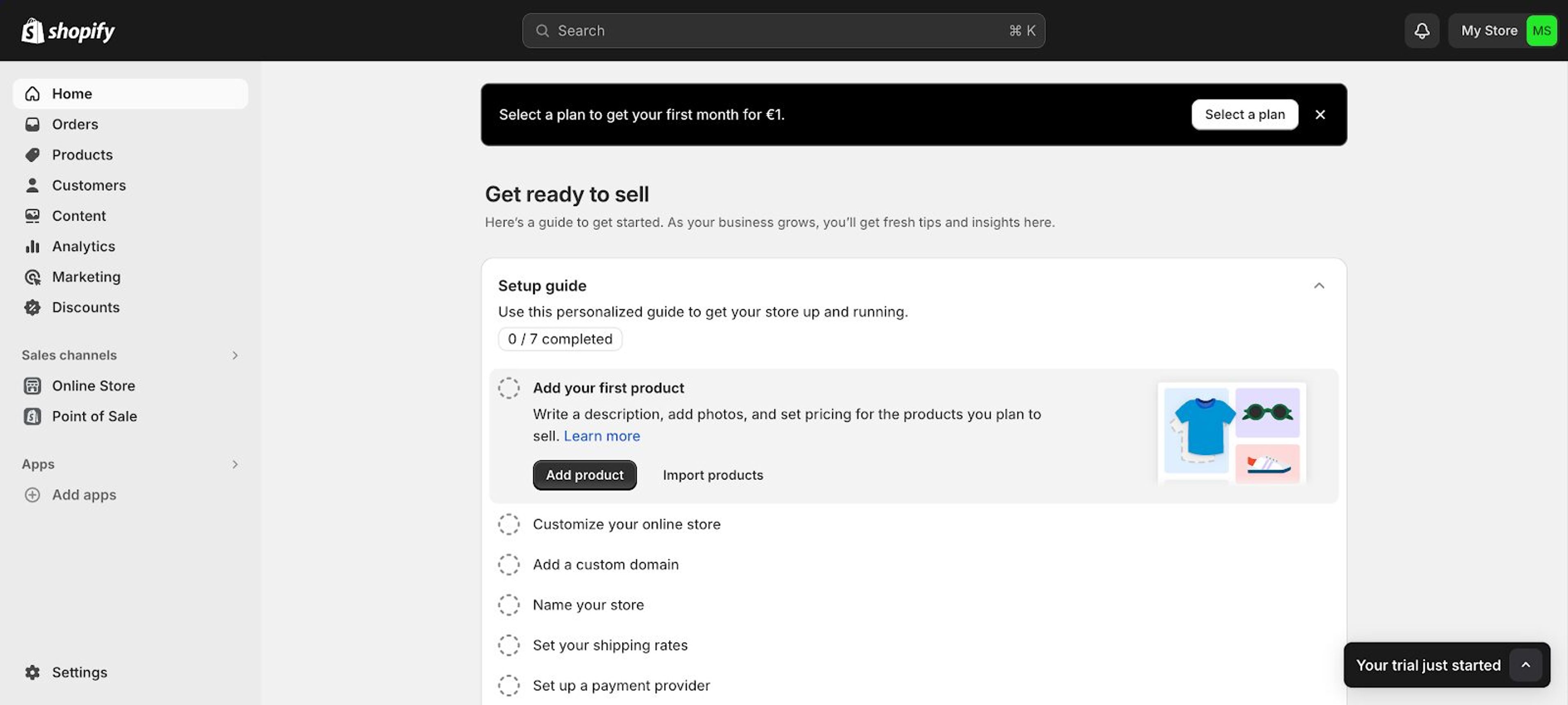
Step 2: Go to the "Online Store" section in your admin panel. From here, you can customize your theme and add featured products.
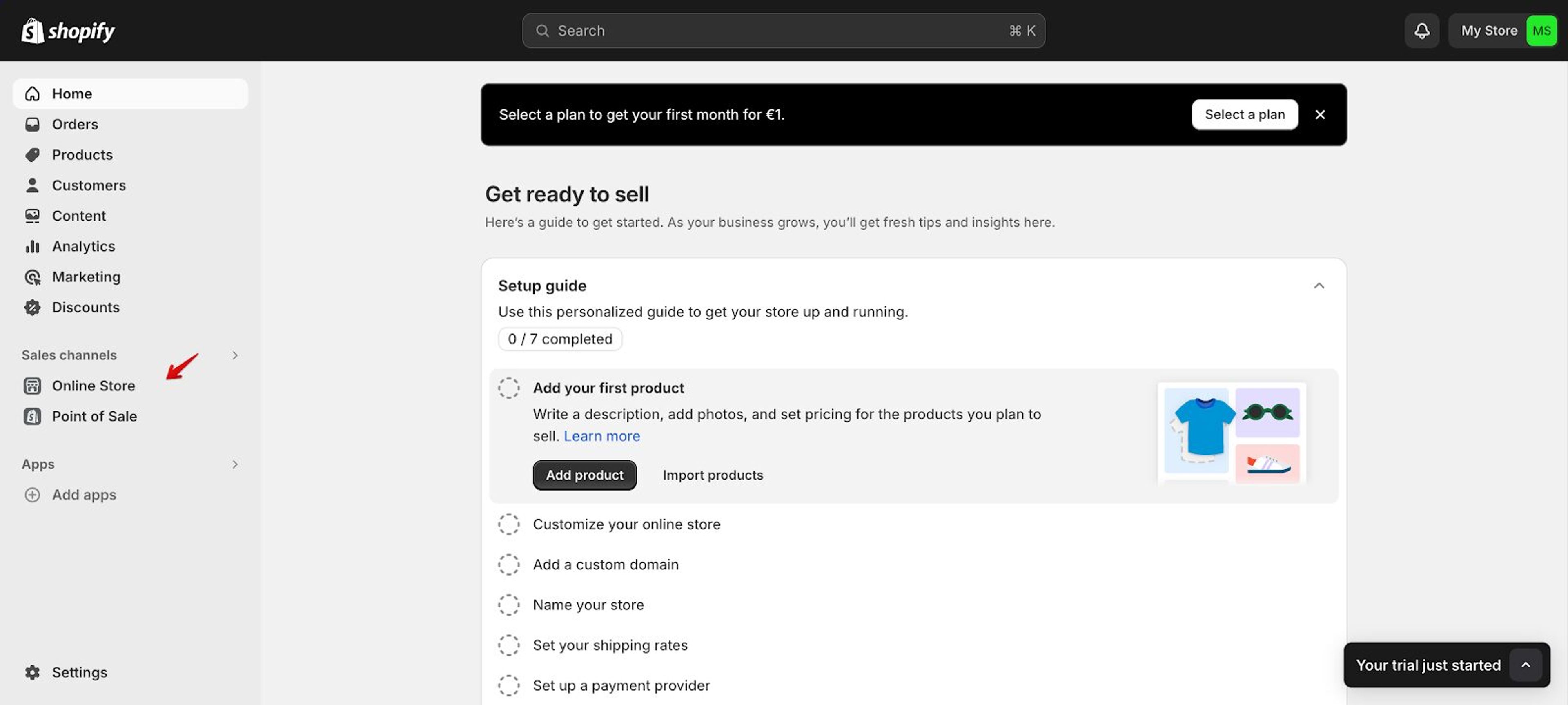
Step 3: Customize your Shopify theme by clicking on "Themes" and then "Customize." This will take you to the theme editor, where you’ll be able to modify your store’s appearance.
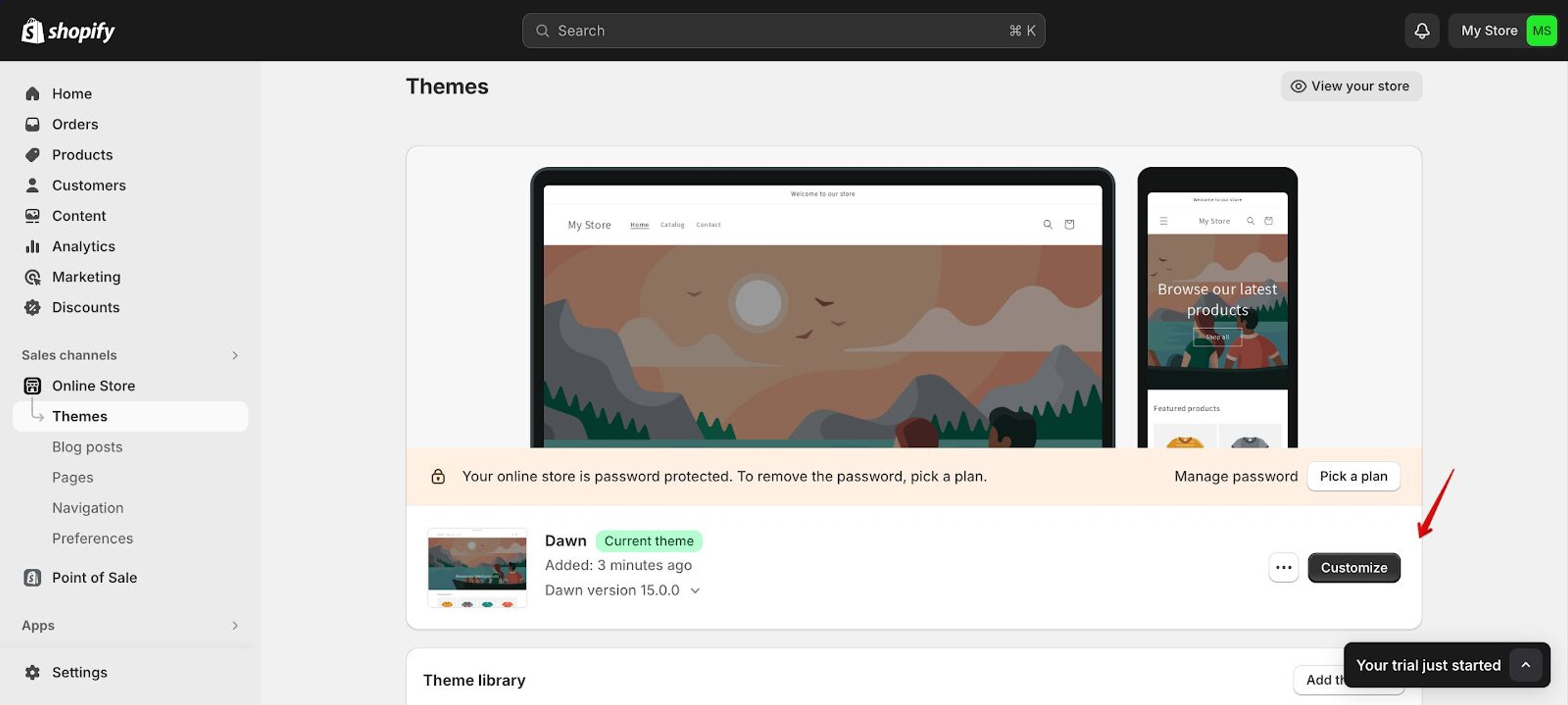
Step 4: Add a featured collection section to your Shopify store from the left sidebar in the theme editor.
Select “Featured Product” or “Featured Collection” from the drop down menu and choose the products you want to feature.
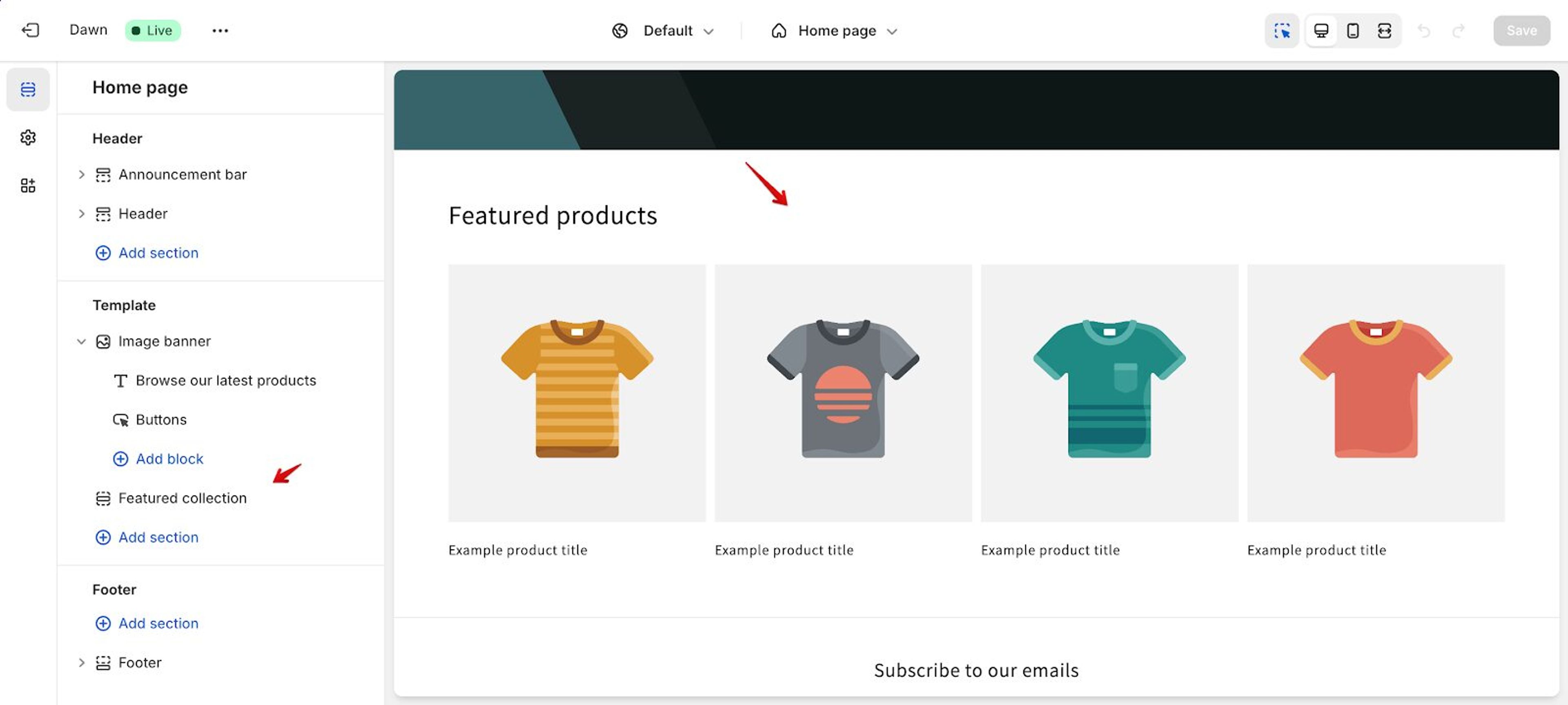
Step 5: Once you’ve selected products to feature for your special promotions, click save and publish them.
Your featured products will now be visible on your store, prominently displayed to attract customer attention!
Step 1: Install OptiMonk
Go to the Shopify App Store and find OptiMonk. Click "Add app" and follow the installation instructions.
Step 2: Create a new campaign
In OptiMonk, start a new campaign and describe the popup you want, for example "a popup that shows our new arrivals to first-time visitors". The agent draws four concepts, and you pick the one you like.
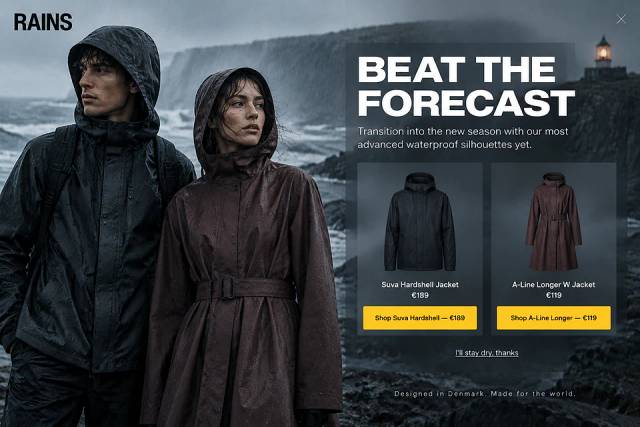
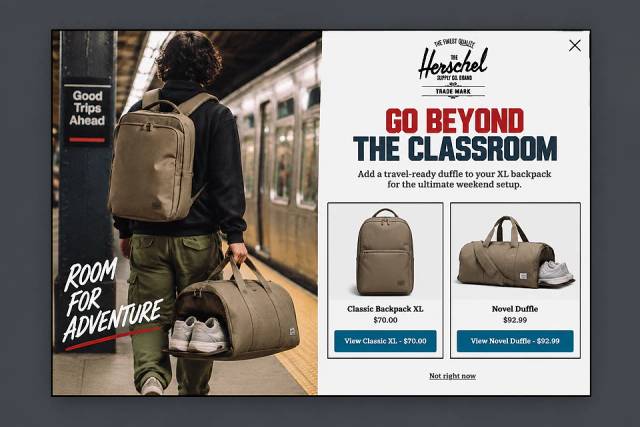
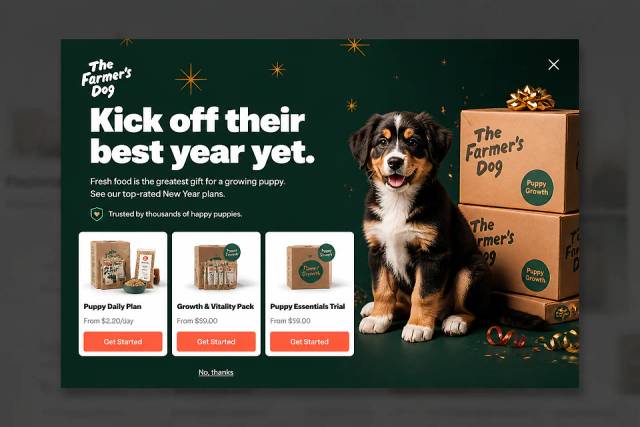
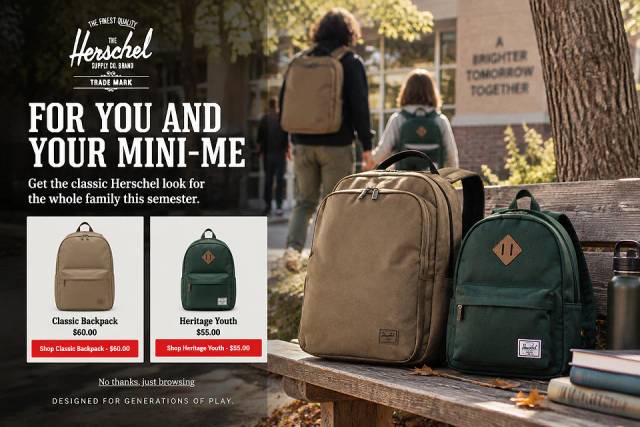
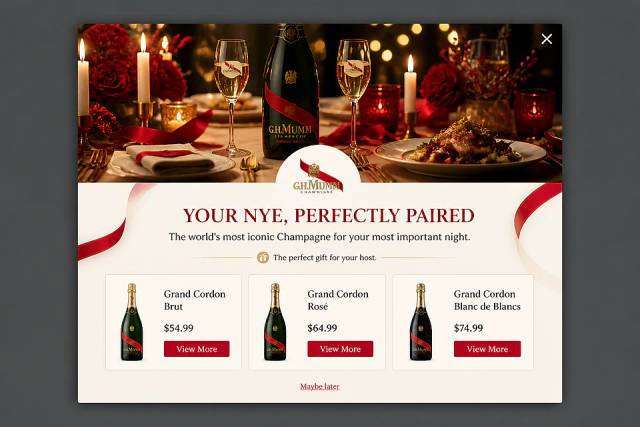
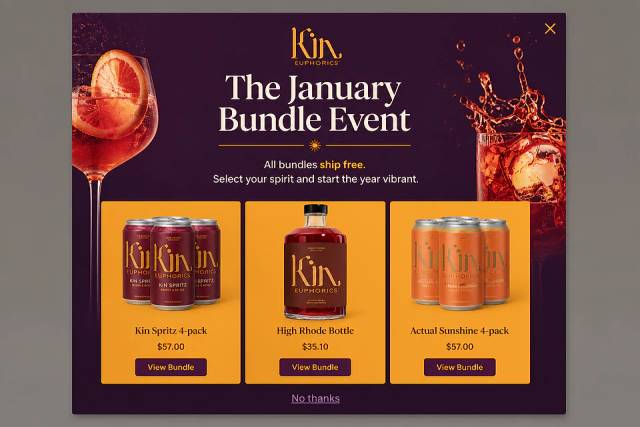
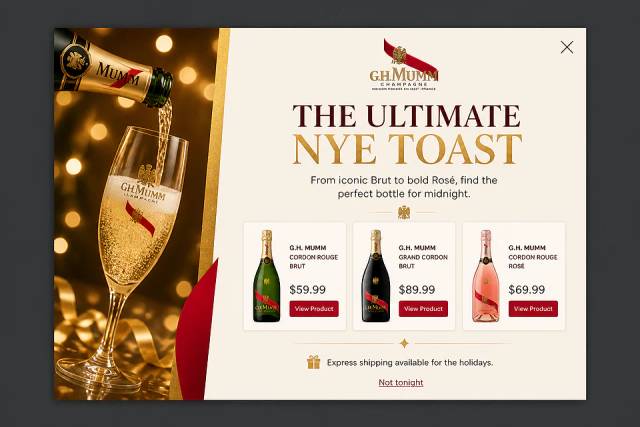
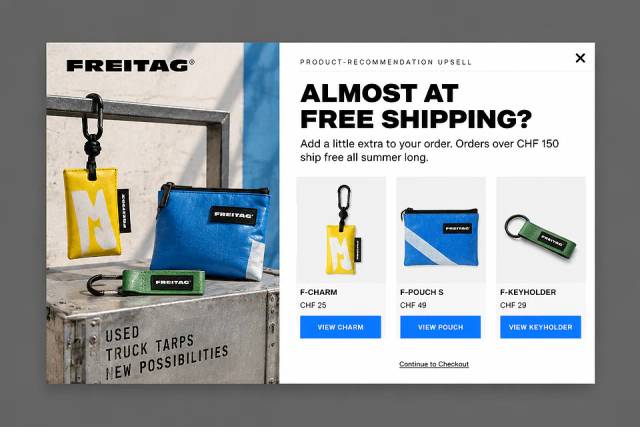
Here are some product recommendation popup ideas you can use to promote your new items:
Step 3: Refine your campaign
The popup already uses your brand's colors, fonts and logo. Ask the agent for changes in plain words, or fine-tune the design in the visual editor.
Pick your featured products yourself, or let OptiMonk show the most viewed products, the visitor's recently viewed items, or your store's own recommendations. Only in-stock products are shown.
Step 4: Target your audience
Set up targeting rules for your campaign. You can choose when and where your popup will appear, and who will see it. For example, you can show a featured product popup to first-time visitors or to visitors with items in their cart.
Step 5: Launch your campaign
Once everything is set up, launch your campaign. OptiMonk will display your selected items according to the rules you’ve set, helping to grab customer attention and drive sales.
Featuring products in your Shopify store is a great way to boost visibility, get more customers, and increase sales.
By showcasing discounted items, new releases, and seasonal products, you create an engaging shopping experience that keeps customers coming back.
Ready to start reaping the benefits of featured products? Take your product promotion to the next level by signing up for a free OptiMonk account today!


40 website welcome message examples for online stores, grouped by situation and industry, ready to copy into a welcome popup.
12 Christmas popup examples for online stores, from welcome offers and spin-to-win wheels to gift quizzes and last-chance countdowns.
In this article, we'll share the best alternatives to Sleeknote that help you to get more leads in 2026.