
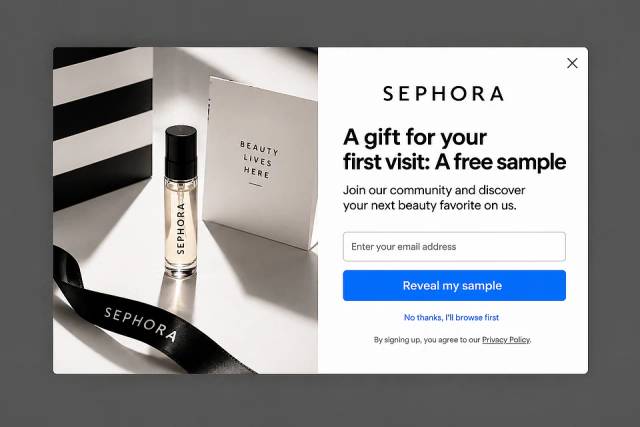
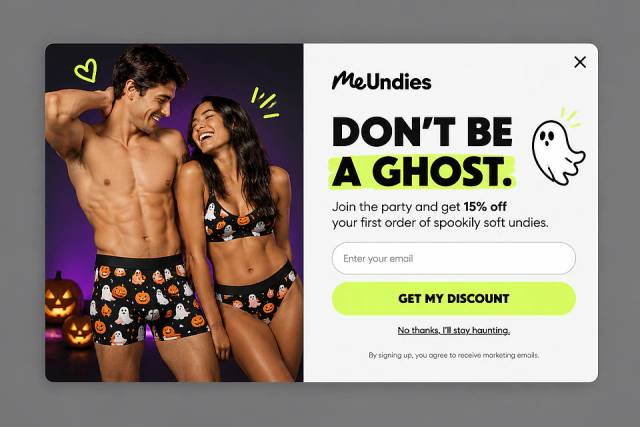
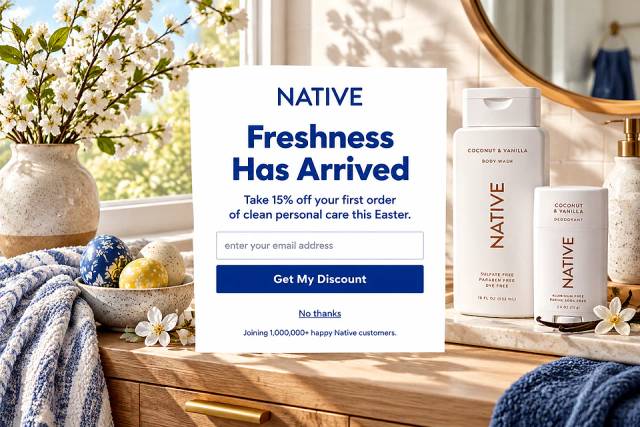
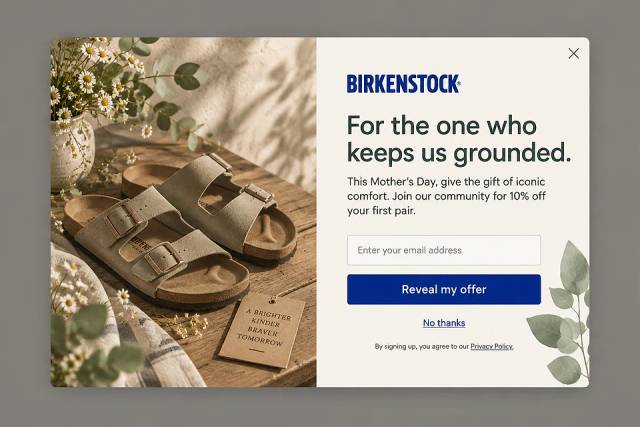
40 Welcome Message Examples for Your Website (Copy and Paste)
40 website welcome message examples for online stores, grouped by situation and industry, ready to copy into a welcome popup.
Describe the popup you want in one sentence, and OptiMonk's AI agent designs it, writes the copy and puts it live on your store.
In short
A popup maker lets you create website popups, like signup forms, discount offers and exit-intent messages, without code. With OptiMonk, you describe the popup in one sentence, and the AI agent designs it for your brand, builds a mobile version and puts it live on your WordPress, Shopify or custom site. Free to start.
A popup maker is a tool that lets you create website popups (signup forms, discount offers, exit-intent messages) without code. With OptiMonk, you describe the popup in one sentence and the AI agent designs it, writes the copy, builds a mobile version and puts it live on your store.
No designer, no template to fiddle with, and it's free to start.
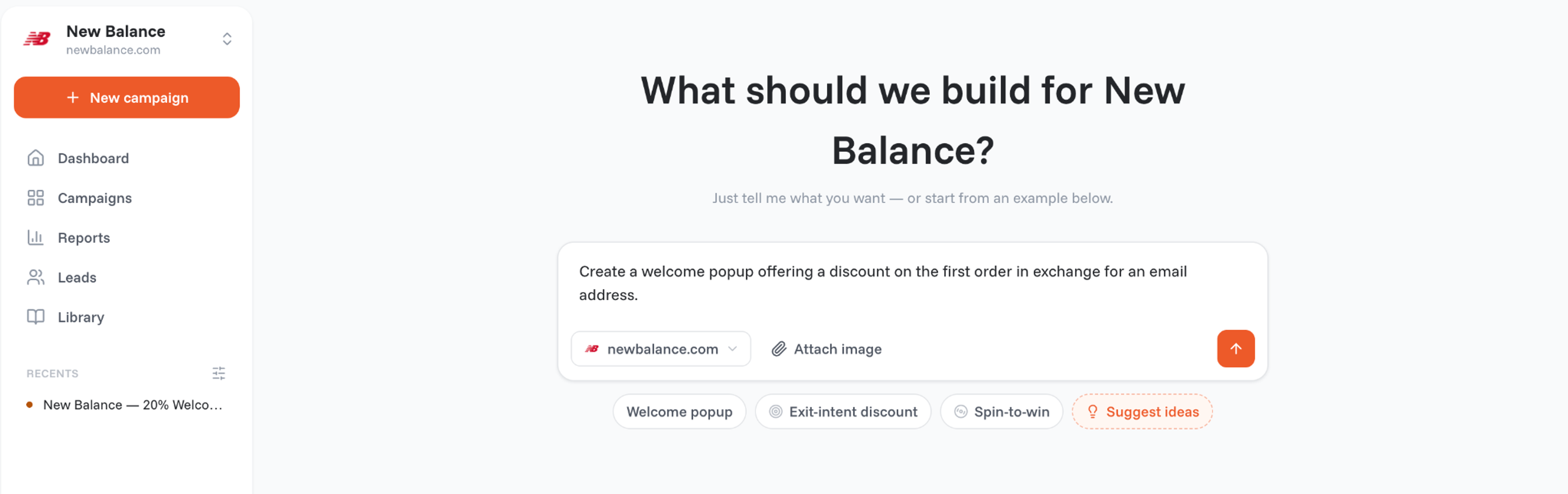
A popup maker is software for building the messages that appear on top of a web page: a newsletter signup, a first-order discount, a "wait, don't go" offer when someone leaves, or a spin-to-win wheel.
Good popup makers also decide who sees the popup and when, and tell you whether it works.
Stores use popups for three jobs:
Most popup makers give you templates and a drag-and-drop editor. OptiMonk works differently: you describe what you want, and an AI agent does the design work.
Here's how it works in OptiMonk, from the first sentence to a live popup.
Open the builder and type what you need in your own words, for example: "A welcome popup offering 10% off the first order in exchange for an email address." You can also start from an example such as Welcome popup, Exit-intent discount or Spin-to-win.
The agent asks a few questions (your domain, the offer, the moment it should appear), then draws four concepts for your brand. That usually takes about a minute.
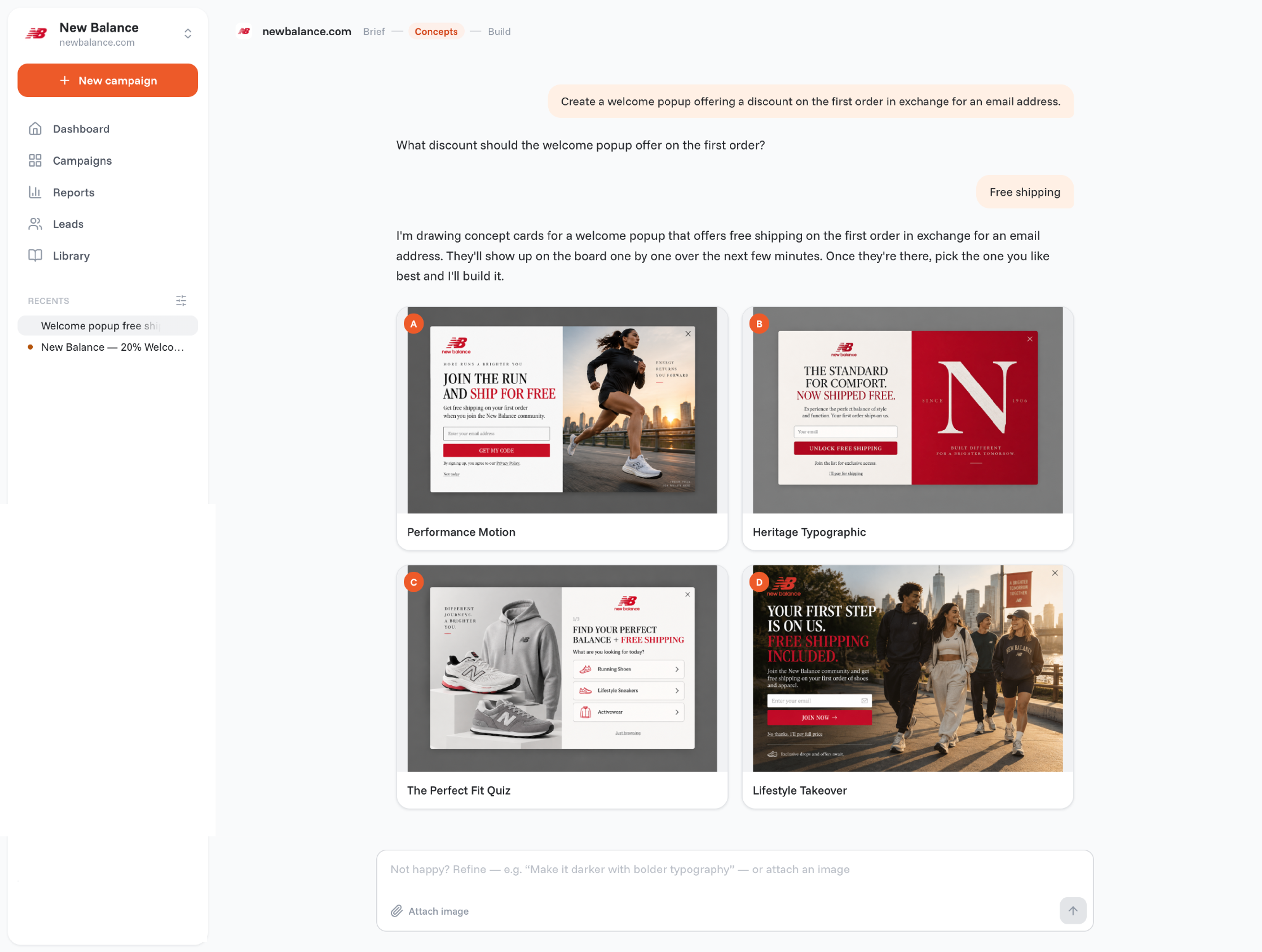
Open a concept and type what should be different, and the agent redraws it, keeping every earlier version. When you like one, pick it.
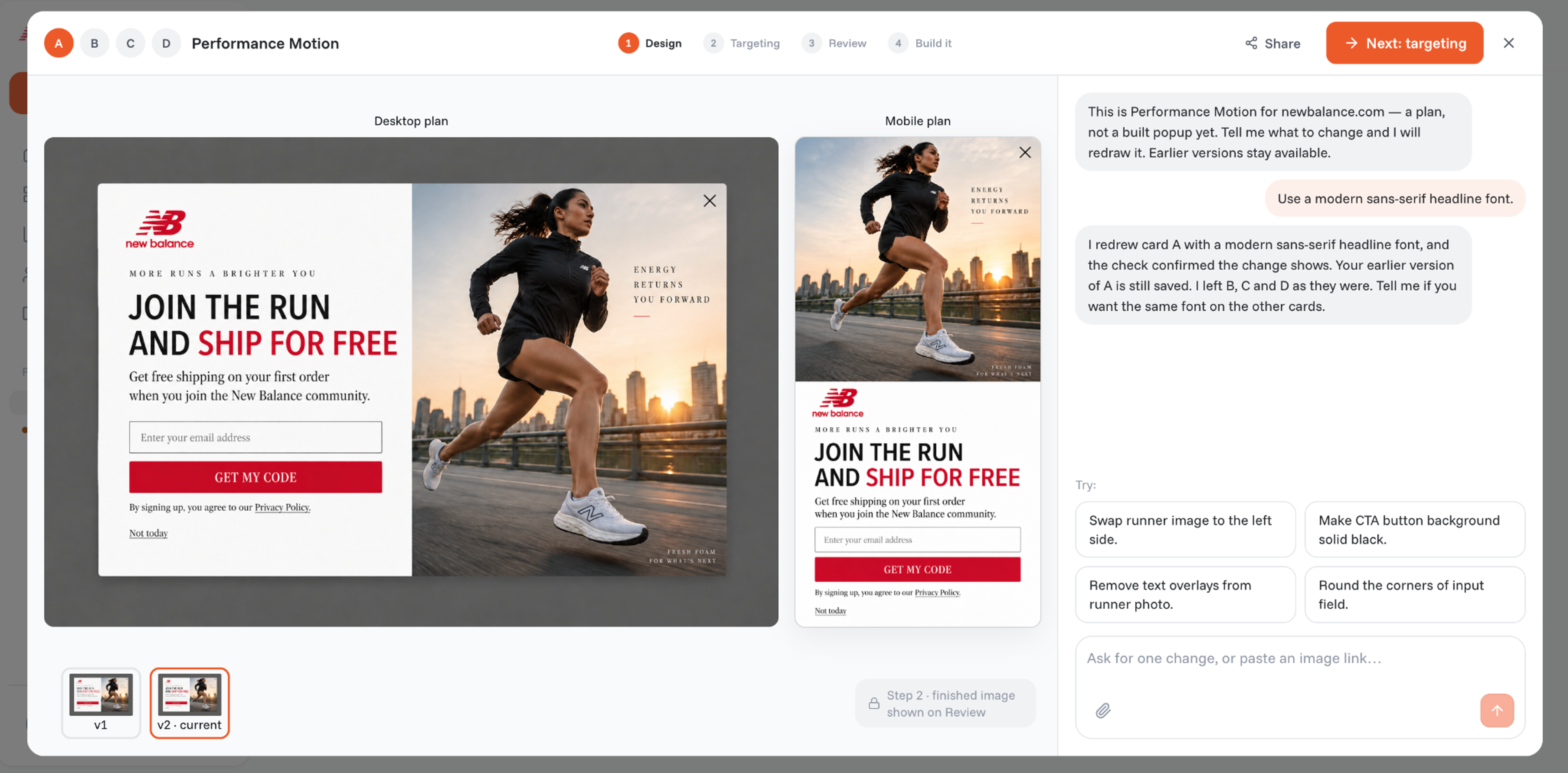
Can't decide between two? You can add them as a new variant and A/B test them against each other, so your visitors decide.
Three settings decide how the popup behaves:
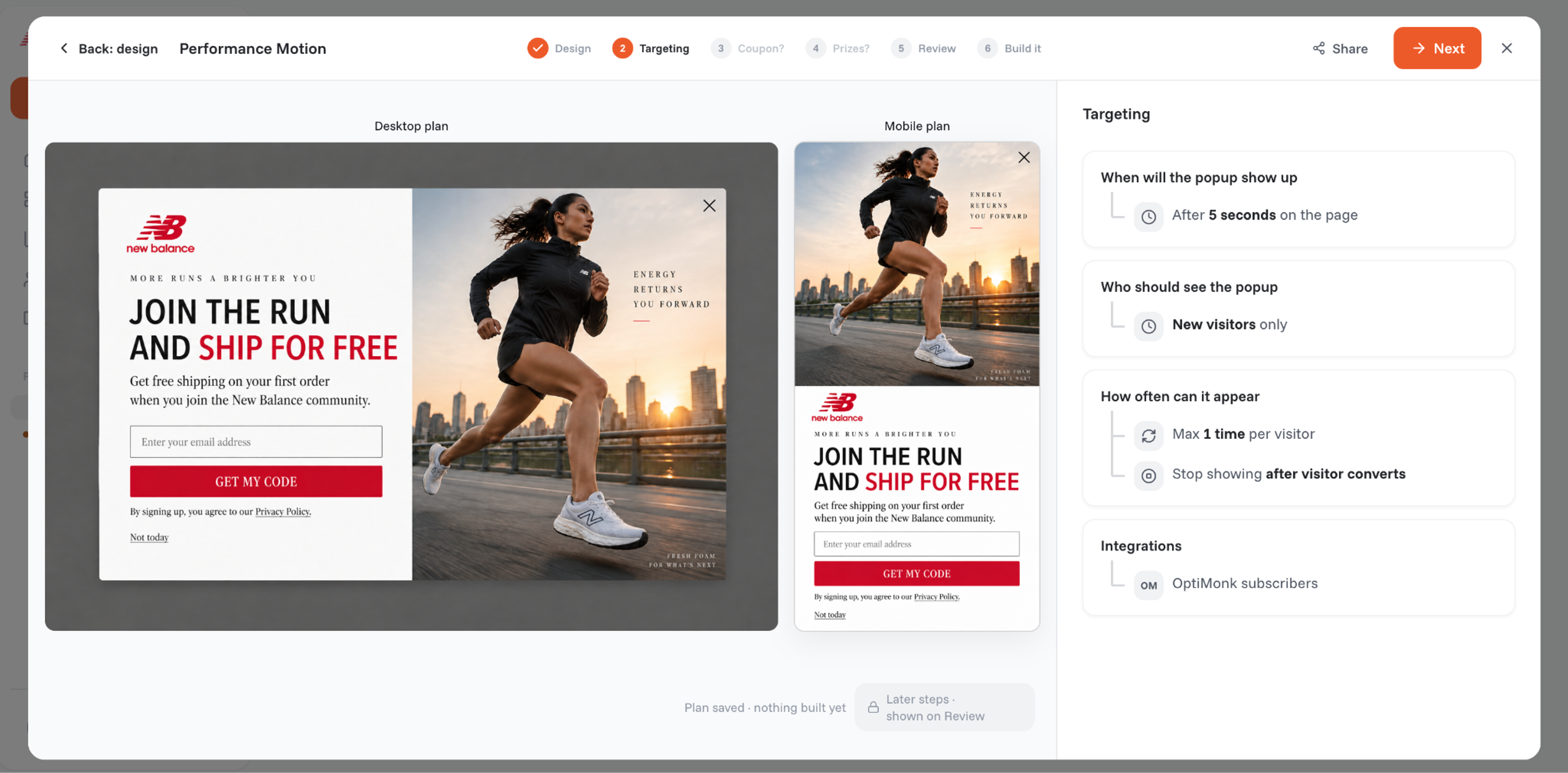
Click Build it. The build takes about three minutes, and you get an email when it's ready. Check it on your site, switch it on, and you're live.
One popup maker, every format a store needs:
| Format | Good for |
|---|---|
| Popup (centered on the page) | Welcome discounts, newsletter signups, announcements |
| Fullscreen | Messages that must be seen, such as a launch or a big sale |
| Lucky wheel | Turning a discount into a game for signups |
| Scratch card | One scratch reveals the prize |
| Survey | Asking visitors what they need, then using the answer to pick the next offer |
| Countdown | Limited-time offers with a real deadline |
Every popup gets a separate mobile version, designed by the agent.
Want to animate one? Turn the still background of a finished popup into a looping video and test it against the static version.
See all formats and features here.
A popup that shows to everyone, all the time, annoys people. A good one shows the right offer at the right moment. OptiMonk can target by:
And it limits how many campaigns a visitor sees in a set time, so your site never turns into a wall of popups.
OptiMonk runs on any website. Installing it takes a few minutes:
The popups load alongside your site, not in front of it, so your page speed stays intact. On Shopify, OptiMonk can also create discount codes for you and apply them at checkout automatically.
If your site runs on WordPress, you can also use a popup plugin. Both work; they suit different needs.
| OptiMonk (AI popup maker) | Typical WordPress popup plugin | |
|---|---|---|
| Design | The agent designs each popup for your brand from one sentence | You start from a template and edit it by hand |
| Mobile version | A separate mobile design for every popup | Usually the desktop design, resized |
| Where it runs | Any site: WordPress, Shopify, custom | WordPress only |
| A/B testing | Built in, on every plan | Depends on the plugin; often a paid add-on |
| Updates and hosting | Hosted for you, nothing to update | Updated and run on your own WordPress install |
| Price | Free plan, paid plans from $19/month (billed yearly) | Free versions, paid tiers vary |
Looking specifically for a WordPress plugin? See our comparison of the best WordPress popup plugins, or these free popup maker plugins.
Browse 1,000+ popups in the OptiMonk popup library, or see our collection of popup design ideas from real stores.
Yes. OptiMonk's Free plan includes the full AI agent and every feature for up to 10,000 pageviews a month on one domain, with 1,000 AI credits. No credit card is needed. Paid plans start at $19/month, billed yearly.
No. You describe the popup in plain words and the agent builds it. The only technical step is installing OptiMonk once: an app on Shopify, a plugin on WordPress, or one code snippet on other sites.
Yes. Install the OptiMonk plugin, add your OptiMonk ID, and your popups work on your WordPress site. If you use a cache plugin, exclude onsite.optimonk.com and front.optimonk.com from caching.
The four concepts take about a minute, and the build about three minutes. Most of the time goes into deciding what to offer.
OptiMonk loads asynchronously, alongside your page instead of in front of it, and serves campaigns through a CDN, so your page speed stays intact.
Yes. Connect OptiMonk's MCP server, and you can build, edit and publish popups from Claude, ChatGPT or Cursor.
Your first popup is one sentence away. Describe it, pick a concept, and put it live today.
Free to start. No credit card.


40 website welcome message examples for online stores, grouped by situation and industry, ready to copy into a welcome popup.
12 Christmas popup examples for online stores, from welcome offers and spin-to-win wheels to gift quizzes and last-chance countdowns.
In this article, we'll share the best alternatives to Sleeknote that help you to get more leads in 2026.