Expected results
Difficulty
Intermediate
Industry
Any, Ecommerce, Media, Saas, Service
Goals
Guide your visitors
When to use it?
Reviews are important for any ecommerce business since they help to build trust with new customers. If you’re having trouble collecting reviews from satisfied customers, try this embedded content strategy.
Welcome returning customers with a personalized message on the homepage, and ask them how satisfied they are with their last purchase. If they say they’re satisfied and give 5 stars, redirect them to Trustpilot. If they’re not satisfied, ask a follow-up question to collect feedback about your website’s user experience.
This strategy is smart because you’ll not only get more 5-star reviews from satisfied customers and build trust with new customers; you’ll also get honest feedback from unsatisfied customers that will help you improve your website/products/etc.
How to set it up?
Step 1: Choose an embedded message and fine-tune it to your style
Browse through all the embedded templates below and choose one that you like.
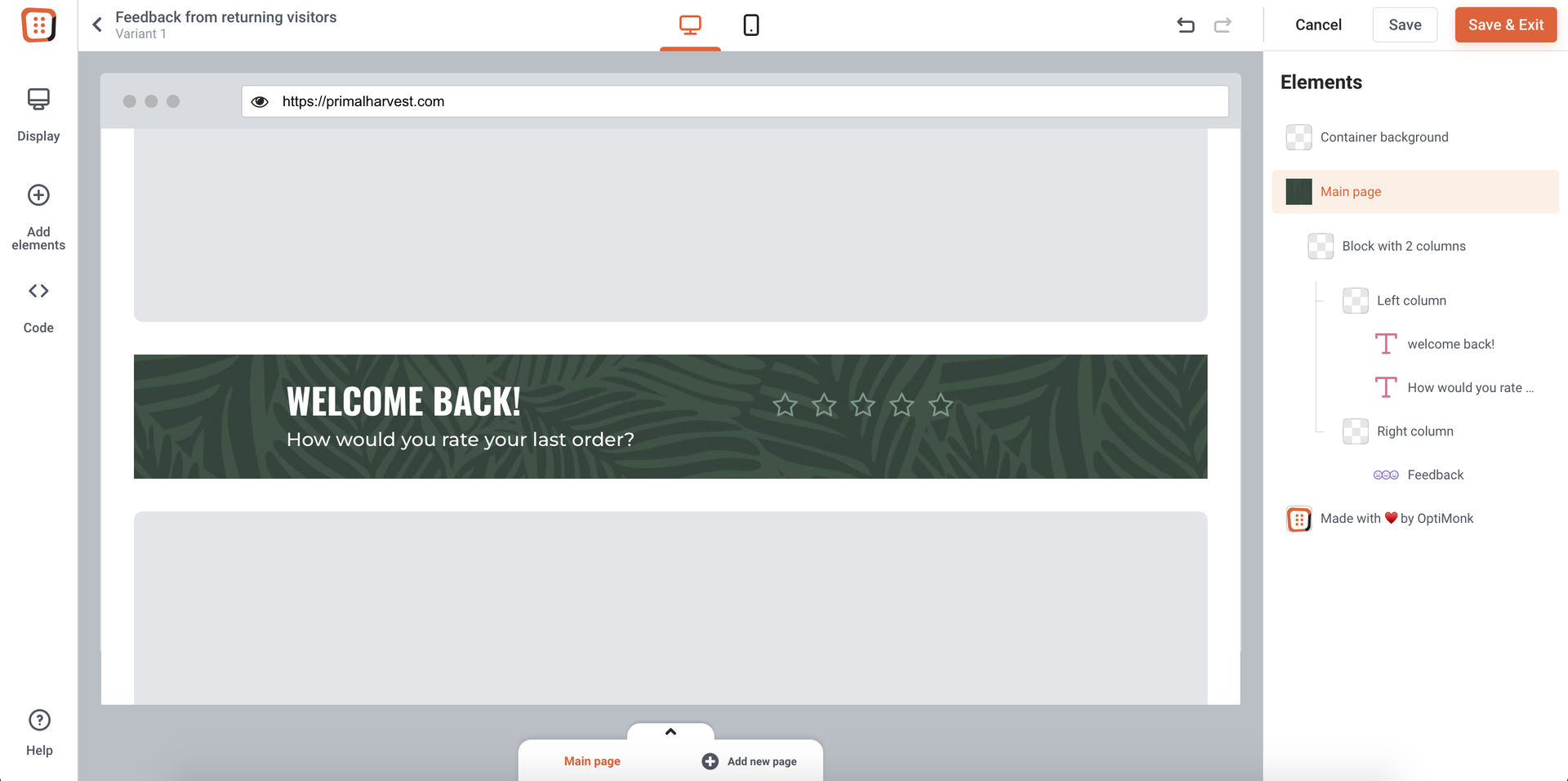
Step 2: Ask for feedback
Add a feedback element to your campaign to ask for your visitors’ insights.

Step 3: Add new pages to your campaign
You shouldn’t stop when you receive feedback on the first page.
If your visitors give 5 stars for their order, you should ask them to rate you on a different platform as well, e.g. on Trustpilot. This will be done on a new page, and it should be redirected to the platform where they can leave a review.

But if they gave you a bad review, you should ask them for details about their experience so that you can improve based on their insights.
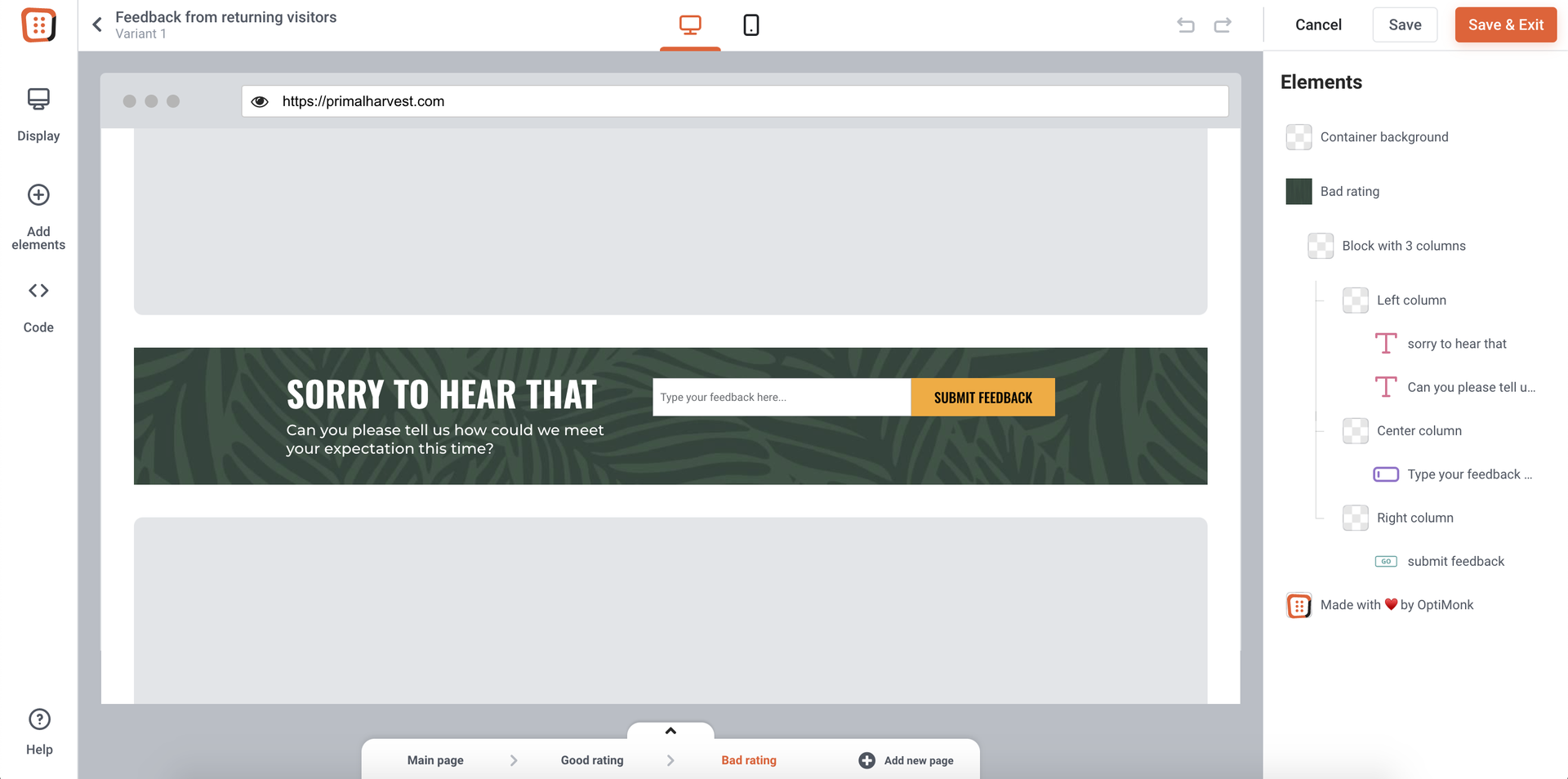
In the second case, you’ll also need to create a thank you page where your visitors will be taken after submitting their detailed reviews.

Step 4: Set up your campaign
If the visitor has given you rates from 1-3, they should be taken to your “Bad rating” page, where you’re asking for a more detailed review.
However, if the visitor gives you a rate from 4-5, they should be taken to your “Good rating” page, where you’re asking them to give you a review on a different platform as well.
It’s practical to rename your pages so the setup will be easier.

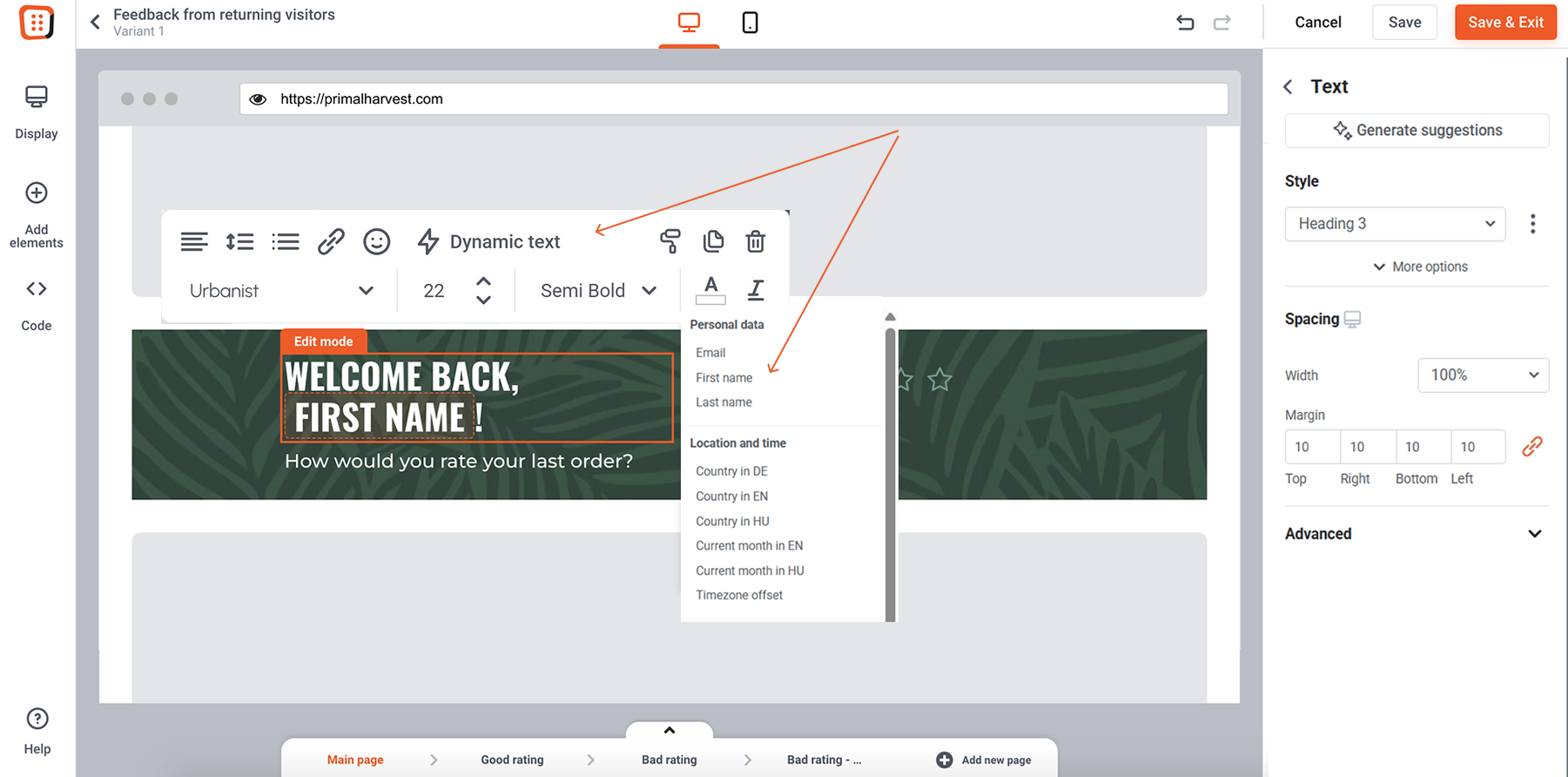
Step 5: Add a dynamix text to your Main Page
To personalize your campaign, add the “first name” dynamic text to your main page so you can welcome your returning visitors by their name.
To learn more about dynamic text, please click here.
Step 6: Place your message
If you’re using embedded content, as we suggested, use our Point & Click Placement to define the position of your content. You can learn more about Point & Click placement here.
This is how this campaign will look on your homepage for your returning customer, named Jason.