Expected results
Difficulty
Intermediate
Industry
Ecommerce
Goals
Stop cart abandonment, GrowAOV, Boost conversions
When to use it?
Discounts are a strategy that many ecommerce stores swear by. But what about visitors who come from Google Shopping Ads or price comparison sites and go directly to your product pages, then leave without buying? Should you offer discounts to them?
Probably not.
Why? Because these visitors have already seen your prices in the Google Shopping Ads, which means that when they clicked through they were aware of your prices. The reason for the bounce is probably not price related.
Instead, try focusing on product discovery!
You can encourage product discovery (and decrease bounce rates at the same time) by promoting your trending products in an exit-intent popup.
You can do all this dynamically using this tactic! All you need to do is to create a single exit-intent popup and set it up correctly for your Google Ads traffic.
How to set it up?
Step 1: Create a Product Recommender popup
Scroll down and choose a template and fine-tune it to your style.

Or you can simply create any popup and add a product element from the “Add elements” section:

Step 2: Set up the products you want to promote
In the product element, choose the most popular products setting:
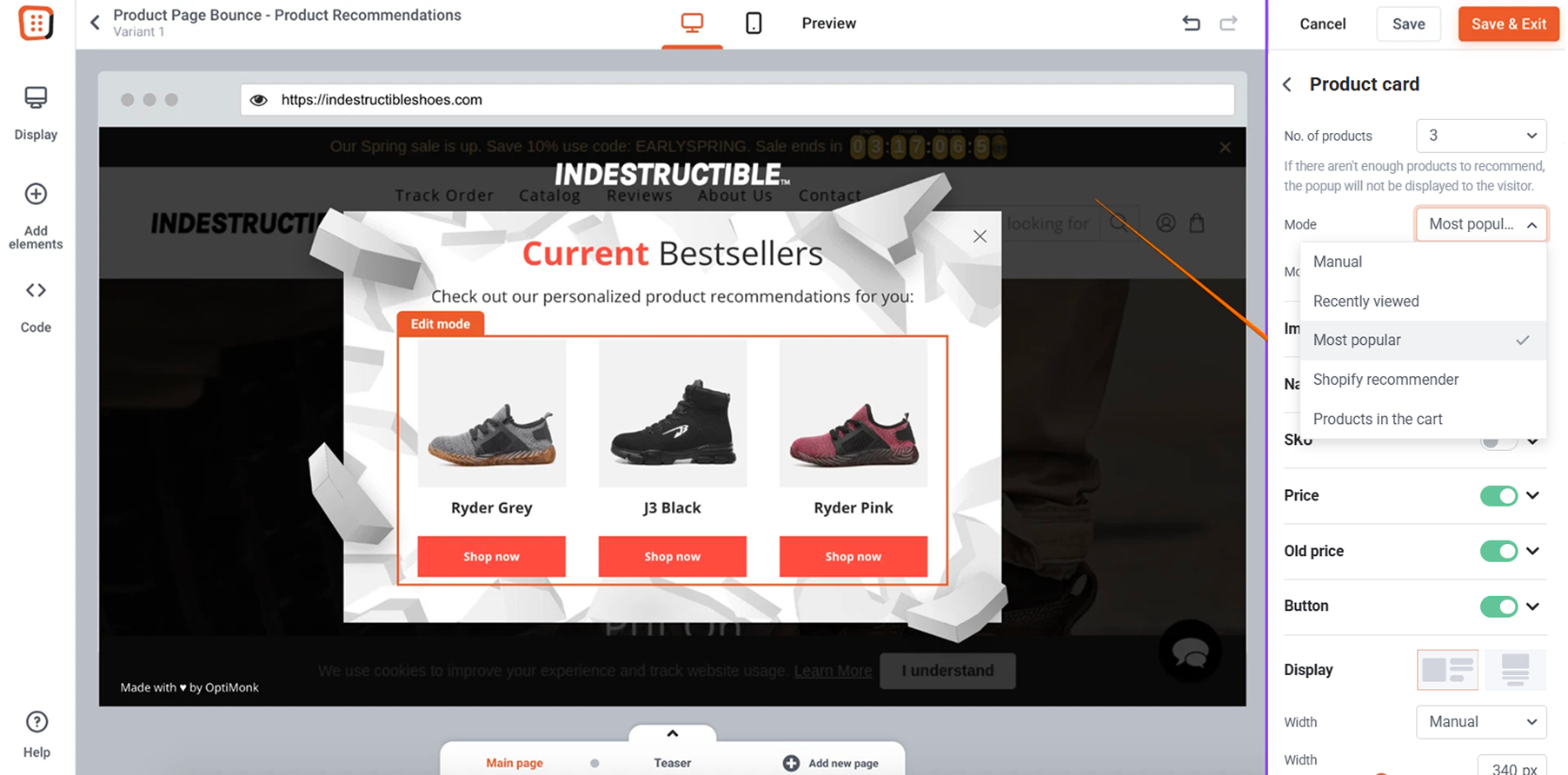
If you don’t have a Shopify store, you will need to manually add the details of your products that you would like to see on your campaign.
Step 3: Insert dynamix text
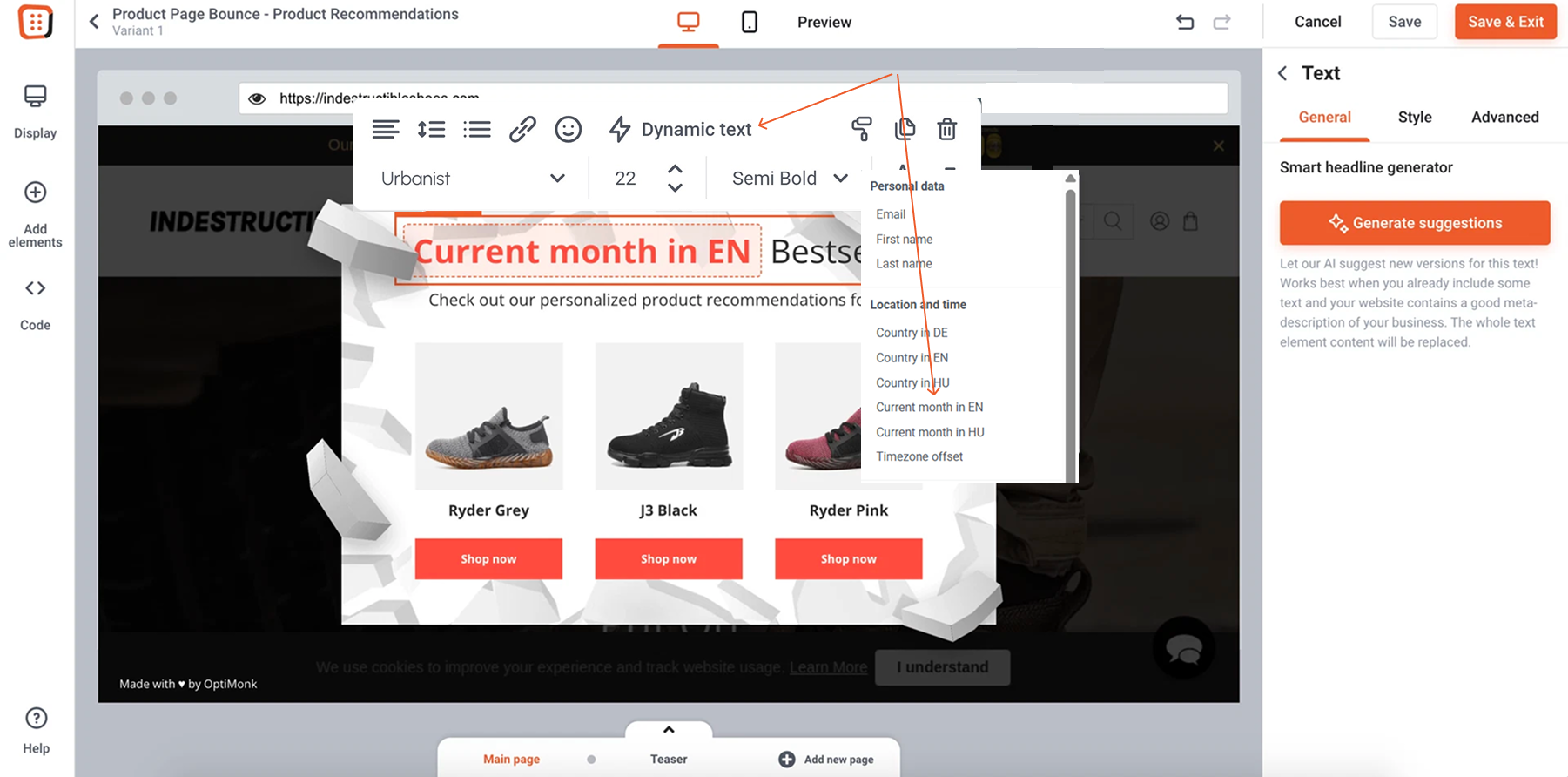
Insert the “Current month in EN” dynamic text into your headline to create an even more personalized feel.
Step 4: Target and launch your campaign
The campaign should appear on exit intent on product pages, so only those visitors will see your message who are about to leave your product pages.


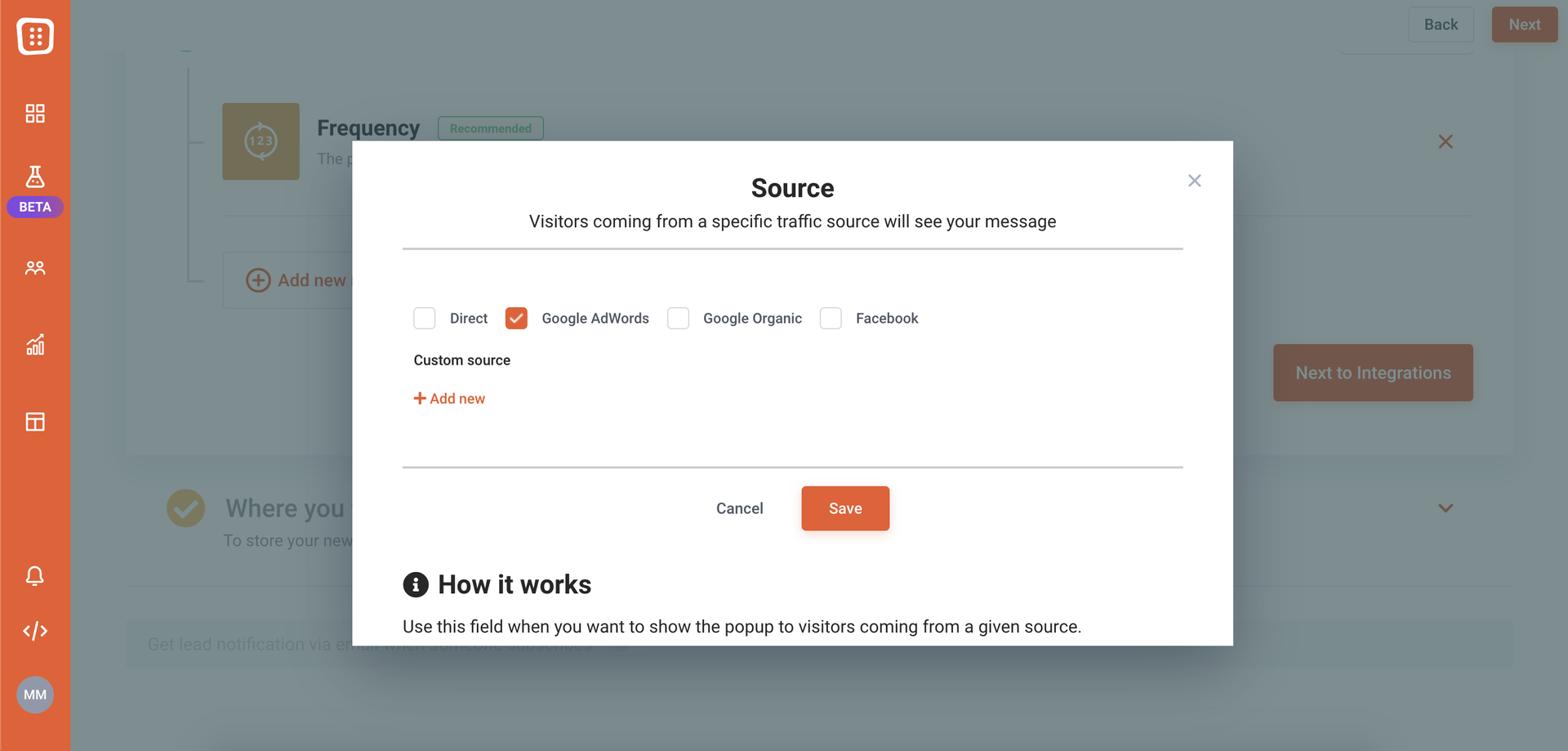
Target only those visitors who are coming from Google Ads.