
40 Welcome Message Examples for Your Website (Copy and Paste)
40 website welcome message examples for online stores, grouped by situation and industry, ready to copy into a welcome popup.
What a pop-up window is, the main types of popups, whether they hurt SEO, and how to design one that visitors actually use.
In short
A pop-up window is a box that appears on top of the page you're viewing. On websites, popups are usually on-page overlays, like a signup form or a discount offer, not new browser windows, so browser popup blockers don't stop them. This guide covers the main types, when popups help or hurt (SEO included) and how to design one that visitors actually use.
A pop-up window is a small window or box that appears on top of the page you're viewing. On websites, "popups" usually mean on-page overlays (not new browser windows) that show a message, such as a signup form, a discount or an exit offer, at a chosen moment. Browsers block the old kind; on-page popups aren't affected.
This guide explains the difference, the main types of popups, when they help and when they hurt, and how to design one that visitors actually use.
The term covers two different things, which is why searches for it return everything from browser help pages to marketing guides.
| Browser pop-up window | Website popup (on-page overlay) | |
|---|---|---|
| What it is | A new browser window or tab opened by a page | A box shown on top of the current page, inside it |
| Typical use | Old-style ads, login windows, file previews | Signup forms, discounts, exit offers, announcements |
| Blocked by browsers? | Often, by the built-in popup blocker | No, it's part of the page |
| Closed by | Closing the window | A close button, clicking outside it, or pressing Esc |
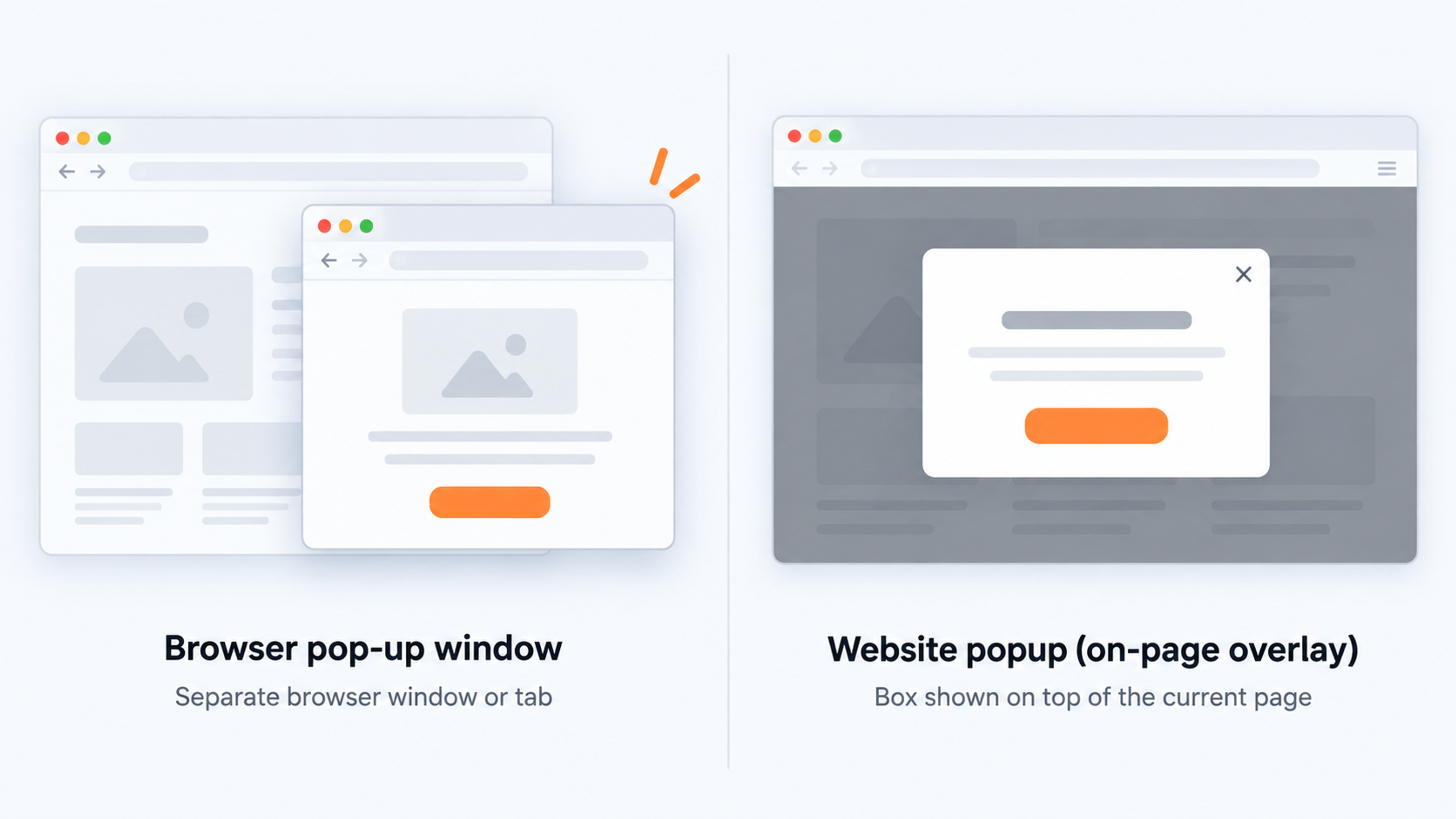
When marketers talk about popups today, they almost always mean the second kind. A modal popup asks for attention before you continue (the page behind it is dimmed); a non-modal one, like a small corner message, lets you keep browsing.
If you're trying to allow or block popups in Chrome or Safari, that's a browser setting, not what this guide is about. The rest of this page is about popups on your own website.
Both spellings are correct. "Pop-up" with a hyphen is the traditional dictionary form and is common for browser windows. "Popup" as one word is the standard in software and marketing, and it's how most popup tools, including OptiMonk, write it. Searchers use both, so it doesn't matter for SEO which one you pick; just be consistent.
For an online store, a popup is a way to say one thing to one visitor at the right moment. The most common jobs:
Popups differ in format (what they look like) and trigger (when they appear).
| Format | What it looks like | Good for |
|---|---|---|
| Popup (centered) | A box in the middle of the screen, page dimmed behind it | Welcome offers, signups, announcements |
| Fullscreen | Covers the whole browser window | Launches, big sales, messages that must be seen |
| Lucky wheel | A wheel visitors spin to win a prize | Gamified signups |
| Scratch card | Visitors scratch to reveal a prize | Gamified signups with a surprise |
| Survey | One or a few questions | Learning why visitors hesitate |
| Countdown | A timer on a limited offer | Flash sales, real deadlines |
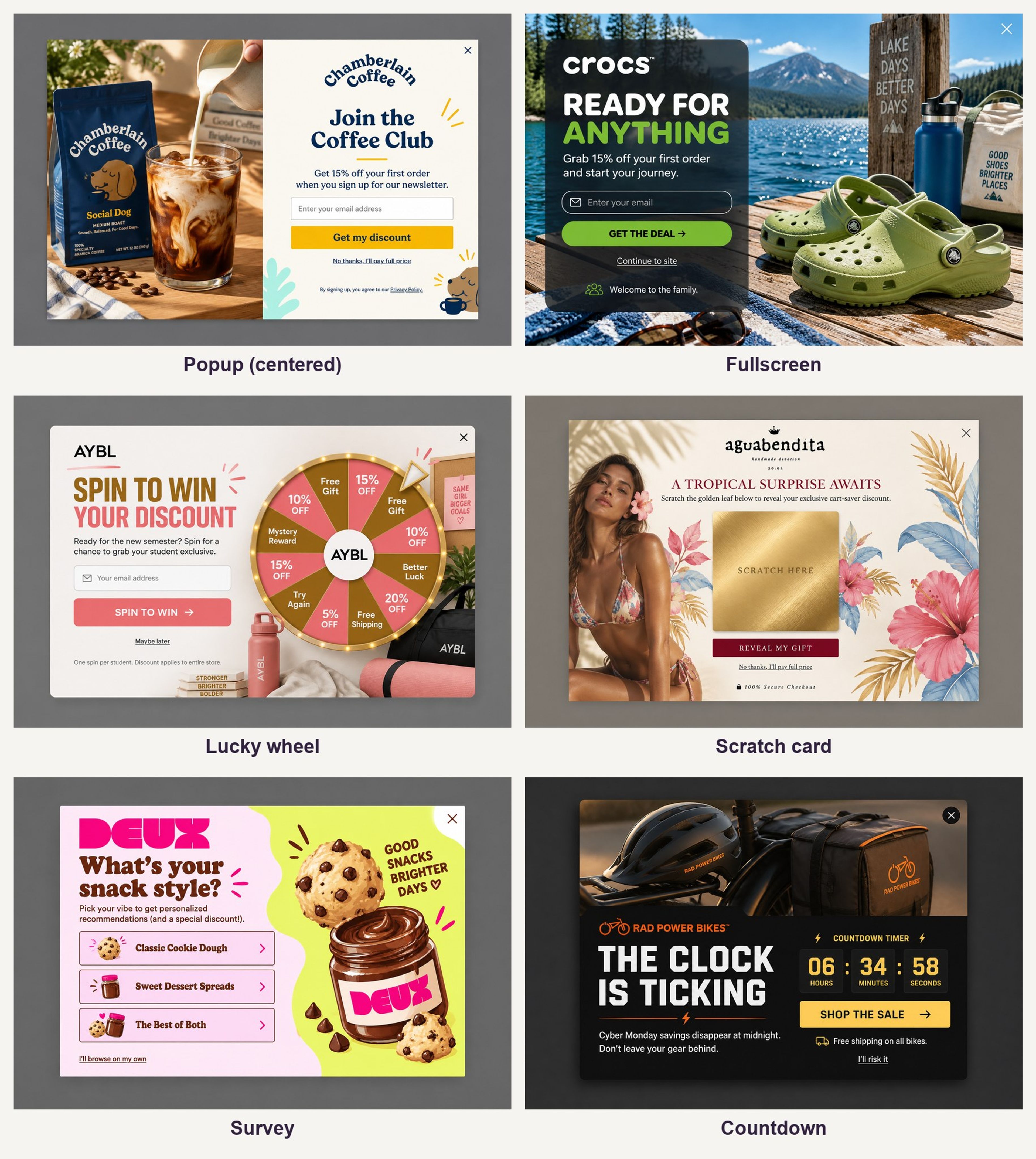
Overlays that cover the page before the content are also called interstitial popups; see interstitial popups for how they work and when Google minds them. For the difference between overlays and lightboxes, see overlay popups. Lucky wheels and scratch cards are covered in our guide to gamified popups.
The trigger matters as much as the design. The same offer can annoy on page load and convert on exit.
Pros
Cons
The cons come from how popups are used, not from popups themselves. Every one of them has a fix: timing, targeting and frequency limits.
Only if they block the content, mainly a popup that covers the whole page on mobile right after someone arrives from search. Google's guidance on intrusive interstitials and dialogs (Search Central, updated December 2025) describes them as page elements that obstruct the content, usually for promotional purposes, and advises against covering the entire page or redirecting visitors to a separate page for their input.
Google treats this as part of page experience. Its point is practical: if visitors find a site hard to use, they're less likely to come back.
What's fine:
In practice: on mobile, avoid a full-screen popup the moment someone lands from search. Use a delay, scroll trigger or exit intent instead.
Most "annoying popup" complaints come from three mistakes: showing the wrong message, at the wrong time, too often. Fix each one:
OptiMonk handles these with its targeting rules and frequency limits, including a User Experience Protector that caps how many campaigns a visitor sees.
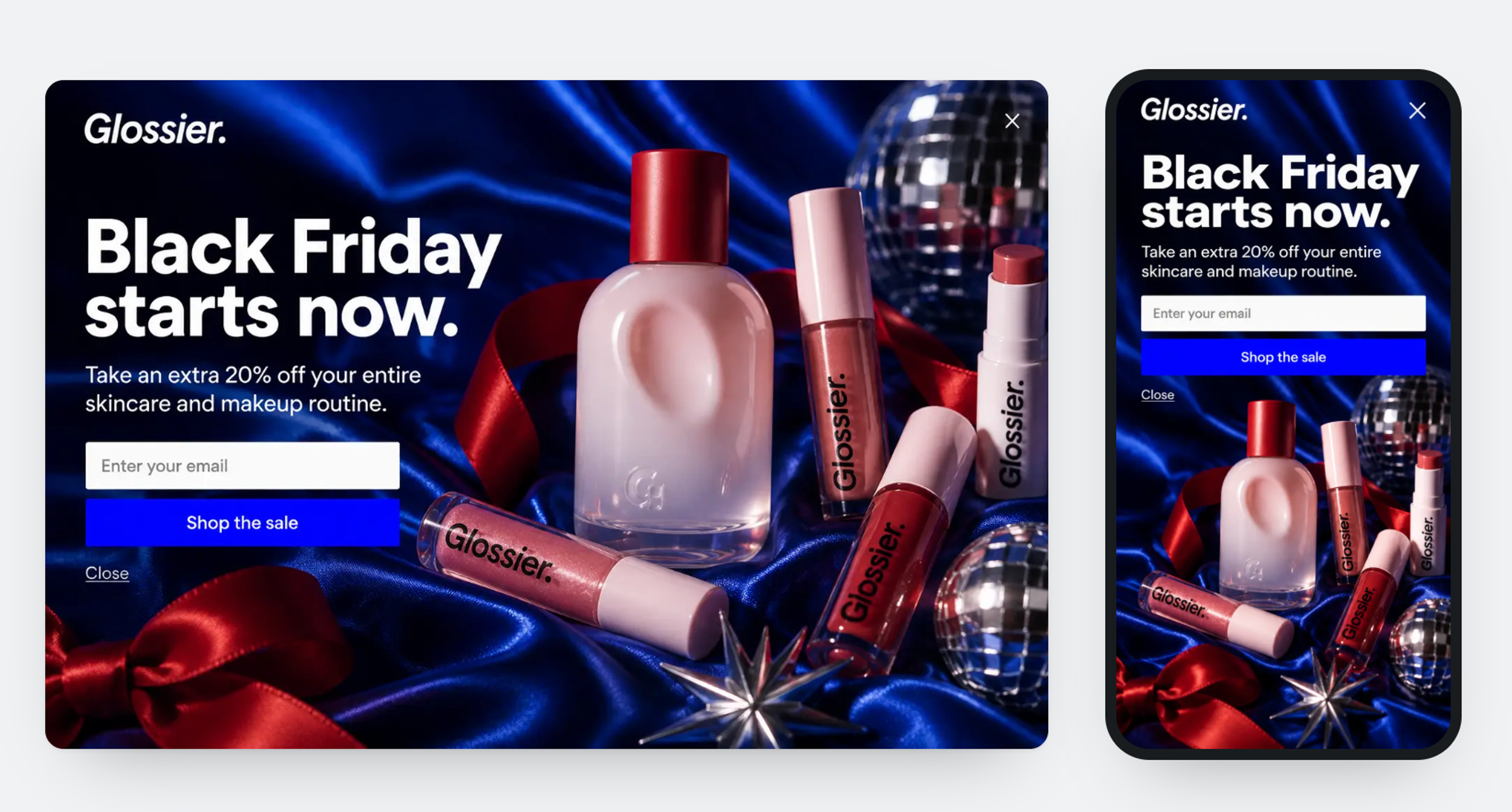
For 50+ examples from real stores, see our popup design ideas. For the principles in more depth, see popup design best practices.
If you're starting from zero, start here:
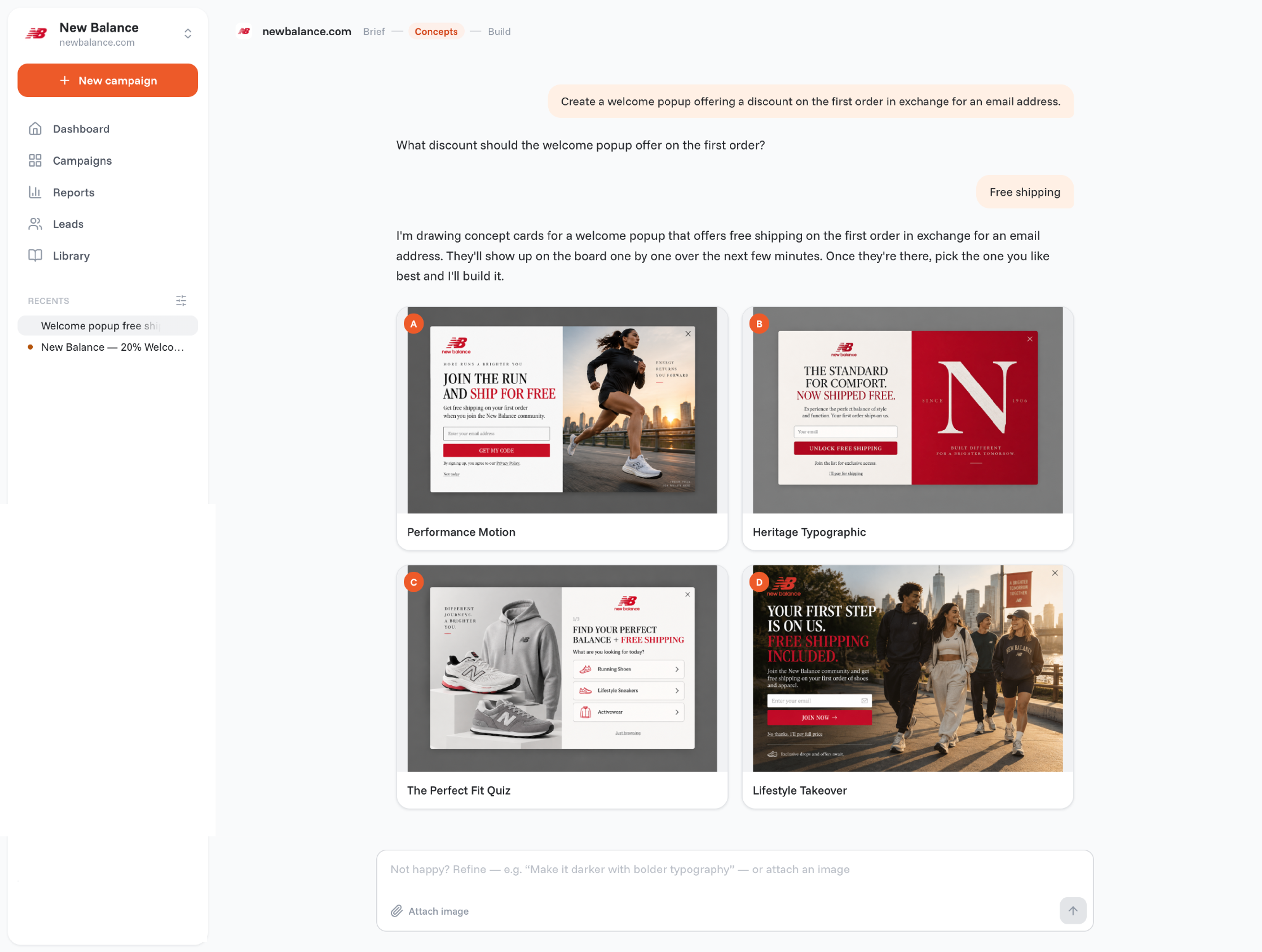
With OptiMonk, you can describe exactly this in one sentence, and the agent designs the popup for your brand, builds a mobile version and sets the targeting.
Popups on a store's own website are part of the page and are as safe as the site itself. Be careful with browser windows that open unexpectedly and ask you to download software or enter passwords; those are a different thing, and browser popup blockers exist for them.
Yes, if they're designed for it: a smaller layout, an easy close button, a delay or scroll trigger instead of an instant full-screen popup, and never covering the add-to-cart button. Exit intent can work on phones too.
Browser popup blockers stop new windows, not on-page popups. Some ad blockers also block known marketing scripts, so a small share of visitors may not see popups from any tool.
A popup itself is neither compliant nor non-compliant; what matters is how you collect and use the data. Ask for clear consent, link your privacy policy, and use double opt-in where your market expects it.
It depends heavily on the offer, the audience and the trigger, so a single average isn't very useful. Compare your popups against each other with A/B tests instead.
Use a centered popup for one important offer, a fullscreen popup only for messages that must be seen, and a small, non-blocking message when you don't want to interrupt. Test which one your visitors respond to.
If you're comparing tools, see our roundup of the best Shopify popup apps, plus the best OptinMonster alternatives and Privy alternatives for online stores.
Now you know what a popup is and how to use one well. The fastest way to learn the rest is to put one live.
Describe your first popup in one sentence. Free to start, no credit card.


40 website welcome message examples for online stores, grouped by situation and industry, ready to copy into a welcome popup.
12 Christmas popup examples for online stores, from welcome offers and spin-to-win wheels to gift quizzes and last-chance countdowns.
In this article, we'll share the best alternatives to Sleeknote that help you to get more leads in 2026.