
What's New - June 2026
Six new features to help you prep for peak season — from a brand new analytics dashboard to unique coupon codes for Lucky Wheel, autosave, and more.
This release focuses on new features that make it easier to turn your visitors into customers, from smart product recos to more flexible campaign management.
In short
Discover the latest features from OptiMonk this July 2025 to boost your website's conversion rate. Enhance your campaigns with tools like Campaign Diagnostics, Split URL A/B Testing, and a Product Recommender Bar. Benefit from multilingual templates, intuitive design tools, and brand-adaptive styling to optimize user engagement and drive sales effectively.
As the typical summer slump kicks in, many online stores slow down — but it’s actually the perfect time to experiment, fine-tune your site, and prepare for the end-of-year shopping season.
This month, we’re introducing new features that make it easier to turn your visitors into customers. From smarter product recommendations to more flexible campaign management and advanced A/B testing, these tools give you more control and confidence to get the most out of your traffic.
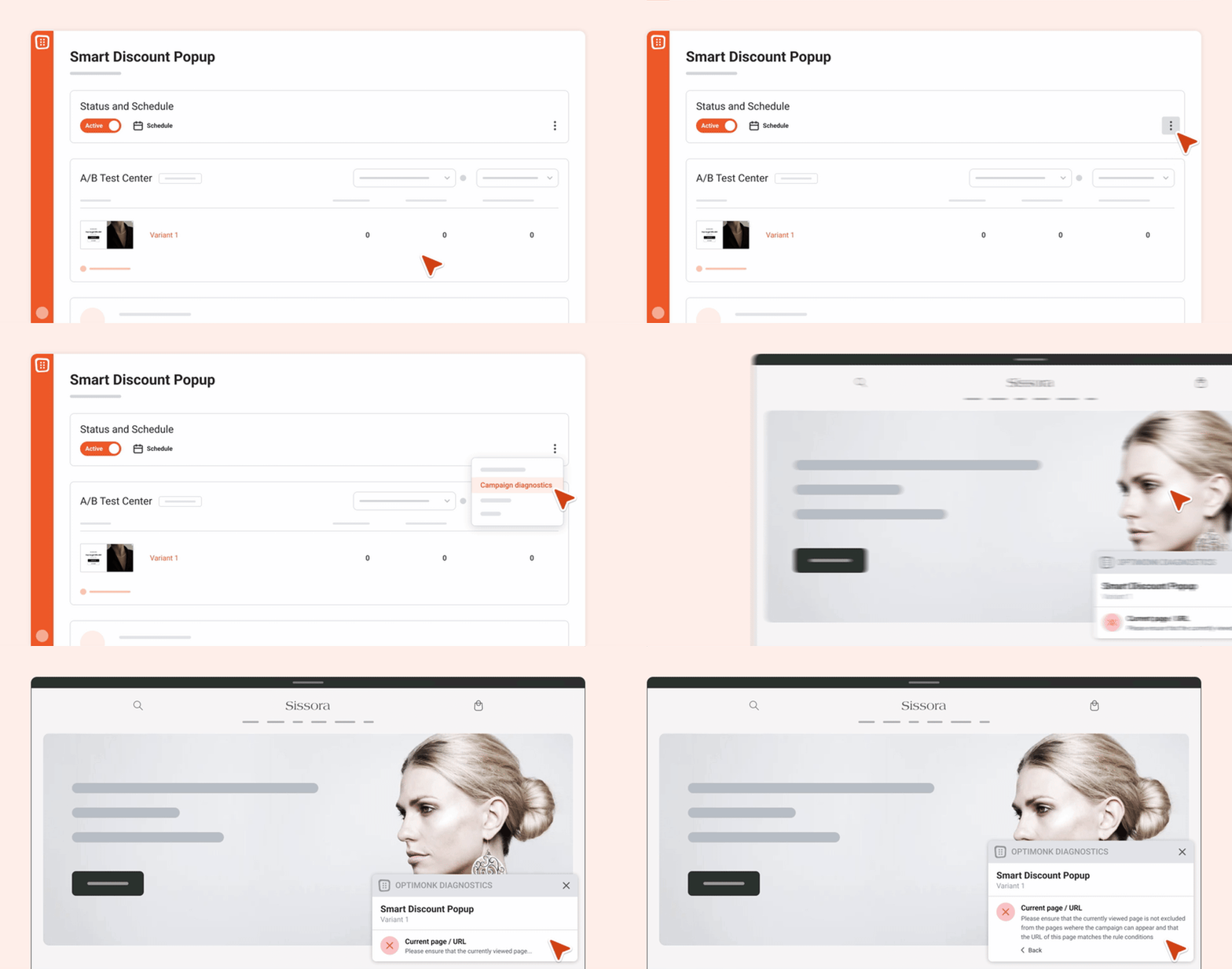
We’ve all been there — a popup you spent hours fine-tuning just won’t show up, and you have no idea why. In most cases, it’s a small hidden setting behind the scenes: a misconfigured URL, a product out of stock, or something similar.
Campaign Diagnostics helps you detect these issues instantly and offers suggestions on how to fix them. Use it after launching a campaign or whenever something seems off — so your campaigns always run smoothly.
Learn more about Campaign Diagnostics
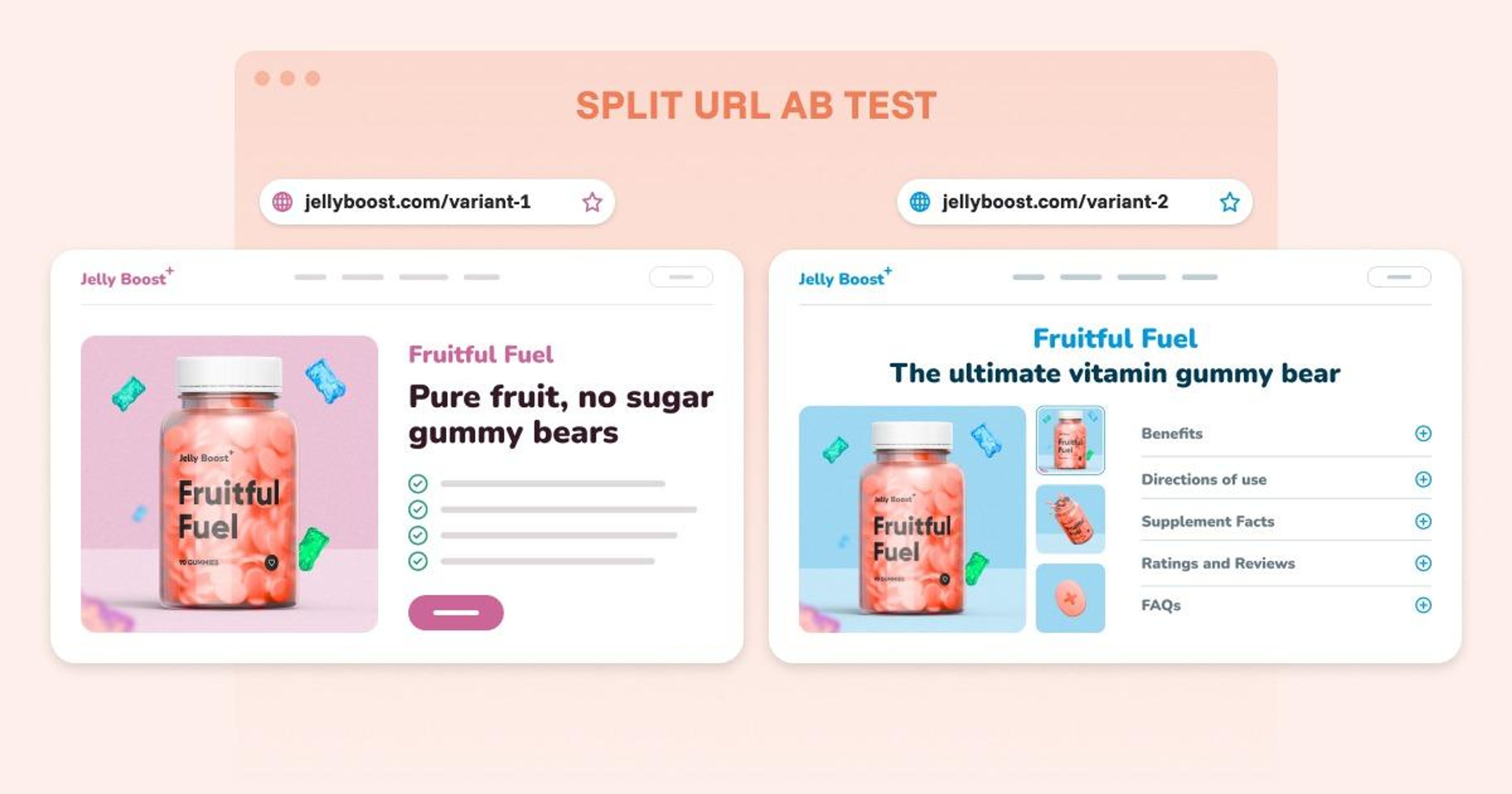
Split URL testing lets you send traffic to different URLs that host alternate versions of your page. It’s ideal for testing major design or backend changes — no code editing required.
You can compare two different homepage layouts or product page structures, and we’ll show you which version performs better.
Visitors are randomly directed to each version, so you’ll collect accurate data on conversions and user behavior — giving you a reliable basis for making decisions.
Here’s how to set up a Split URL A/B Test
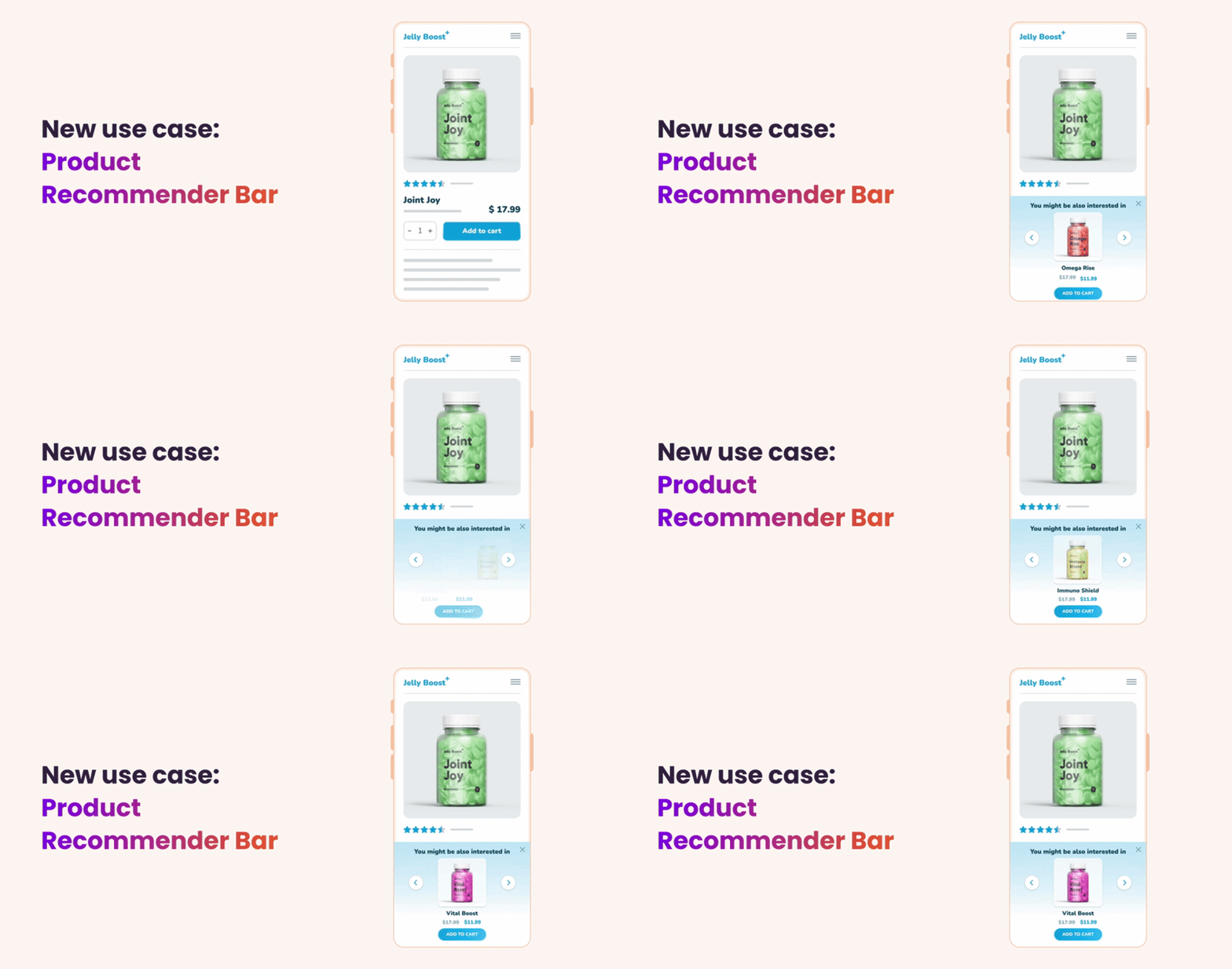
Many visitors lose interest if they can’t quickly find what they’re looking for. Even if product suggestions appear at the bottom of the page, most users won’t scroll that far.
Our new product recommender bar stays visible at all times, offering proactive suggestions to help your visitors find what they need — or discover something new.
It encourages exploration, keeps users engaged, and can even increase your average order value.
More on the Product Recommender Bar
Running a multilingual site or targeting customers in different countries? Our pre-translated templates make it easy to launch campaigns in multiple languages — in just a few minutes. Campaign creation has never been faster or easier.
All templates are available in :
Learn more about our templates
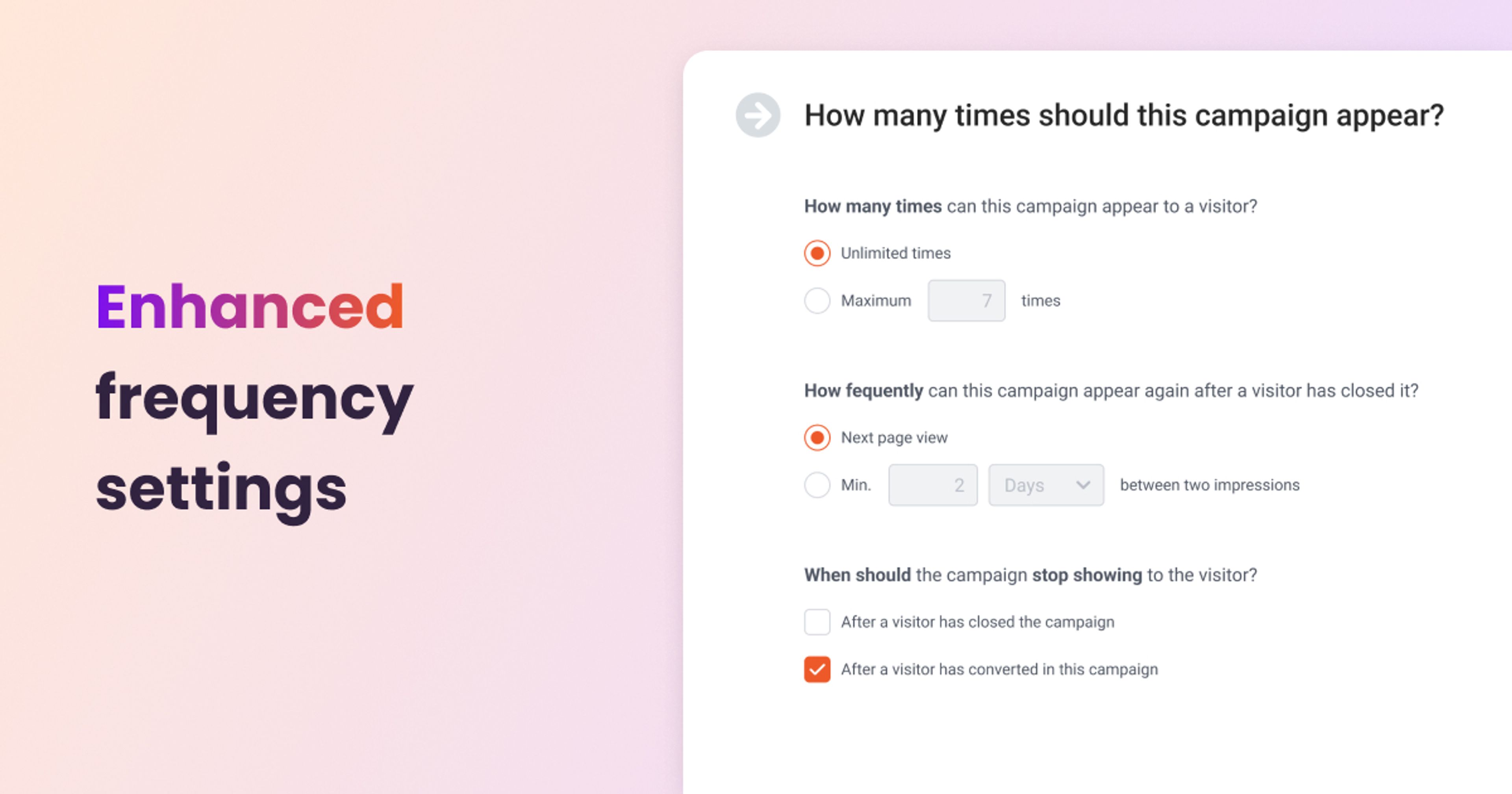
With our upgraded frequency settings, you can now fine-tune how and when your campaigns appear — whether it’s a popup, embedded content, or sticky bar.
You have full control over display logic: decide when campaigns should stop showing, how many times they should appear, or how long to wait after a user closes one before showing it again.
This ensures that your visitors only see relevant messages, keeping the experience smooth and distraction-free.
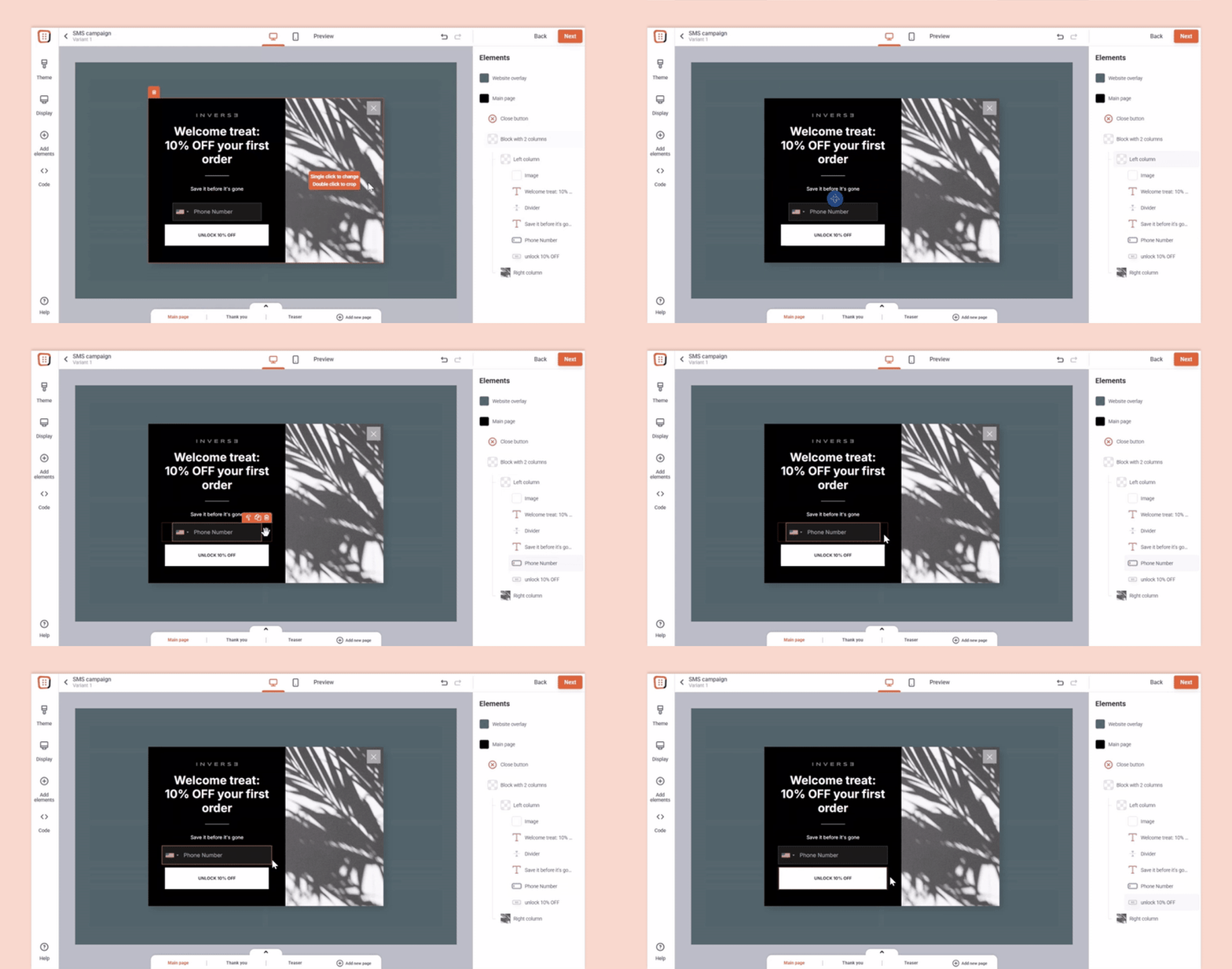
We’ve made it easier than ever to adjust spacing and sizing in your campaigns. Instead of typing numbers into the right-hand panel, you can now simply drag margins and resize elements directly with your mouse.
Just click on an element and drag the small white arrow that appears on its edge to adjust it instantly.
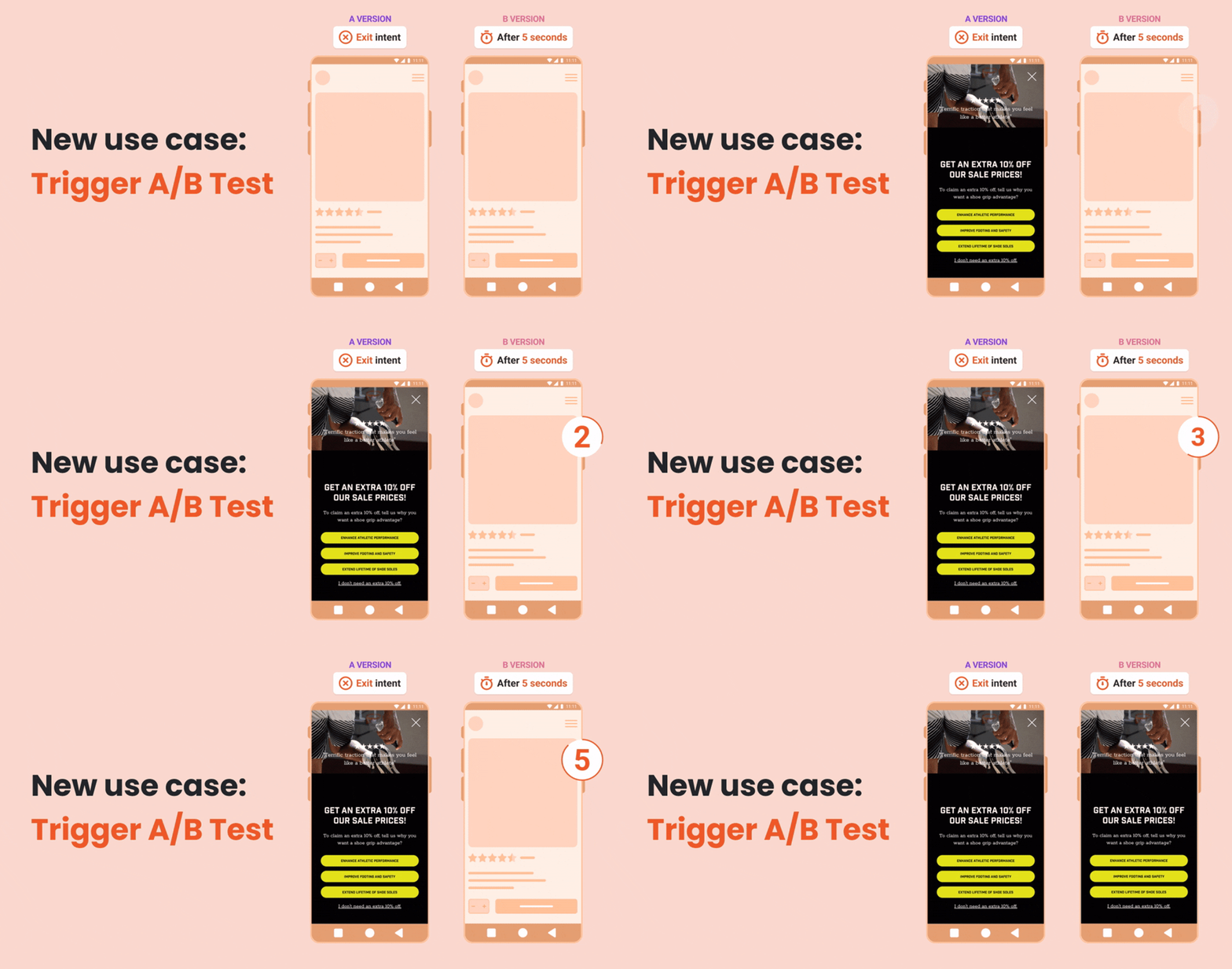
Many great popups fail simply because they show up at the wrong time. Even the best message can miss the mark if it’s not aligned with visitor behavior.
With Trigger A/B Testing, you can experiment with different popup timings to find out what works best.
Whether it’s after a few seconds, on scroll, or when someone’s about to leave — testing helps you show the right message at the right time.
This small tweak can boost conversions, reduce bounce rates, and improve user experience — all based on real data.
When you create a new campaign, we now automatically load your website’s appearance settings and adjust the template styles accordingly.
Based on your domain, the system detects:
This reduces the time spent on manual editing and helps ensure that your campaigns match your brand from the very first moment.
Six new features to help you prep for peak season — from a brand new analytics dashboard to unique coupon codes for Lucky Wheel, autosave, and more.
This release brings smarter, faster, and more personalized popup campaigns, powered by AI Editor, AI Popups, product page optimization, and deeper integrations.
This release focuses on optimizing your efforts with news like cross-domain tracking, headless commerce support, or multilingual templates.